EasyManua.ls Logo

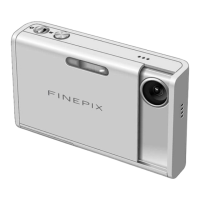
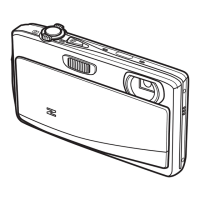
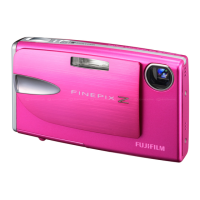
FujiFilm Finepix Z20 - User Manual

FujiFilm Finepix Z20
132 pages
Print Icon
To Next Page IconTo Next Page
Loading...
Before You Begin
First Steps
Basic Photography and Playback
More on Photography
More on Playback
Movies
Connections
Menus
Technical Notes
Troubleshooting
Appendix
Owners Manual
Thank you for your purchase of this product. This manual de-
scribes how to use your FUJIFILM FinePix Z20fd digital camera
and the supplied software. Be sure that you have read and
understood its contents before using the camera.
For information on related products, visit our website at
http://www.fujifilm.com/products/index.htm
BL00708-70 0(1)
E

Table of Contents

Other manuals for FujiFilm Finepix Z20

Questions and Answers

  • K
    Kimberly FordAug 19, 2025
    What to do if my FujiFilm Finepix Z20 Digital Camera does not turn on?
    • K
      Karen HansonAug 19, 2025
      If your FujiFilm Digital Camera doesn't turn on, it could be due to several reasons: the battery may be exhausted (charge it or insert a fully-charged spare), the battery might not be correctly oriented (re-insert it properly), the battery-chamber cover may not be latched (latch it), or the AC adapter and DC coupler might not be properly connected (ensure they are).
  • E
    erickellerAug 21, 2025
    Why does my FujiFilm Digital Camera turn off suddenly?
    • G
      gomezpamelaAug 21, 2025
      Your FujiFilm Digital Camera might be turning off suddenly because the battery is exhausted, so charge it or insert a fully-charged spare battery. Alternatively, the AC adapter or DC coupler may have been disconnected; ensure they are properly connected.
  • A
    andrewssamanthaAug 23, 2025
    What to do if no picture is taken when the shutter button is pressed on my FujiFilm Finepix Z20 Digital Camera?
    • J
      john90Aug 23, 2025
      If your FujiFilm Digital Camera isn't taking pictures when you press the shutter button, check the following: the memory might be full (insert a new card or delete pictures), the memory might not be formatted (format the card or internal memory), there could be dirt on the memory card contacts (clean them with a soft, dry cloth), the memory card might be damaged (insert a new card), the battery may be exhausted (charge it or insert a spare), or the camera may have turned off automatically (turn it on).
  • W
    wilsonsusanAug 26, 2025
    Why does the battery run down quickly on my FujiFilm Finepix Z20?
    • R
      Randy JohnsonAug 26, 2025
      If the battery on your FujiFilm Digital Camera is draining quickly, consider these factors: the battery might be cold (warm it in a pocket before use), the battery terminals could be dirty (clean them with a soft, dry cloth), HIGH SPEED SHOOTING might be enabled (turn it off), or the battery may have reached the end of its life (purchase a new one).
  • S
    Sophia KerrAug 27, 2025
    What to do if my FujiFilm Digital Camera does not focus?
    • D
      Diane AndersonAug 27, 2025
      If your FujiFilm Digital Camera isn't focusing, it could be because the subject is too close (select macro mode), the subject is too far away (cancel macro mode), or the subject isn't suited to autofocus (use focus lock).
  • P
    Paul WashingtonAug 29, 2025
    What to do if charging does not start on my FujiFilm Finepix Z20 Digital Camera?
    • S
      Sandra WalkerAug 29, 2025
      If your FujiFilm Digital Camera isn't charging, make sure the battery is correctly inserted and in the correct orientation in the charger. Re-insert the battery if necessary.
  • M
    Maria SmithSep 1, 2025
    Why is charging slow on my FujiFilm Finepix Z20?
    • J
      John RichardsonSep 1, 2025
      If your FujiFilm Digital Camera is charging slowly, the temperature may be low. Try charging the battery at room temperature.
  • W
    whiteemilySep 3, 2025
    Why is face detection not available on my FujiFilm Finepix Z20 Digital Camera?
    • J
      Jason JenkinsSep 3, 2025
      Face detection may not be available on your FujiFilm Digital Camera if the camera is in N, K, L, D, O, P, or R mode. Choose a different shooting mode.
  • R
    Robert GreeneSep 5, 2025
    Why is macro mode not available on my FujiFilm Finepix Z20 Digital Camera?
    • L
      lisa20Sep 5, 2025
      Macro mode might not be available on your FujiFilm Digital Camera if the camera is in C, K, L, D, E, F, G, I, or R mode. Choose a different shooting mode.
  • S
    Stephanie ClaySep 7, 2025
    What to do if the monitor goes dark after shooting with my FujiFilm Finepix Z20?
    • C
      Carl GeorgeSep 7, 2025
      If the monitor on your FujiFilm Digital Camera goes dark after shooting, it's likely because the flash has fired. The monitor may darken while the flash charges, so wait for it to charge.

Summary

IMPORTANT SAFETY INSTRUCTIONS

First Steps

Charging the Battery

Instructions on how to charge the camera's battery using the provided charger.

Inserting the Battery

Step-by-step guide for correctly inserting the rechargeable battery into the camera.

Inserting a Memory Card

Procedure for inserting xD-Picture Cards or SD/SDHC memory cards.

Turning the Camera on and Off

How to power the camera on and off in shooting and playback modes.

Basic Setup

Initial camera configuration, including language and date/time settings.

Basic Photography and Playback

Taking Pictures in AUTO Mode

Guide to capturing photos using the camera's automatic shooting mode.

More on Photography

Intelligent Face Detection and Red-Eye Removal

Using face detection for focus and red-eye reduction during photography.

Focus Lock

Technique for maintaining focus on off-center subjects.

Close-ups (Macro Mode)

Instructions for taking detailed close-up photographs.

Using the Flash (Intelligent Flash)

Guide to various flash modes and their appropriate usage.

Using the Self-Timer

How to use the self-timer for group or self-portraits.

Shooting Mode

Explanation of different shooting modes and how to select them.

More on Playback

Single-Frame Playback

Viewing individual pictures and changing display formats.

Deleting Pictures

Procedures for deleting selected or all pictures from the camera.

Movies

Recording Movies

Steps to record video clips, including frame size selection.

Menus

The Shooting Menu

Adjusting settings for various shooting conditions and scenarios.

The Playback Menu

Managing pictures stored in internal memory or on memory cards.

The Setup Menu

Configuring basic camera settings like language, date, and display options.

Troubleshooting

Power and Battery

Solutions for problems related to camera power and battery performance.

Shooting

Resolving problems encountered during the picture-taking process.

Focus

Solutions for autofocus and macro mode issues.

Flash

Addressing issues related to flash not firing or modes being unavailable.

Warning Messages and Displays

Low battery;Battery exhausted

Solutions for low battery warnings and battery exhaustion.

The camera can not focus

Troubleshooting focus errors and suggestions for difficult subjects.

Memory card or internal memory is full

What to do when storage space is insufficient for recording or copying.

FujiFilm Finepix Z20 Specifications

General IconGeneral
BrandFujiFilm
ModelFinepix Z20
CategoryDigital Camera
LanguageEnglish

Related product manuals