EasyManua.ls Logo

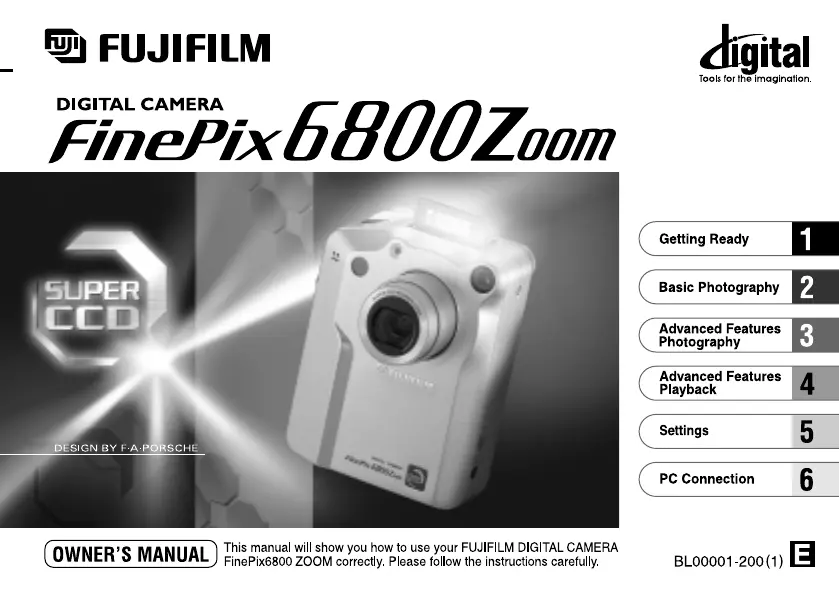
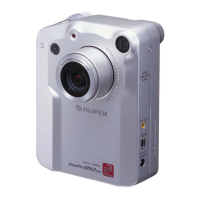
FujiFilm FinePix 6800 Zoom - User Manual

FujiFilm FinePix 6800 Zoom
67 pages
Print Icon
To Next Page IconTo Next Page
Loading...

Table of Contents

Questions and Answers

  • T
    Tamara JohnsonAug 15, 2025
    How to fix FujiFilm Digital Camera when it has no power?
    • D
      David PruittAug 15, 2025
      If your FujiFilm Digital Camera is not getting power, ensure a fully charged battery is loaded. Also, check that the AC power adapter is properly plugged into the power outlet. If you're using a cradle, make sure the camera is correctly fitted into it.
  • J
    jared30Aug 18, 2025
    How to fix a blurred image on a FujiFilm Digital Camera?
    • M
      Matthew RileyAug 19, 2025
      If your FujiFilm Digital Camera image is blurred, clean the lens. If you're in Macro mode, avoid using telephoto zoom. Ensure adequate lighting by standing approximately 2 meters (6.6 ft) from your subject.
  • C
    Christine ScottAug 22, 2025
    Why does my FujiFilm Digital Camera battery run out quickly?
    • F
      freykarinaAug 22, 2025
      If your FujiFilm Digital Camera battery drains quickly, especially in cold environments, try warming the battery in your pocket before use. Clean the battery terminals with a dry cloth. If the issue persists, replace the battery with a fully charged one.
  • S
    Stacy PittmanAug 25, 2025
    What to do if FujiFilm FinePix 6800 Zoom Digital Camera flash will not charge?
    • S
      srichardsAug 25, 2025
      If the flash on your FujiFilm Digital Camera won't charge, ensure a compatible SmartMedia card is loaded, erase a frame, or remove write-protection. Verify that the camera is not set to Suppressed Flash mode; instead, use Auto, Red-Eye Reduction, or Forced Flash. Replace the battery if it's exhausted.
  • A
    Alan JosephAug 27, 2025
    Why is PC connection failed for FujiFilm Digital Camera?
    • M
      Mathew NielsenAug 28, 2025
      If your FujiFilm Digital Camera's PC connection fails, ensure the camera and cradle are correctly connected, and the USB cable is properly connected to the cradle. Also, verify that the camera and USB cable are set up correctly and that your PC is switched on.
  • W
    William ChavezAug 30, 2025
    Why can't I use the flash on my FujiFilm Digital Camera?
    • A
      Alyssa BlackburnAug 30, 2025
      If you can't use the flash on your FujiFilm Digital Camera, check the Mode switch and Mode dial settings. Ensure the flash is not in Suppressed Flash mode by popping it up. Wait for the flash to fully charge before pressing the shutter button.
  • A
    Adam ReyesSep 2, 2025
    Why nothing happens when I use the camera switches and dial of FujiFilm FinePix 6800 Zoom?
    • B
      bushlisaSep 3, 2025
      If nothing happens when you use the switches and dial on your FujiFilm Digital Camera, try removing and re-inserting the battery. Ensure the Mode switch and Mode dial are set correctly. Also, ensure that the battery is not exhausted.
  • J
    Jill MorenoSep 5, 2025
    Why self-timer lamp does not light when charging FujiFilm Digital Camera?
    • L
      leachallenSep 6, 2025
      If the self-timer lamp does not light when charging your FujiFilm Digital Camera, ensure the battery is loaded in the camera. Verify that the camera and cradle are correctly connected, as well as the cradle and AC power adapter.
  • F
    frank85Sep 8, 2025
    Why no image appears when I press the, “DISP” button on FujiFilm FinePix 6800 Zoom?
    • A
      Andrea ReyesSep 8, 2025
      If no image appears when you press the “DISP” button on your FujiFilm Digital Camera, ensure the Mode switch and Mode dial are set to the correct setting.
  • H
    Henry GarciaSep 12, 2025
    Why the ERASE ALL function does not erase all the frames of FujiFilm Digital Camera?
    • R
      Randall WilliamsSep 12, 2025
      If the ERASE ALL function on your FujiFilm Digital Camera does not erase all frames, remove the frame protection from the frames you wish to erase.

Summary

Getting Started with Your Camera

Powering and Charging

Instructions for setting up the cradle, loading and charging the battery, and using the AC adapter.

Storage Media Installation

Guidance on loading and removing the SmartMedia card for image storage.

Basic Photography Operations

Auto Mode Shooting

How to take pictures using the automatic shooting mode and essential camera handling.

Advanced Photography Modes

Advanced Playback Features

Camera Settings and Customization

Connecting to a PC

Troubleshooting Common Issues

Power and Battery Problems

Solutions for issues related to camera power, battery life, and charging.

Image and Media Errors

Troubleshooting steps for SmartMedia errors, file recording failures, and general media issues.

Connectivity and Sound Issues

Resolving problems with PC connection, TV output, and audio recording/playback.

Safety Precautions and Warnings

General Safety Warnings

Important warnings and icons indicating potential hazards like electric shock or injury.

Operational Safety Guidelines

Precautions for safe camera operation in various environments and situations.

Handling Precautions

Guidelines for safe handling, storage, and use of the camera and accessories.

FujiFilm FinePix 6800 Zoom Specifications

General IconGeneral
BrandFujiFilm
ModelFinePix 6800 Zoom
CategoryDigital Camera
LanguageEnglish

Related product manuals