EasyManua.ls Logo

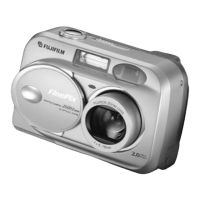
FujiFilm FINEPIX 2600 ZOOM - User Manual

FujiFilm FINEPIX 2600 ZOOM
47 pages
Print Icon
To Next Page IconTo Next Page
Loading...
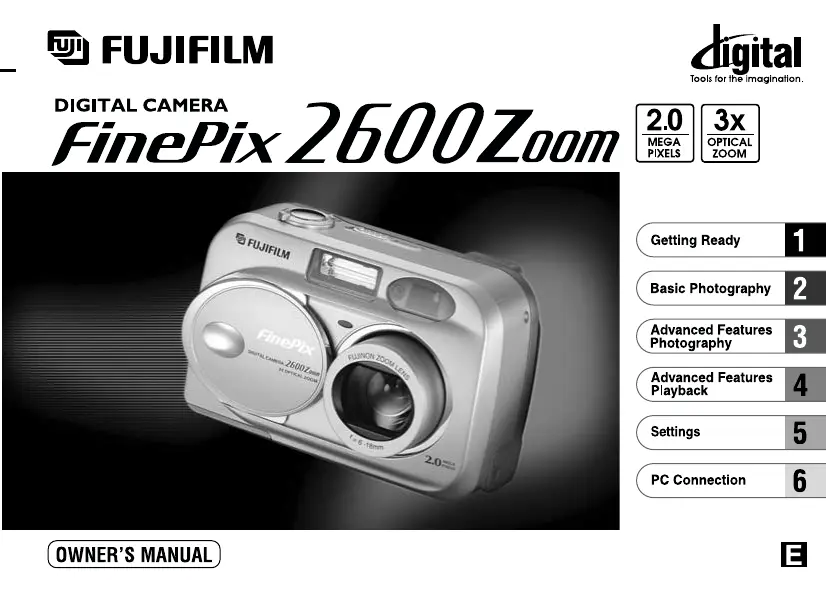
This manual will show you how to use your FUJIFILM DIGITAL CAMERA
FinePix2600 ZOOM correctly. Please follow the instructions carefully.
BL00022-200
(
1
)

Table of Contents

Other manuals for FujiFilm FINEPIX 2600 ZOOM

Questions and Answers

  • D
    David PatelJul 31, 2025
    How to fix a FujiFilm FINEPIX 2600 ZOOM Digital Camera with no power?
    • G
      gbishopJul 31, 2025
      If your FujiFilm Digital Camera has no power, the battery may be exhausted. Try loading a new, fully charged battery. Also, ensure the AC power adapter is securely plugged into the power outlet.
  • A
    Andrea RiddleAug 5, 2025
    Why does my FujiFilm FINEPIX 2600 ZOOM power cut out during operation?
    • R
      Robert MurphyAug 5, 2025
      If your FujiFilm Digital Camera's power cuts out during operation, it is likely that the battery is exhausted. Replace it with a new, fully charged battery.
  • A
    Anthony HuntAug 12, 2025
    What to do if my FujiFilm FINEPIX 2600 ZOOM doesn't take a photo when I press the shutter?
    • A
      austinangelaAug 12, 2025
      If your FujiFilm Digital Camera isn't taking photos when you press the shutter, make sure a SmartMedia card is loaded. If it is full, either replace it or erase some images. Also, check if the SmartMedia is write-protected and remove the write-protection if needed. Ensure the SmartMedia is formatted and that its contact area is clean. If the card is damaged, try a new one. Finally, verify that the camera is switched on, as the Auto Power Off function might have activated.
  • V
    Veronica ShannonAug 18, 2025
    Why does the battery of my FujiFilm FINEPIX 2600 ZOOM Digital Camera run out so quickly?
    • M
      martinvalerieAug 18, 2025
      If the battery of your FujiFilm Digital Camera runs out quickly, especially in cold environments, try warming the battery in your pocket before use. Also, ensure the battery terminals are clean by wiping them with a dry cloth. If the battery is flat, replace it with a new, fully charged one.
  • J
    jenniferthompsonAug 25, 2025
    Why does my FujiFilm Digital Camera keep displaying a warning?
    • C
      Cassandra WalkerAug 25, 2025
      If your FujiFilm Digital Camera displays a warning, there might be a print order specified for an image you're trying to erase; set the DPOF setting to “RESET”. If you've specified prints for over 1000 frames in the DPOF settings, note that the limit is 999 frames per SmartMedia. It could also indicate a camera malfunction; try switching the camera off and on again a few times, being careful not to touch the lens. Lastly, ensure that the lens cover is open.

Summary

Getting Ready

Preface

An introductory section providing important preliminary information.

Charging and Loading Batteries

Instructions for charging and loading the camera's batteries.

Switching On and Off

Steps on how to turn the camera on and off.

Setting the Date and Time

Guide for setting the camera's date and time correctly.

Basic Photography

Taking Pictures (Auto Mode)

Guide to taking photos using the automatic mode.

Using AF;AE Lock

How to use autofocus/auto exposure lock for better composition.

Digital Zoom

Explanation of how to use the camera's digital zoom function.

Framing Guideline Function

Instructions on using the framing guideline for better composition.

Advanced Features Photography

Photography Menu Operation

How to navigate and use the camera's photography menu.

Flash Modes

Details on various flash modes for different shooting conditions.

Macro and Self-Timer Photography

Guide to close-up photography and using the self-timer.

Exposure and White Balance

Adjusting exposure compensation and white balance for optimal images.

Advanced Features Playback

Viewing Images (Playback)

How to view captured images on the camera's LCD.

Playback Zoom and Multi-Frame Playback

Using zoom and multi-frame views to examine images.

Erasing Images

Procedures for erasing single or multiple images from the memory card.

DPOF Print Options

How to specify print order and settings for images.

Settings

Settings Overview

Overview of available settings and the SET-UP menu structure.

Accessing Settings

Guide to navigating and accessing camera settings via menus.

Setting File Size and Quality

How to adjust image file size and compression quality.

LCD Monitor Brightness

Steps to adjust the brightness of the camera's LCD monitor.

PC Connection

Camera Modes (DSC and PC CAM)

Explains DSC and PC CAM modes for connecting to a computer.

Connecting via USB

Step-by-step guide for connecting the camera to a PC via USB.

Disconnecting from PC

Safe procedure for disconnecting the camera from a computer.

FujiFilm FINEPIX 2600 ZOOM Specifications

General IconGeneral
BrandFujiFilm
ModelFINEPIX 2600 ZOOM
CategoryDigital Camera
LanguageEnglish

Related product manuals