EasyManua.ls Logo

FujiFilm FinePix 50i - User Manual

FujiFilm FinePix 50i
66 pages
Print Icon
To Next Page IconTo Next Page
Loading...
Printed in Japan FGS
-
103106
-
FG
Printed on recycled paper.
26
-
30, Nishiazabu 2
-
chome, Minato
-
ku, Tokyo 106
-
8620, Japan
7
BL00041-200
(
1
)
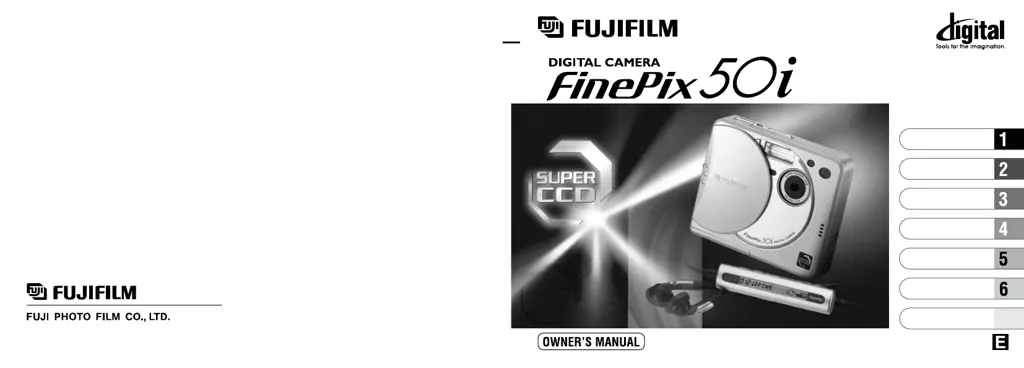
This manual will show you how to use your FUJIFILM DIGITAL CAMERA
FinePix50i correctly. Please follow the instructions carefully.
Getting Ready
Settings
Basic Photography
Advanced Features
Photography
Advanced Features
Playback
Remote Controller
Music

Table of Contents

Other manuals for FujiFilm FinePix 50i

Questions and Answers

  • J
    John BrayAug 18, 2025
    Why FujiFilm FinePix 50i Digital Camera has no power?
    • T
      Tamara GrayAug 18, 2025
      Your FujiFilm Digital Camera might not have power for several reasons: the battery may be exhausted (load a fully charged battery), the AC power adapter plug may have come out of the power outlet (plug the adapter back in), or the camera may not be connected to the cradle correctly (ensure that the camera is properly fitted into the cradle).
  • D
    deanpierceAug 23, 2025
    Why does my FujiFilm FinePix 50i battery run out quickly?
    • T
      Teresa HannaAug 23, 2025
      If your FujiFilm Digital Camera battery drains quickly, it could be due to using the camera in extremely cold conditions; try warming the battery in your pocket before use. Alternatively, the battery terminals may be soiled; wipe them with a clean, dry cloth.
  • K
    Kellie GordonAug 26, 2025
    Why is the photographed image dark even though I used the flash on my FujiFilm FinePix 50i?
    • R
      Ricky BrownAug 26, 2025
      If your FujiFilm Digital Camera images are dark even with the flash, the subject might be too far away (move closer). Alternatively, your finger could be covering the flash or flash control sensor, so ensure you hold the camera correctly.
  • D
    daviscarmenAug 28, 2025
    How to fix blurred image on FujiFilm FinePix 50i?
    • Y
      yhartAug 28, 2025
      Blurred images on your FujiFilm Digital Camera can result from a dirty lens (clean it), the lens being zoomed to telephoto in Macro mode (cancel Macro mode), the subject being too dark (stand about 2 m (6.6 ft.) from your subject), or shooting a subject unsuited to autofocusing (use AF/AE lock).
  • G
    Gregory BennettAug 30, 2025
    What to do if FujiFilm FinePix 50i power cuts out during operation?
    • L
      lydia42Aug 31, 2025
      If your FujiFilm Digital Camera is cutting out during operation, the battery is likely exhausted. To resolve this, load a fully charged battery.
  • S
    Sarah BarronSep 2, 2025
    Why FujiFilm FinePix 50i Digital Camera PC connection failed?
    • D
      David KingSep 2, 2025
      A failed PC connection with your FujiFilm Digital Camera may occur because the camera and cradle are not correctly connected (connect them correctly), the USB cable is not properly connected to the cradle (ensure it is), or the camera is not switched on (switch it on).
  • C
    Catherine LopezSep 4, 2025
    Why FujiFilm Digital Camera does not emit any sound?
    • T
      Tracy CohenSep 5, 2025
      If your FujiFilm Digital Camera isn't emitting sound, check if the camera volume is set too low and adjust it. Also, ensure the microphone wasn't blocked during shooting/recording. Finally, disconnect the A/V cable if it is connected.
  • K
    Kevin MonroeSep 7, 2025
    What to do if there is no picture on the TV from FujiFilm FinePix 50i?
    • J
      Jacqueline WilliamsSep 7, 2025
      If you see no picture on the TV from your FujiFilm Digital Camera, it might be due to incorrect connections between the camera and TV (connect them correctly). Also, ensure the TV input is set to “Video” and not “TV”.
  • G
    Glenn Hamilton DVMSep 10, 2025
    What to do if there is no picture or sound on the TV from FujiFilm FinePix 50i Digital Camera?
    • V
      Veronica CooperSep 10, 2025
      If there's no picture or sound on the TV when using your FujiFilm Digital Camera, ensure the A/V cable is correctly connected during movie playback. Also, verify that the camera and TV are connected correctly, the TV input is set to “Video,” and the TV volume is appropriately adjusted.
  • B
    Brandon CarpenterSep 12, 2025
    Why I can’t charge the battery, but the C H A R G E / A C C E S S lamp on the cradle does not light on my FujiFilm FinePix 50i?
    • Z
      zpetersSep 12, 2025
      If the C H A R G E / A C C E S S lamp on the cradle of your FujiFilm Digital Camera doesn't light when charging, it could be due to no battery in the camera (load the battery), incorrect connection between the camera and cradle (connect them correctly), or incorrect connection between the cradle and AC power adapter (connect them correctly).

Summary

Getting Ready

Loading the Battery

Instructions for inserting and securing the NP-60 rechargeable battery into the camera.

Switching On and Off

Details on how to power the camera on and off using the power switch.

Basic Photography

Still Image Mode: Taking Pictures (Auto Mode)

Guide to framing and capturing photos using the camera's automatic mode.

Viewing Your Images (Playback)

Instructions on how to navigate and view recorded images on the camera.

Advanced Features Photography

Movie (Video) Mode

Guide to shooting video clips with sound, including format and recording time.

Audio Recording

Instructions for recording sound with the camera, including format and duration.

Advanced Features Playback

Playing Back Movies (Video)

How to play back recorded video files, including controls and compatible files.

Playing Back Audio Recordings

Guide to playing back recorded audio files and using index markers.

Music, Remote Control, and Settings

Playing Music

Instructions for playing MP3 files using the camera and remote controller.

List of Settings

Overview of available settings for photography, movies, audio, and playback.

System Information and Support

Nomenclature

Diagrams identifying camera parts and their functions.

Warning

Important safety precautions to prevent fire or shock hazards.

Troubleshooting

Guide to diagnosing and resolving common camera problems.

Safety Notes

Essential safety guidelines for using the camera correctly and preventing injury.

FujiFilm FinePix 50i Specifications

General IconGeneral
Optical Zoom3x
Sensor TypeCCD
Image Resolution1600 x 1200
LensFujinon
Shutter Speed1/2 - 1/1000 sec
Screen Size1.8 inches
StorageSmartMedia Card
Aperture Rangef/2.8
ISO Sensitivity125
Effective Pixels2.0 MP
LCD Monitor1.8-inch TFT color LCD monitor

Related product manuals