EasyManua.ls Logo

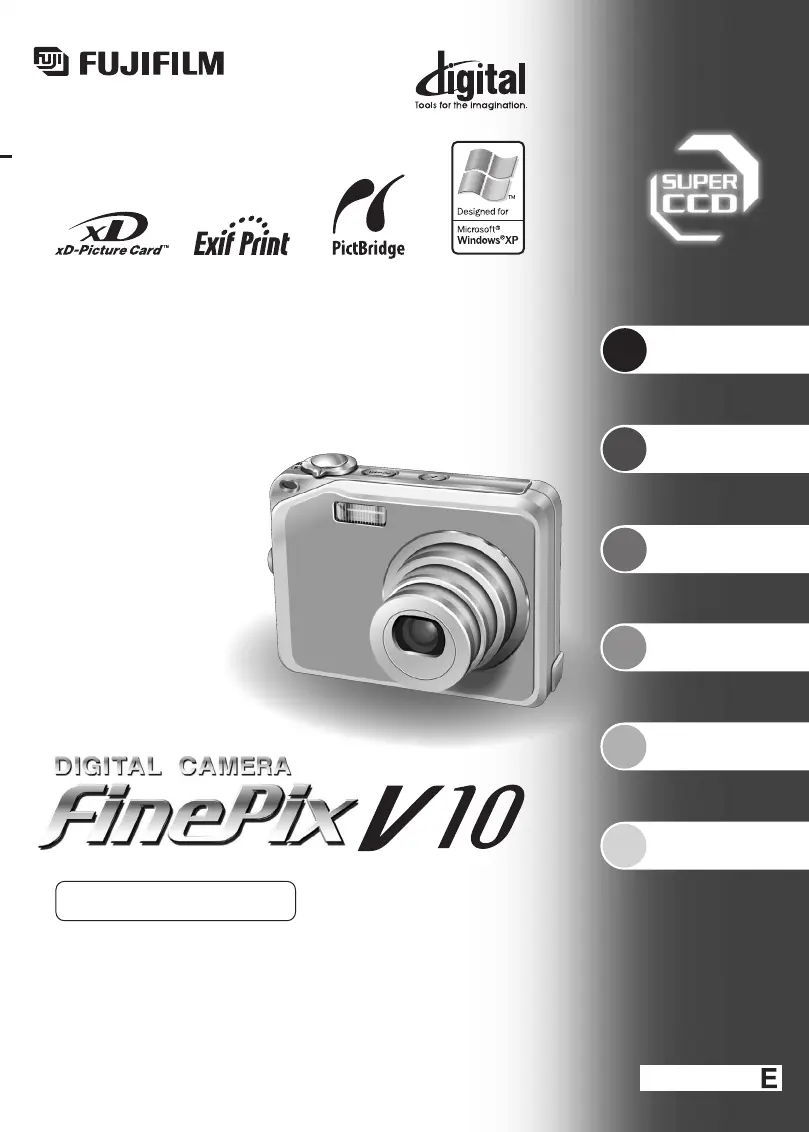
FujiFilm FinePix V10 - User Manual

FujiFilm FinePix V10
59 pages
Print Icon
To Next Page IconTo Next Page
Loading...
BL00515-200
(
1
)
This manual will show you how to use your
FUJIFILM DIGITAL CAMERA FinePix V10 correctly.
Please follow the instructions carefully.
OWNER’S MANUAL
1
2
3
4
5
6
Getting Ready
Settings
Using
the Camera
Advanced
Features
Software
Installation
Viewing Images

Table of Contents

Other manuals for FujiFilm FinePix V10

Questions and Answers

  • C
    Charles BarkerSep 10, 2025
    Why I cannot set the continuous shooting on my FujiFilm Digital Camera?
    • L
      Linda McclainSep 10, 2025
      If you cannot set continuous shooting on your FujiFilm Digital Camera, it may be because the photography mode is set to 'À&d'. Try changing the photography mode.
  • V
    Vicki WallaceAug 22, 2025
    What to do if my FujiFilm FinePix V10 is not taking pictures?
    • K
      kellyjeremyAug 22, 2025
      If your FujiFilm Digital Camera isn't capturing images when you press the shutter button, consider these possibilities: Ensure an xD-Picture Card is inserted. If a card is already inserted, it might be full, so try a new one or erase some images. The card may need formatting, which you can do via the camera's menu. Clean the card's contact area with a dry cloth. If the card is damaged, replace it. Also, check if the camera has automatically powered off; if so, turn it back on. Finally, ensure the battery isn't depleted; if it is, load a charged battery.
  • M
    marycummingsAug 25, 2025
    What to do if my FujiFilm Digital Camera battery runs out quickly?
    • S
      Samuel BradyAug 25, 2025
      If you notice your FujiFilm Digital Camera battery draining faster than expected, there are a few potential causes. If you're using the camera in very cold environments, try warming the battery in your pocket before inserting it. Clean the battery terminals with a dry cloth to ensure good contact. If the issue persists, the battery may be old and no longer holding a charge effectively, consider replacing it with a new one.
  • Y
    ysmithAug 26, 2025
    Why is my FujiFilm FinePix V10 image blurred?
    • M
      Miguel RiosAug 26, 2025
      If your FujiFilm Digital Camera images appear blurred, here are some things to check: Clean the lens if it's dirty. If photographing scenery, ensure Macro mode is off. For close-up shots, ensure Macro mode is enabled. If your subject isn't suited to autofocusing, try using AF/AE lock.
  • K
    Katherine ThomasAug 27, 2025
    Why the flash is not working on my FujiFilm FinePix V10?
    • M
      morenotheresaAug 27, 2025
      If the flash on your FujiFilm Digital Camera isn't working, it might be because you pressed the shutter button before the flash finished charging; wait for it to complete charging. Also, the photography mode could be set to 'À' or ',”'; try changing the mode. If continuous shooting is enabled, turn it off.
  • L
    Luis HensleyAug 29, 2025
    Why is my FujiFilm FinePix V10 flash image too dark?
    • K
      Kenneth SmithAug 29, 2025
      If your FujiFilm Digital Camera images are too dark even when using the flash, the subject may be too far away; move closer. Also, ensure your finger isn't covering the flash.
  • H
    hayley75Sep 18, 2025
    What does 'TOO MANY FRAMES' mean on FujiFilm Digital Camera?
    • C
      charleslongSep 18, 2025
      No more than 4,999 images can be shown by date sorting.
  • D
    daniel84Sep 12, 2025
    What does 'CAN NOT BE PRINTED' mean on FujiFilm FinePix V10?
    • D
      Dana SanchezSep 12, 2025
      If your FujiFilm Digital Camera displays 'CAN NOT BE PRINTED', check if your printer supports the JFIF-JPEG or Exif-JPEG image format by referring to its manual. Also, some images taken on other cameras might not be printable.
  • D
    David CrossSep 8, 2025
    What to do if my FujiFilm Digital Camera shows 'PRINTER ERROR'?
    • J
      Joseph SkinnerSep 8, 2025
      To address a 'PRINTER ERROR' with your FujiFilm Digital Camera, first check that the printer has paper and ink. If it does, try turning the printer off and then back on again.
  • J
    Jesus HigginsSep 5, 2025
    How to fix communication error on FujiFilm FinePix V10 Digital Camera?
    • C
      Christine FergusonSep 5, 2025
      To resolve a communication error on your FujiFilm Digital Camera, first check that the provided USB cable is correctly connected. Also, ensure that your printer is turned on.

Summary

Getting Started

Using the Camera

Guide to operating the camera's basic functions.

Advanced Features

Exploring more complex camera settings and modes.

Settings

Configuration options for camera behavior and preferences.

Software Installation

Instructions for installing camera software on a computer.

Viewing Images

How to view and manage photos and videos on the camera.

Important Safety Instructions

Camera Overview and Setup

Getting Ready: Battery and Media

Loading Battery and Media

Instructions for inserting batteries and memory cards.

Charging the Battery

Step-by-step guide for charging the camera battery.

Getting Ready: Power and Time

Turning On and Off

Procedures for powering the camera on and off.

Setting the Date and Time

Guide to setting the camera's date and time for accurate recording.

Using the Camera: Basic Operations

Taking Pictures in Auto Mode

AF;AE Lock Function

How to lock focus and exposure for better shots.

Playback Menu Operations

Erasing Images

How to delete individual or all images.

Protecting Images

Protecting images from accidental deletion.

Advanced Features: Photography

Selecting Camera Settings

Guide to optimizing settings for better photo results.

Flash Photography Modes

Guide to using different flash modes for various shooting conditions.

Quality Mode and ISO Sensitivity

Selecting image resolution, quality, and ISO settings.

Photography Menu Settings

How to access and change camera settings via the menu.

Settings: Setup Menu

Setup Menu Options Overview

Detailed explanation of all available setup menu items.

Software Installation Guide

Windows PC Installation

Steps for installing software on Windows PCs.

Mac OS X Installation

Steps for installing software on Mac OS X systems.

Viewing Images: Connectivity

Using Your Camera Correctly

xD-Picture Card and Warnings

Notes on the xD-Picture Card

Important information and handling guidelines for xD-Picture Cards.

Warning Displays Explained

Explanations of warning messages shown on the LCD.

Troubleshooting and Specifications

Troubleshooting Common Issues

Solutions for common camera problems and error messages.

Camera Specifications

Detailed technical specifications of the camera.

Safety Notes and Precautions

General Safety Notes

Comprehensive safety precautions for camera usage.

Critical Warnings

Critical warnings regarding potential hazards.

FujiFilm FinePix V10 Specifications

General IconGeneral
BrandFujiFilm
ModelFinePix V10
CategoryDigital Camera
LanguageEnglish

Related product manuals