EasyManua.ls Logo

FujiFilm FinePix F20 - User Manual

FujiFilm FinePix F20
148 pages
Print Icon
To Next Page IconTo Next Page
Loading...
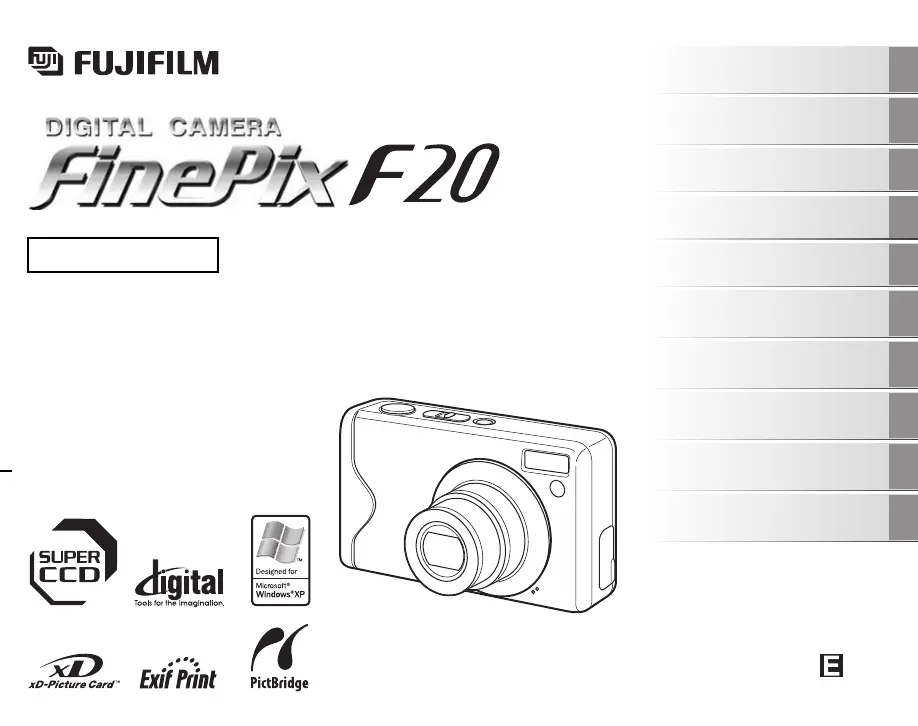
OWNER’S MANUAL
This manual will show you how to use
your FUJIFILM DIGITAL CAMERA
FinePix F20 correctly.
Please follow the instructions carefully.
BL00555-200(1)
Getting Ready
Using the Camera
Advanced Features
Photography
Settings
Camera Connection
Software
Installation
Playback
•Movie
Appendices
Troubleshooting

Table of Contents

Other manuals for FujiFilm FinePix F20

Questions and Answers

  • H
    Hannah MedinaJul 26, 2025
    What to do if my FujiFilm Digital Camera doesn't take a picture?
    • A
      Austin MorseJul 26, 2025
      If your FujiFilm Digital Camera doesn't take a photograph when you press the shutter button, it might be due to several reasons. First, check if the xD-Picture Card or internal memory is full; if so, insert a new card or erase unnecessary frames. Another reason might be that the xD-Picture Card or internal memory isn't formatted, so format it on the camera. Also, a soiled xD-Picture Card contact area can cause this issue, so wipe it with a soft, dry cloth. If the card is damaged, insert a new one. Finally, ensure the battery isn't depleted; charge it or load a fully charged battery.
  • T
    Todd MolinaJul 31, 2025
    Why won't my FujiFilm Digital Camera battery charge and the indicator lamp is blinking?
    • J
      Jason CampbellAug 1, 2025
      If the indicator lamp blinks during charging and the battery won't charge on your FujiFilm Digital Camera, it could be due to soiled battery terminals. Try taking the battery out briefly and wiping the terminals with a clean, dry cloth before reloading it. Alternatively, the battery might no longer be rechargeable. In that case, load a new battery. If it still fails to charge, contact your FUJIFILM dealer.
  • S
    Sarah BrownAug 6, 2025
    Why does my FujiFilm Digital Camera have difficulty focusing?
    • L
      laurie54Aug 6, 2025
      If your FujiFilm Digital Camera has difficulty focusing, especially on close-up shots, ensure you've selected Macro mode. Conversely, if photographing scenery, make sure Macro mode is canceled. Also, if the subject isn't suited to autofocusing, use AF/AE lock to take the picture.
  • M
    Megan WolfeAug 12, 2025
    Why does the LCD monitor darken after taking a picture on my FujiFilm FinePix F20?
    • M
      Michelle NelsonAug 12, 2025
      If the LCD monitor darkens after taking a picture with your FujiFilm Digital Camera, it is likely due to taking pictures with flash. The LCD monitor may darken for charging flash. Wait a short time.
  • T
    tina04Aug 19, 2025
    How to troubleshoot charging issues on FujiFilm FinePix F20?
    • W
      whitejessicaAug 19, 2025
      If charging does not begin on your FujiFilm Digital Camera, make sure there is a battery in the camera and that it is loaded in the correct direction. Also, ensure that the camera and AC power adapter are connected correctly.

Summary

Getting Ready

Loading the Battery

Instructions for inserting the battery into the camera.

Charging the Battery

Guide to connecting the AC adapter and charging the battery.

Loading the xD-Picture Card

Steps for inserting the xD-Picture Card into the camera.

Using the Camera

Taking Pictures (AUTO Mode)

Basic steps for capturing photos in automatic mode.

Taking pictures with the focus and exposure locked

Using AF/AE lock to ensure correct focus and exposure.

Viewing the Images

How to play back and navigate through captured photos.

Advanced Features - Photography

Setting the Shooting Mode

Guide to selecting optimal shooting modes for different scenes.

Advanced Features - Playback

Settings

SET-UP

Accessing and configuring camera settings via the SET-UP menu.

Appendices

Power Supply and Battery

Information on battery features, charging, and power adapter.

Troubleshooting

Safety Notes

WARNING

Critical safety warnings to prevent injury or damage.

FujiFilm FinePix F20 Specifications

General IconGeneral
Sensor TypeCCD
Megapixels6.3 MP
Effective Pixels6.3 MP
Optical Zoom3x
Screen Size2.5 inches
Sensor Size1/2.5 inch
ISO SensitivityAuto, 100, 200, 400, 800, 1600
Image StabilizationNo
LensFujinon
Aperture Rangef/2.8 - f/5.0
ISO Range100-1600
Video Resolution640 x 480
Shutter Speed4 sec - 1/2000 sec
LCD ScreenTFT color LCD
Storage MediaxD-Picture Card
BatteryNP-40
Image Resolution2848 x 2136

Related product manuals