EasyManua.ls Logo

FujiFilm FinePix F440 - User Manual

FujiFilm FinePix F440
51 pages
Print Icon
To Next Page IconTo Next Page
Loading...
1
2
3
4
5
6
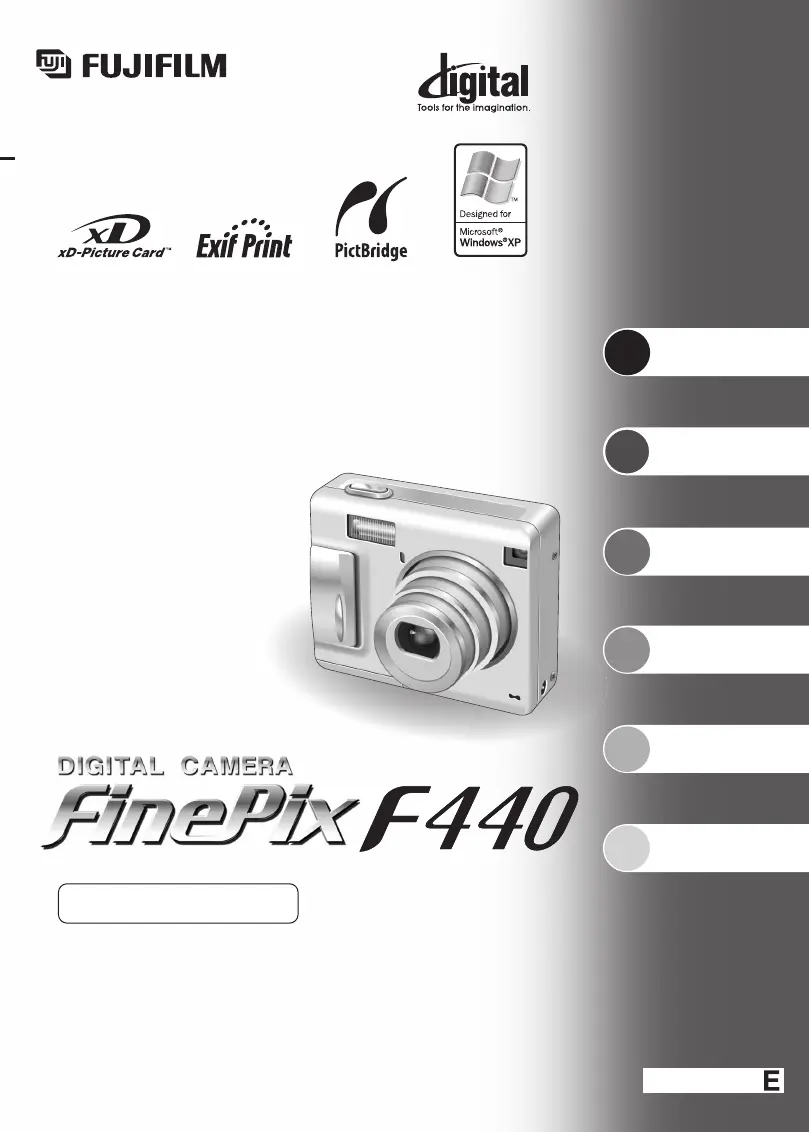
This manual will show you how to use your
FUJIFILM DIGITAL CAMERA FinePix F440 correctly.
Please follow the instructions carefully.
BL00390-201
(
1
)
OWNER’S MANUAL
Getting Ready
Using
the Camera
Advanced
Features
Software
Installation
Settings
Viewing Images

Table of Contents

Other manuals for FujiFilm FinePix F440

Questions and Answers

  • H
    hickmanjulieAug 16, 2025
    What to do if my FujiFilm Digital Camera has no power?
    • S
      Sara SanchezAug 16, 2025
      If your FujiFilm Digital Camera has no power, there could be several reasons: * The battery may have run out, so load a new or fully charged battery. * The AC power adapter plug may have come out of the power outlet, so plug the adapter back in. * The battery might be loaded backward, so load the battery in the correct direction. * The battery cover may not be closed correctly, so close the battery cover correctly.
  • M
    marquezbettyAug 19, 2025
    What to do if my FujiFilm FinePix F440 Digital Camera won’t take a photograph when pressing the shutter button?
    • J
      Joseph MillerSep 12, 2025
      If your FujiFilm Digital Camera does not take a photograph when the shutter button is pressed, consider the following: * Ensure an xD-Picture Card is inserted. * If the xD-Picture Card is full, insert a new one or erase unwanted frames. * If the xD-Picture Card is not formatted, format it on the camera. * If the xD-Picture Card contact area is soiled, wipe it with a clean dry cloth. * If the xD-Picture Card is damaged, insert a new one. * If the Auto power off function has turned the camera off, turn the camera on. * If the battery has run out, load a new or fully charged battery.
  • T
    Tiffany SantiagoAug 22, 2025
    Why is my FujiFilm FinePix F440 image blurred?
    • J
      johnmontgomeryAug 22, 2025
      If your FujiFilm Digital Camera image appears blurred: * The lens may be dirty, so clean the lens. * If you photographed scenery with Macro mode selected, cancel Macro mode. * If you took a close-up shot without selecting Macro mode, select Macro mode. * If you are shooting a subject that is not suited to autofocusing, use AF/AE lock to take the picture.
  • T
    Travis FreemanAug 25, 2025
    Why is the playback image dark even though the flash was used on my FujiFilm Digital Camera?
    • G
      Glen SalasAug 26, 2025
      If the playback image is dark even though the flash was used on your FujiFilm Digital Camera: * The subject may be too far away, so move to within the effective flash range before taking the picture. * Your finger may have been covering the flash, so hold the camera correctly.
  • R
    Rebecca CarterAug 28, 2025
    Why is my FujiFilm FinePix F440 battery running out quickly?
    • M
      Michael WestAug 28, 2025
      If the battery in your FujiFilm Digital Camera is running out quickly: * If you are using the camera in extremely cold conditions, put the battery in your pocket or another warm place to heat it and then load it into the camera just before you take a picture. * If the terminals are soiled, wipe the battery terminals with a clean, dry cloth. * If the battery can no longer be recharged, load a new or fully charged battery.
  • R
    ralph65Aug 31, 2025
    What to do if my FujiFilm FinePix F440 power cuts out during operation?
    • A
      Adam JonesAug 31, 2025
      If the power cuts out during operation of your FujiFilm Digital Camera, it is likely that the battery has run out. Load a new or fully charged battery.
  • S
    Susan WalkerSep 3, 2025
    Why can’t I use the flash on my FujiFilm Digital Camera?
    • A
      Anthony CoxSep 3, 2025
      If you can’t use the flash on your FujiFilm Digital Camera: * You may have pressed the shutter button while the flash was charging, so wait until the flash has finished charging before pressing the shutter button. * The Shooting mode may be set to LANDSCAPE, so change the Shooting mode.
  • J
    Joshua ButlerSep 6, 2025
    Why are the flash settings restricted and cannot be selected on my FujiFilm FinePix F440 Digital Camera?
    • C
      Charles PriceSep 6, 2025
      The flash settings are restricted because the FujiFilm Digital Camera settings are tailored to the scene being shot. Change the Shooting mode for a wider range of flash settings.
  • C
    Christopher SellersSep 9, 2025
    What to do if the viewfinder lamp does not light when charging the battery of my FujiFilm FinePix F440 Digital Camera?
    • L
      Lisa LiSep 9, 2025
      If the viewfinder lamp does not light when charging the battery of your FujiFilm Digital Camera: * There may be no battery in the camera, so load the battery. * The camera and AC power adapter may not be connected correctly, so connect the camera and AC power adapter correctly.
  • Q
    qknightSep 12, 2025
    What to do if the viewfinder lamp blinks during charging and the battery won’t charge on my FujiFilm FinePix F440?
    • M
      Matthew ElliottSep 12, 2025
      If the viewfinder lamp blinks during charging and the battery won’t charge on your FujiFilm Digital Camera: * The battery terminals may be dirty, so wipe the battery terminals with a clean, dry cloth. * The battery may no longer be recharged, so load a new or fully charged battery. If the battery still fails to charge, contact your FUJIFILM dealer.

Summary

Getting Ready

Loading the Battery and Media

Instructions for inserting and checking batteries and xD-Picture Cards.

Charging the Battery

Detailed steps for charging the battery using a cradle or adapter.

Turning On;Off and Setting Date;Time

How to power the camera on/off and set the initial date and time.

Using the Camera

Basic Operation Guide

Introduction to fundamental camera operations and modes.

Taking Pictures (Auto Mode)

Step-by-step guide for capturing images using the auto shooting mode.

Using AF;AE Lock

How to lock focus and exposure for precise framing and exposure.

Advanced Features

Software Installation

Viewing Images

Connecting to a PC

Transferring images and controlling the camera via a PC connection.

Safety Notes

General Camera Safety

Important warnings regarding camera usage, places to avoid, and handling.

Battery and Power Safety

Precautions for using the battery, charging, and AC power adapter safely.

Warnings and Troubleshooting

Troubleshooting Guide

Solutions for common camera problems and error messages.

FujiFilm FinePix F440 Specifications

General IconGeneral
Effective Pixels4.1 million
Optical Zoom3x
LensFujinon
ISO RangeAuto, 100, 200, 400
Storage MediaxD-Picture Card
Image Resolution2272 x 1704
Focal Length6.3 - 18.9 mm
Aperture RangeF2.8 - F4.9
Screen Size2.0 inches
Battery TypeLi-ion
Weight150 g

Related product manuals