EasyManua.ls Logo

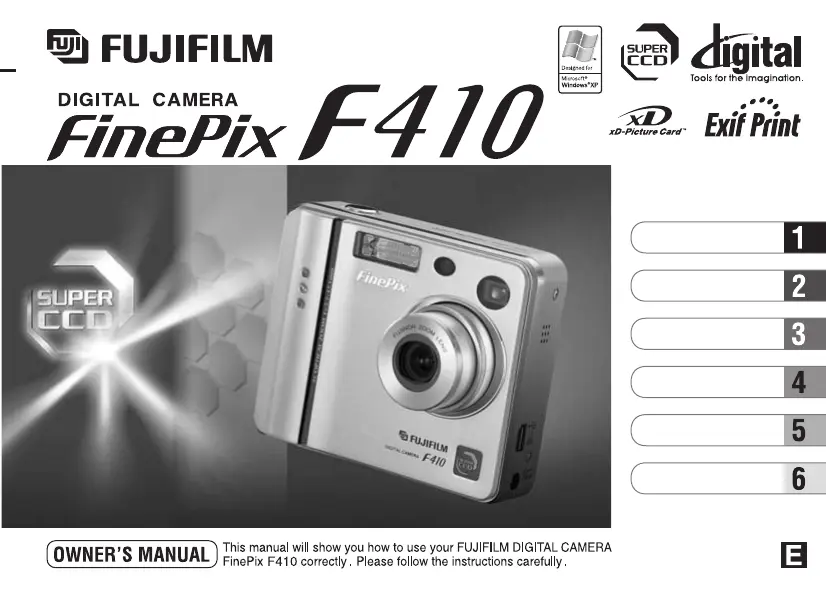
FujiFilm FinePix F410 - User Manual

FujiFilm FinePix F410
69 pages
Print Icon
To Next Page IconTo Next Page
Loading...
BL00258-201
(
1
)
Getting Ready
Using the Camera
Advanced Features
Settings
Software
Installation
Camera Connection

Table of Contents

Other manuals for FujiFilm FinePix F410

Questions and Answers

  • K
    Kimberly SuarezAug 20, 2025
    Why won't my FujiFilm Digital Camera turn on?
    • J
      Justin WilkinsAug 20, 2025
      If your FujiFilm Digital Camera isn't powering on, the issue might be: * The battery is exhausted. Load a new, fully charged battery. * The AC power adapter plug has come out of the power outlet. Plug the adapter back in. * The battery is loaded the wrong way. Load the battery in the correct direction.
  • K
    Kimberly ContrerasAug 22, 2025
    What to do if my FujiFilm FinePix F410 Digital Camera is not working correctly?
    • B
      brianadavenportAug 22, 2025
      If your FujiFilm Digital Camera is not working correctly, it may have suffered an unforeseen problem. Briefly remove the battery or disconnect the AC power adapter, then reload the battery or reconnect the AC power adapter and try again.
  • C
    Charles HernandezAug 25, 2025
    What to do if my FujiFilm Digital Camera won't take a picture?
    • M
      Michael GonzalezAug 25, 2025
      If your FujiFilm Digital Camera isn't taking pictures, here are a few things to check: * Make sure you have an xD-Picture Card loaded in the camera. If there is one, ensure it is not damaged. If it is, load a new one. * If the card is full, either insert a new one or erase some unwanted frames. * Check that the card is formatted; if not, format it. * Verify the camera is switched on, as the Auto Power Off function might have activated. * Ensure the battery isn't exhausted; if it is, load a new, fully charged battery.
  • A
    Ann StephensAug 26, 2025
    What to do if my FujiFilm FinePix F410 Digital Camera battery drains too fast?
    • B
      Brett MartinAug 26, 2025
      If your FujiFilm Digital Camera battery is draining quickly, consider these possibilities: * If you're using the camera in extremely cold conditions, the battery life can be affected. Try warming the battery in your pocket before use. * Dirty battery terminals can also cause rapid battery drain. Wipe the terminals with a clean, dry cloth. * The battery might be flat. Try fitting a new or fully charged battery.
  • I
    imillerAug 28, 2025
    Why can't I use the flash on my FujiFilm FinePix F410 Digital Camera?
    • M
      Michael LunaAug 28, 2025
      If you're unable to use the flash on your FujiFilm Digital Camera, here are a couple of reasons why: * You might have pressed the shutter button while the flash was charging. Wait until charging is completed before pressing the shutter button. * The Suppressed Flash mode may be selected. Set the flash mode to Auto, Red-eye Reduction, or Forced Flash. Note that the flash cannot be used in some modes.
  • J
    Jennifer NicholsAug 30, 2025
    Why is my FujiFilm FinePix F410 image dark even when using flash?
    • R
      Richard BanksAug 30, 2025
      If your FujiFilm Digital Camera images are dark even when using the flash: * The subject may be too far away. Move to within the effective flash range before taking the shot. * Your finger may be covering the flash or flash control sensor. Hold the camera correctly.
  • D
    dennis29Aug 31, 2025
    What to do if my FujiFilm FinePix F410 power cuts out during operation?
    • K
      Kenneth HendersonSep 1, 2025
      If the power cuts out during operation of your FujiFilm Digital Camera, the battery is likely exhausted. Try loading a new, fully charged battery.
  • O
    Omar LopezSep 3, 2025
    What to do if my FujiFilm FinePix F410 Digital Camera isn't emitting any sound?
    • S
      Sarah ParkerSep 3, 2025
      If your FujiFilm Digital Camera isn't emitting any sound, consider the following: * The camera volume may be set too low. Adjust the volume. * The microphone may have been blocked during shooting/recording. Take care not to block the microphone during shooting/recording. * Something may be covering the speaker. Ensure that the speaker is uncovered.
  • A
    Angela MorrisSep 5, 2025
    What to do if my FujiFilm Digital Camera self-timer lamp doesn't light when charging?
    • C
      Colleen BennettSep 5, 2025
      If the self-timer lamp on your FujiFilm Digital Camera doesn't light when charging, check these: * Ensure there is a battery in the camera; load the battery if missing. * Verify that the camera and AC power adapter are correctly connected.
  • P
    petersonsusanSep 6, 2025
    What to do if my FujiFilm FinePix F410 self-timer lamp blinks during charging?
    • K
      Kristen CookSep 7, 2025
      If the self-timer lamp on your FujiFilm Digital Camera blinks during charging, and you can’t charge the battery, it could be due to: * Dirty battery terminals. Wipe the battery terminals with a clean, dry cloth. * A faulty or flat battery. Load a new battery.

Summary

Preface and Getting Started

Accessories Included

Lists all items included with the camera package.

Camera Nomenclature

Identifies external parts and controls of the camera.

Loading Battery and Memory Card

Step-by-step guide on inserting the battery and memory card.

Charging the Battery

Instructions for charging the camera's rechargeable battery.

Setting Date and Time

Guide to setting the camera's internal clock and date.

Basic Camera Operations

Basic Operation Guide

Explains core functions like mode switching and button operations.

Shooting Still Images (Auto Mode)

How to take pictures using automatic shooting settings.

Zooming and Focus Control

Using zoom and AF/AE lock for composition and focus.

Flash Modes

Details on different flash settings like Auto, Red-Eye, and Forced.

Viewing Images in Playback

How to playback, fast forward, and view recorded images.

Advanced Photography Settings

Still Image Quality Settings

How to select image resolution and its impact on available shots.

ISO Sensitivity and Color Options

Adjusting sensitivity and applying color effects like F-CHROME.

Specifying Print Options (DPOF)

Setting print specifications for images to be printed.

Camera Settings and Customization

Monitor Brightness and Volume

Customizing LCD brightness and camera sound levels.

Using the Set-Up Menu

Navigating the set-up menu for various camera configurations.

Power Save and Formatting

Managing power consumption and preparing memory cards.

Software Installation and Computer Connection

Software Components Overview

Details on included software like FinePixViewer and drivers.

PC and Mac Installation Guide

Instructions for installing software on Windows and Macintosh computers.

Connecting Camera to Computer

Steps for connecting the camera for data transfer or PC camera use.

Uninstalling Software

Procedures for removing camera software from your computer.

Troubleshooting and Safety

Accessories Guide

Information on optional accessories for the camera.

Important Usage Notes

Guidance on correct camera operation and care.

Troubleshooting Common Problems

Solutions for issues like no power, flash errors, or image blur.

Safety Warnings and Precautions

Critical safety information to prevent injury or damage.

FujiFilm FinePix F410 Specifications

General IconGeneral
Optical Zoom3x
Sensor TypeCCD
ISO RangeAuto, 100, 200, 400
DisplayLCD
Screen size1.5-inch
Image Resolution1280 x 960
Storage MediaxD-Picture Card
LensFujinon
Aperturef/2.8 - f/4.9
Aperture Rangef/2.8 - f/4.9
ISO SensitivityAuto, 200, 400
Shutter Speed1/2000 sec
BatteryNP-40
Weight175 g

Related product manuals