33
UNINSTALLING THE SOFTWARE
* The screens shown on some PCs may differ slightly from those shown here.
(1) Disconnect the DPC-R1.
(2) Quit all currently running applications.
(3) Close all files.
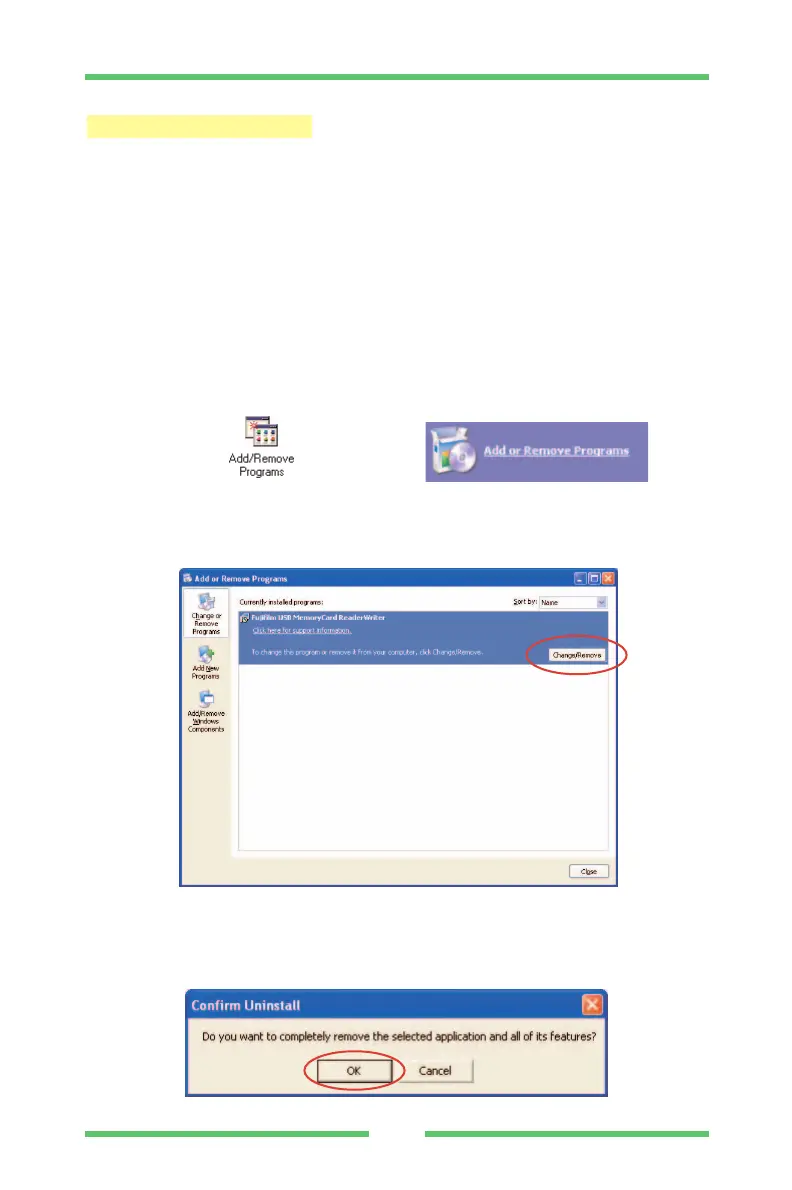
(4) Open the My Computer window and double-click [Add/Remove
Programs] (Windows 2000) or [Add or Remove Programs] (Windows
XP) in the Control Panel.
(5) Select the file name of the driver (Fujifilm USB MemoryCard
ReaderWriter) to be deleted and then click [Change/Remove].
(6) The "Confirm file removal" message shown below appears.
Click [OK].
Windows 2000 / XP



 To Next Page