Inserting
Batteries
The
EF-42
can
be used
with
lithium, alkaline,
and
nickel-metal
hy-
dride (NiMH) batteries.
Choose
NiMH batteries for reduced flash
charging times and
longer battery
life.
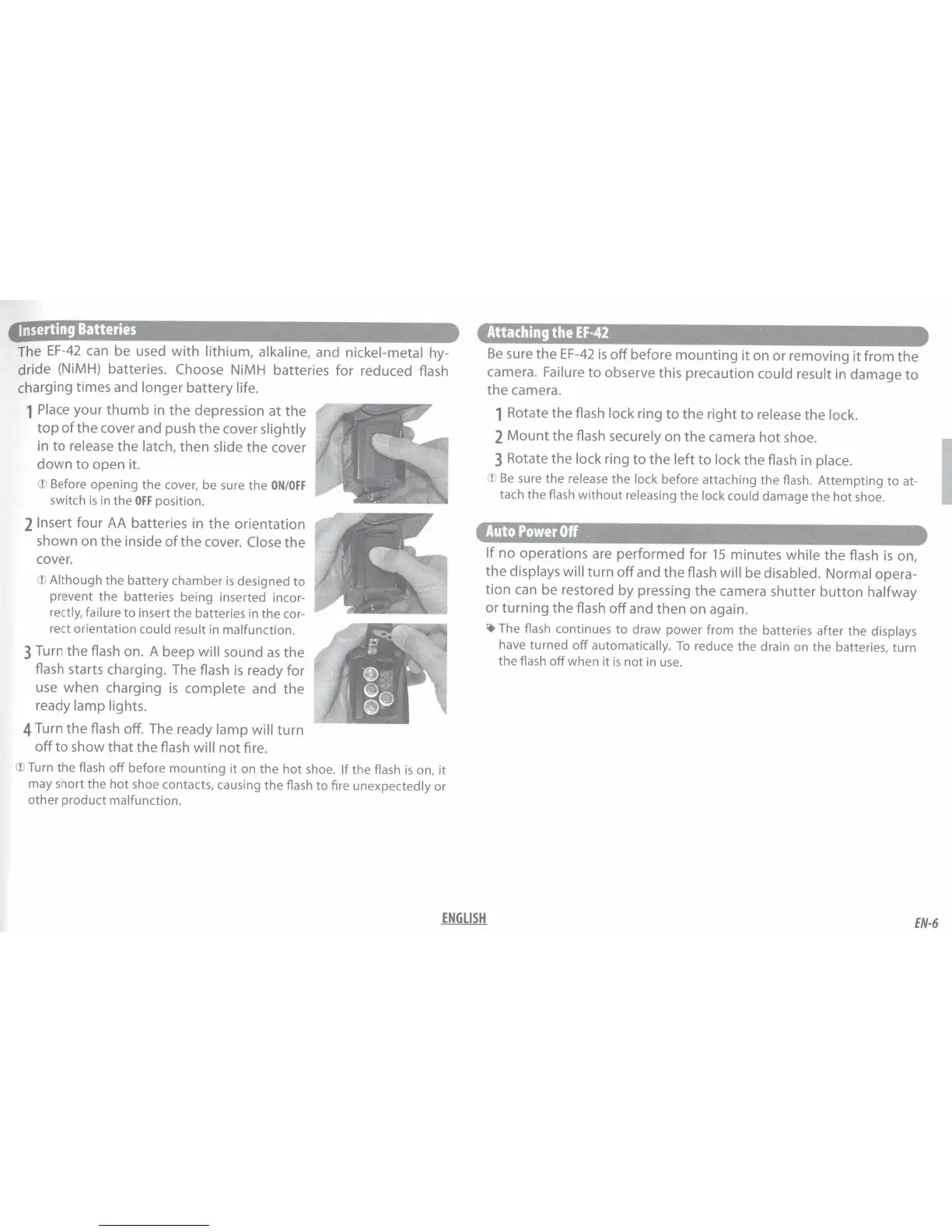
1
Place
your
thumb
in
the
depression at
the
top
of
the cover and push
the
cover
slightly
in
to
release
the
latch,
then slide
the
cover
down
to
open it.
CD
Before opening the cover, be sure the
ON/OFF
switch
is
in the
OFF
position.
2
Insert
four
AA
batteries in
the
orientation
shown on the inside
of
the
cover.
Close
the
cover.
CD
Although
the
battery chamber
is
designed
to
prevent the batteries being inserted incor-
rectly, failure
to
insert the batteries in
the
cor-
rect orientation
could result
in malfunction.
3
Turn the flash on. A beep
will
sound
as
the
flash starts charging. The flash
is
ready for
use
when charging
is
complete
and
the
ready lamp lights.
4
Turn
the
flash
off.
The ready
lamp will
turn
off
to
show
that
the flash
will
not
fire.
CD
Turn
the
flash
off
before
mounting
it
on
the
hot
shoe.
If
the flash
is
on,
it
may short the
hot
shoe contacts, causing
the
flash
to
fire unexpectedly
or
other
product
malfunction.
Attaching
the
EF-42
Be
sure
the
EF-42
is
off
before
mounting
it
on or removing
it
from
the
camera.
Failure
to
observe this precaution could result
in damage
to
the
camera.
1 Rotate the flash
lock
ring
to
the
right
to
release
the
lock.
2
Mount
the flash
securely on
the
camera
hot
shoe.
3
Rotate
the
lock
ring
to
the
left
to
lock
the flash in
place.
CD
Be
sure
the
release
the
lock
before attaching the flash.
Attempting
to
at-
tach the flash
without
releasing
the
lock could
damage
the
hot
shoe.
Auto
Power
Off
If
no
operations are performed for
15
minutes while
the
flash
is
on,
the
displays will
turn
off
and
the
flash
will be
disabled. Normal
opera-
tion
can
be restored by pressing
the
camera shutter
button
halfway
or turning the flash
off
and
then
on again.
~The
flash continues
to
draw power from
the
batteries after the
displays
have turned
off
automatically.
To
reduce
the
drain on the batteries, turn
the
flash
off
when
it
is
not
in
use.
ENGLISH
I
EN-6


 To Next Page