EasyManua.ls Logo

FujiFilm EN-580T - User Manual

FujiFilm EN-580T
102 pages
Print Icon
To Next Page IconTo Next Page
Loading...
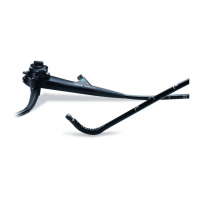
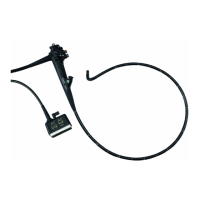
Endoscope
EN-580T
Thank you for purchasing our product. Read this manual carefully before use to avoid
unexpected accidents and to take full advantage of the product's capabilities.
English
OPERATION MANUAL
(Preparation and Operation)

Table of Contents

Questions and Answers

  • M
    michael30Sep 4, 2025
    What to do if a live image is not displayed after image freezing is cancelled on FujiFilm Medical Equipment?
    • C
      Carlos HarrisSep 4, 2025
      If a live image is not displayed after canceling image freezing, the system may have malfunctioned due to static charges. Try resetting the processor and the light source. If the image is still not displayed, turn the processor and the light source off, then straighten the bending portion to unlock and release the angle knobs. Slowly pull out the endoscope.
  • M
    Matthew AndersonSep 18, 2025
    What to do if the balloon does not deflate on FujiFilm EN-580T Medical Equipment?
    • N
      nchoiSep 18, 2025
      If the balloon does not deflate, it could be because water has entered the channel from the balloon air feed inlet or the air feed inlet of the Over-tube (clear tube). Stop using the endoscope immediately, deflate the balloon using a syringe, and then slowly withdraw the endoscope and Over-tube together. If the balloon does not deflate even with a syringe, consider possible measures such as surgical operation.
  • A
    Anthony JonesSep 16, 2025
    What to do if there is low air/water supply volume in FujiFilm EN-580T Medical Equipment?
    • M
      Matthew JohnsonSep 16, 2025
      If you experience low air/water supply volume, it may be due to: * Foreign matter adhering to the air/water supply channel. * Damage to the air/water supply channel. To resolve this: * Pull out the endoscope from the body cavity and clean the air/water supply channel. If the air/water supply volume is still low, replace the endoscope with a spare one. * Consult your local FUJIFILM dealer.
  • C
    Cynthia JohnsonSep 14, 2025
    What to do if the balloon does not inflate on FujiFilm Medical Equipment?
    • A
      Alexander NelsonSep 14, 2025
      If the balloon does not inflate, consider the following possible causes: * The balloon air feed channel is clogged. * The tube kit has been perforated. * The tube kit is crushed. * The fixing rubber covers the balloon air feed inlet. * The balloon or fixing rubber is attached improperly, causing air leakage. * The balloon has been perforated. To address this: * Replace the endoscope with a spare one. * Replace the tube kit with a spare one. * Ensure the tube kit is not crushed. * Adjust the position of the fixing rubber. * Reattach the balloon or fixing rubber correctly. * Replace the balloon with a spare one.
  • T
    Tiffany LeeSep 13, 2025
    What to do if the Air/Water button won’t reset on FujiFilm EN-580T Medical Equipment?
    • R
      Ricardo SaundersSep 13, 2025
      If the air/water button won’t reset, it is likely due to deterioration. Replace it with a new one.
  • M
    Mary HenrySep 12, 2025
    What to do if the bending portion cannot return to neutral position on FujiFilm EN-580T Medical Equipment?
    • O
      obrooksSep 12, 2025
      If the bending portion cannot return to the neutral position: * Check if the angle is locked and unlock it using the angle lock knob. * If unlocking doesn't work, discontinue use immediately and contact your local FUJIFILM dealer or the nearest service center without forcing the bending portion. Forcing it could cause damage.
  • E
    Elizabeth ShannonSep 9, 2025
    What to do if the suction button won’t reset on FujiFilm EN-580T Medical Equipment?
    • D
      David BeckSep 9, 2025
      If the suction button won’t reset, it could be due to: * Coagulated foreign matter or blood adhering to the button. * Damage to the suction button. To resolve this: * Disconnect the suction tube, diagnose the issue, and then remove the button to clean or replace it. * Replace the suction button with a new one.
  • A
    Anthony WallaceSep 7, 2025
    What to do if an image is suddenly discolored during an examination with FujiFilm Medical Equipment?
    • J
      Jeffrey FrazierSep 7, 2025
      If an image suddenly discolors during an examination, it may be due to: * A system malfunction (e.g., static charges). * A shorted or broken video signal cable. * Damage to the imaging section. To address this, reset the processor and the light source. If the image does not recover and the examination cannot continue, turn off the processor and the light source, straighten the bending portion to unlock and release the angle knobs, and slowly pull out the endoscope.
  • H
    Heather HallSep 5, 2025
    What to do if images cannot be captured in the image recorder of FujiFilm EN-580T Medical Equipment?
    • N
      norristammySep 6, 2025
      If images cannot be captured, ensure that the image recorder is connected. If it is, try reconnecting it to ensure a correct connection.
  • D
    dmossAug 21, 2025
    What to do if no images come out on my FujiFilm Medical Equipment?
    • T
      Tony SmithAug 21, 2025
      First, ensure that the cart, monitor, or processor is properly plugged into the main outlet. If it is, make sure that the cart, monitor, or processor is powered on.

Summary

Important Safety Information

Intended Use of the Endoscope

Defines the product's intended application for medical observation, diagnosis, and treatment.

General Safety Precautions and Warnings

Covers reading the manual, understanding warnings/cautions, and user responsibilities for safe operation.

Clinical Use Considerations and Risks

Assumes trained users and highlights risks for critical patients or specific conditions.

Health and Allergy Warnings

Warns about latex allergies and the need for personal protective equipment during use.

Handling Equipment Malfunctions

Provides steps for dealing with loss of function and image issues, including overheating risks.

Preface

Manual Conventions and Symbols

Explains the meaning of symbols like WARNING, CAUTION, and notes for user understanding.

Chapter 1 Safety

Endoscope Usage Precautions and Safety

Covers safe operation, handling, environmental considerations, and warnings for using the endoscope.

Cleaning, Disposal, and Maintenance Procedures

Details procedures for cleaning, disinfection, sterilization, disposal, repair, and symbol interpretation.

Chapter 2 System Composition and Configuration

Composition of the Endoscope Set

Lists all items included in the endoscope carrying case, such as the endoscope, tube kit, and setting tools.

System Configuration Overview

Illustrates how the endoscope connects with various peripherals like regulators, testers, and controllers.

Chapter 3 Parts and Functions

Endoscope Components Description

Details the main parts of the endoscope, including the control portion, flexible portion, and inlets.

Understanding Endoscope Symbols

Explains the meaning and location of various symbols found on the endoscope and in the manual.

Chapter 4 Control Portion

Operating the Bending Mechanism

Explains how to use the up-down and left-right angle knobs and locking levers for bending the endoscope.

Valve Controls and Image Switches

Describes the functions of the suction button, air/water button, and image/recording switches.

Forceps Valve and Inlet Mechanism

Details the structure and function of the forceps valve, including its lid and body for preventing leaks.

Chapter 5 Preparation for Use of Endoscope

Preparing Necessary Equipment

Outlines initial steps for preparing the examination area, including moving equipment and connecting power.

Forceps Valve Preparation and Attachment

Details cleaning, sterilization, and proper attachment of the forceps valve, including button connections.

Endoscope System Connection and Inspection

Guides on connecting the endoscope to components and inspecting insertion portion, bending mechanism, and channels.

Distal End, Forceps, and Balloon Inspection

Covers inspection of the distal end, forceps, setting tools, over-tube, balloon, and controller for proper function.

Attaching Endoscope Hood and Controller

Explains how to attach the endoscope hood and connect the balloon controller for operation.

Chapter 6 Method of Use

Preparation and Patient Pre-treatment

Covers preparing necessary equipment and performing pre-treatment suitable for the examination purpose.

Endoscope Insertion and Observation Techniques

Provides critical safety warnings and step-by-step guidance for inserting and observing with the endoscope.

Peroral and Transanal Insertion Procedures

Details the process for oral and anal insertion, including patient instructions and handling balloons.

Biopsy Procedures and Endoscope Withdrawal

Explains how to safely perform biopsies and withdraw the endoscope, including component removal.

Endoscope Pre-cleaning and Transport

Describes pre-cleaning steps, channel cleaning with CA-511N, component removal, and transport.

Appendix: Main Specifications

Equipment Classification and Specifications

Details the endoscope's classification, viewing system, dimensions, and bending capabilities.

Operating Environments and Accessories

Lists operating conditions, transport/storage requirements, validity period, and available accessories.

Consumables and Optional Supplies

Lists consumable supplies like forceps valves and optional items such as cleaning adapters and air leak testers.

Appendix: EMC Information

Electromagnetic Emission Compliance

Provides information on RF emissions, radiated emissions, and harmonic emissions compliance for the endoscope.

Electromagnetic Immunity Compliance

Details compliance with immunity tests for electrostatic discharge, electrical fast transients, surges, and magnetic fields.

RF and Radiated Immunity Guidelines

Offers guidance on separation distances for RF communications equipment to prevent interference.

Appendix: Troubleshooting

Image Display and Brightness Issues

Addresses problems like no images, dark images, too bright images, and image disappearance during examination.

Operational and Connectivity Problems

Covers issues like distorted images, air/water feeding problems, and low supply volume.

Balloon and Bending Control Issues

Addresses problems with bending portion return, balloon inflation, and deflation.

Appendix: After-Sales Service

Warranty and Repair Information

Explains warranty terms, conditions for voiding warranty, and procedures for repairs during and after the warranty period.

Appendix: Disposal of Equipment

Electric and Electronic Equipment Disposal

Provides instructions for proper disposal of used electrical and electronic equipment according to regulations.

FujiFilm EN-580T Specifications

General IconGeneral
BrandFujiFilm
ModelEN-580T
CategoryMedical Equipment
LanguageEnglish

Related product manuals