EasyManua.ls Logo

FujiFilm FinePix F31fd - User Manual

FujiFilm FinePix F31fd
180 pages
Print Icon
To Next Page IconTo Next Page
Loading...
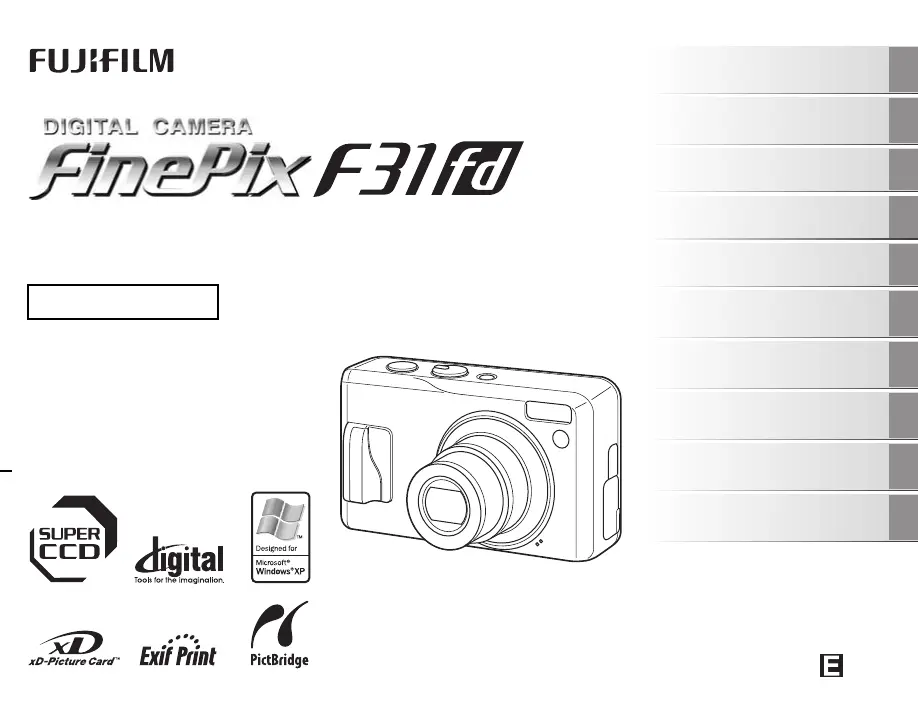
OWNER’S MANUAL
This manual will show you how to use
your FUJIFILM DIGITAL CAMERA
FinePix F31fd correctly.
Please follow the instructions carefully.
BL00580-200(1)
Getting Ready
Using the Camera
Advanced Features
Photography
Settings
Camera Connection
Software
Installation
Playback
•Movie
Appendices
Troubleshooting

Table of Contents

Other manuals for FujiFilm FinePix F31fd

Questions and Answers

  • M
    Mary YoungSep 10, 2025
    Why can't I set Intelligent Face Detection on my FujiFilm FinePix F31fd Digital Camera?
    • G
      George ChaseSep 10, 2025
      If you cannot set Intelligent Face Detection on your FujiFilm Digital Camera, the shooting mode might be incompatible. Change the shooting mode.
  • E
    Elizabeth NguyenAug 23, 2025
    Why is my FujiFilm FinePix F31fd not charging?
    • A
      anthonyespinozaAug 23, 2025
      If your FujiFilm Digital Camera isn't charging, it could be due to a few reasons: * There might not be a battery in the camera. Load the battery. * The battery might be loaded backward. Load the battery in the correct direction. * The camera and AC power adapter might not be correctly connected. Connect the camera and AC power adapter correctly.
  • M
    Melinda ReevesAug 25, 2025
    What to do if my FujiFilm FinePix F31fd has difficulty in focusing on the subject?
    • F
      Felicia WeaverAug 25, 2025
      If your FujiFilm Digital Camera struggles to focus, consider these points: * If you're taking a close-up shot, make sure you've selected Macro mode. * If you're photographing scenery, ensure Macro mode is off. * If the subject isn't suited to autofocusing, use AF/AE lock to take the picture.
  • A
    Allison HodgesAug 26, 2025
    Why is my FujiFilm FinePix F31fd image blurred?
    • R
      Robert NewmanAug 27, 2025
      If the image from your FujiFilm Digital Camera is blurred, the lens may be dirty. Try cleaning the lens.
  • M
    Matthew MillerAug 27, 2025
    What to do if nothing happens when I press the buttons on my FujiFilm FinePix F31fd?
    • L
      Lindsay MosesAug 27, 2025
      If nothing happens when you press the buttons on your FujiFilm Digital Camera, it could be due to: * A temporary camera malfunction. Briefly remove the battery or disconnect the AC power adapter. Then reload the battery or reconnect the AC power adapter and try again. * The battery has run out. Charge the battery or load fully charged battery.
  • P
    Paul QuinnSep 18, 2025
    Why is there no image or sound on the TV from my FujiFilm FinePix F31fd Digital Camera?
    • E
      Erica MendozaSep 18, 2025
      If there is no image or sound on the TV when connected to your FujiFilm Digital Camera, check the following: * The camera might not be connected to the TV correctly. Connect the camera and TV correctly. * The A/V cable may have been connected during movie playback. Stop movie playback before connecting the cable. * The TV input may be set incorrectly. Set the TV input to “VIDEO.” * The video output setting may be incorrect. Change the setting to NTSC or PAL. * The TV volume may be turned down. Adjust the volume.
  • I
    isimmonsSep 22, 2025
    Why does CONT. in the frame number setting not function on my FujiFilm FinePix F31fd Digital Camera?
    • H
      Henry MitchellSep 22, 2025
      If CONT. in the frame number setting does not function on your FujiFilm Digital Camera, it is possible that you opened the battery cover without turning the camera off when replacing the battery or memory card. Always turn the camera off when replacing these components, as opening the battery cover without doing so may cause the frame number memory to malfunction.
  • G
    Gary OdomSep 8, 2025
    Why my FujiFilm FinePix F31fd Digital Camera PC does not recognize the camera?
    • K
      Kimberly DennisSep 8, 2025
      If your PC does not recognize the FujiFilm Digital Camera, the USB cable might not be correctly connected to the PC or camera. Set up the camera, and connect the USB cable correctly.
  • C
    Caleb BooneSep 5, 2025
    What to do if my FujiFilm Digital Camera photographed images or movies are not recorded?
    • K
      kyle08Sep 6, 2025
      If photographed images or movies are not being recorded on your FujiFilm Digital Camera, it could be because the AC power adapter was connected or disconnected while the camera was on. To prevent this, only connect or disconnect the AC power adapter when the camera is off. Failing to turn the camera off first can result in damage to the memory card or malfunctions during PC connection.
  • T
    Traci SchwartzSep 7, 2025
    Why does my FujiFilm FinePix F31fd LCD monitor darken after taking a picture?
    • M
      Mariah SchaeferSep 7, 2025
      If the LCD monitor darkens after taking a picture with your FujiFilm Digital Camera, it's likely because you used the flash. The monitor may darken temporarily while the flash is charging. Wait a short time.

FujiFilm FinePix F31fd Specifications

General IconGeneral
BrandFujiFilm
ModelFinePix F31fd
CategoryDigital Camera
LanguageEnglish

Related product manuals