EasyManua.ls Logo

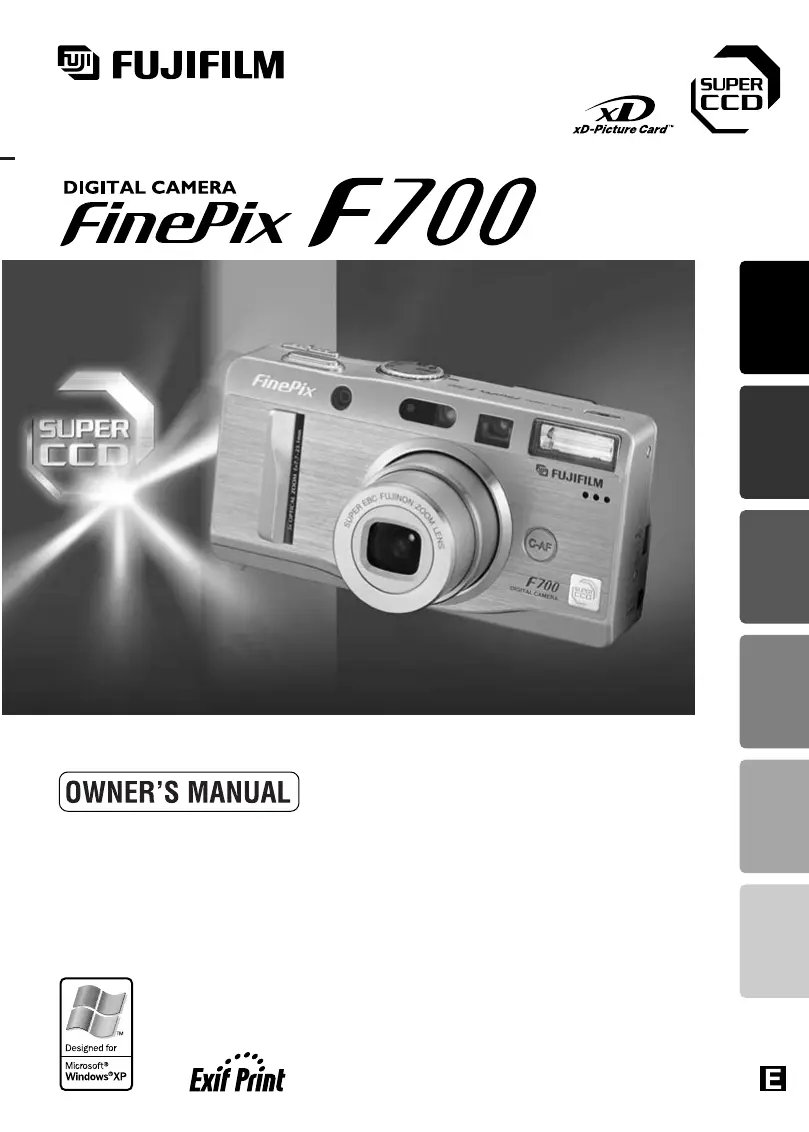
FujiFilm FinePix F700 - User Manual

FujiFilm FinePix F700
53 pages
Print Icon
To Next Page IconTo Next Page
Loading...
This manual will show you how to use your FUJIFILM
DIGITAL CAMERA FinePix F700 correctly.
Please follow the instructions carefully.
BL00247-201
(
1
)
Getting Ready
Using
the Camera
Advanced
Features
Software
Installation
Settings Viewing Images

Table of Contents

Other manuals for FujiFilm FinePix F700

Questions and Answers

  • D
    Dr. Leslie Pineda MDAug 15, 2025
    Why my FujiFilm FinePix F700 has no power?
    • J
      John WoodAug 15, 2025
      If your FujiFilm Digital Camera has no power, several factors could be responsible. First, ensure the battery isn't exhausted by loading a fully charged battery. Check that the AC power adapter is correctly plugged into the power outlet. Also, verify the battery is loaded in the correct direction and that the battery cover is properly closed.
  • L
    Lisa JonesAug 18, 2025
    What to do if my FujiFilm FinePix F700 Digital Camera does not take a photo?
    • M
      Mrs. Debra WolfAug 18, 2025
      If your FujiFilm Digital Camera isn't taking photos when you press the shutter button, consider these possibilities: * Verify that an xD-Picture Card is loaded. * If the card is full, insert a new one or erase unwanted frames. * Check if the card needs formatting. * Ensure the card's contact area is clean. * If the card is damaged, replace it. * Also, check if the camera has switched off due to the Auto Power Off function, and ensure the battery isn't exhausted.
  • B
    Billy MyersAug 21, 2025
    Why are my FujiFilm Digital Camera photos dark even with flash?
    • A
      Anna JacksonAug 22, 2025
      If images from your FujiFilm Digital Camera are dark even when using the flash, it could be because the subject is too far away; try moving closer. Alternatively, your finger might be covering the flash or flash control sensor, so ensure you are holding the camera correctly.
  • P
    paula67Aug 26, 2025
    What to do if my FujiFilm Digital Camera power cuts out during operation?
    • K
      kevin72Aug 26, 2025
      If your FujiFilm Digital Camera is losing power during operation, the most likely cause is an exhausted battery. Try loading a new, fully charged battery to resolve this issue.
  • D
    Danielle WoodsAug 28, 2025
    How to enable flash on FujiFilm FinePix F700?
    • M
      Mary RivasAug 28, 2025
      If you're unable to use the flash on your FujiFilm Digital Camera, it might be because you pressed the shutter button while the flash was still charging; wait until charging is completed. Alternatively, check if the flash mode is set to Suppressed Flash, and change it to Auto, Red-Eye Reduction, or Forced Flash, as the flash is unavailable in some modes.
  • S
    Sara WileyAug 31, 2025
    What to do if the self-timer lamp blinks when charging my FujiFilm FinePix F700 Digital Camera?
    • K
      Katie RuizSep 1, 2025
      If the self-timer lamp on your FujiFilm Digital Camera blinks during charging, preventing the battery from charging, the battery terminals may be dirty; try wiping them with a clean, dry cloth. If this doesn't work, the battery might be faulty or flat. Replace it, and if it still fails to charge, contact an authorized FUJIFILM service center.
  • J
    jtaylorSep 3, 2025
    Why can I only select “Suppressed Flash” mode on my FujiFilm FinePix F700 Digital Camera?
    • M
      Melissa McintyreSep 4, 2025
      If you can only select “Suppressed Flash” mode on your FujiFilm Digital Camera, it is because continuous shooting is selected. Set continuous shooting to OFF.
  • A
    Alexis AvilaSep 7, 2025
    Why can I only select the “1” image quality setting on my FujiFilm FinePix F700?
    • A
      Amy TaylorSep 7, 2025
      If your FujiFilm Digital Camera only allows you to select the “1” image quality setting, it may be because the sensitivity is set to 1600 in the Photography menu. Set the sensitivity to 800 or less. Alternatively, the continuous shooting option might be set to “Long-period Continuous Shooting”; change it to another setting.
  • M
    Michael CarrollSep 12, 2025
    Why doesn't the self-timer lamp light when charging my FujiFilm Digital Camera?
    • N
      Nicholas WoodSep 12, 2025
      If the self-timer lamp on your FujiFilm Digital Camera doesn't light when charging the battery, it could be due to a couple of reasons. First, ensure that there is a battery in the camera. If there is, check that the camera and AC power adapter are correctly connected.

Summary

Preface

Test Shots Prior to Photography

Recommendations for taking test shots to ensure normal camera function before important events.

Notes on Copyright

Guidelines regarding the use of recorded images and copyright laws for personal and public use.

Handling Your Digital Camera

Precautions for protecting the camera from impact or shock during image recording.

Nomenclature

Mode dial

Explanation of the camera's mode dial settings for various shooting scenarios.

Example of LCD Monitor Text Display

Illustrates the display elements shown on the LCD monitor in still and playback modes.

Getting Ready

LOADING THE BATTERY AND THE MEDIA

Instructions for inserting the NP-40 rechargeable battery and xD-Picture Card.

CHARGING THE BATTERY

Procedure for charging the NP-40 battery using the AC power adapter.

SWITCHING ON AND OFF SETTING THE DATE AND TIME

Steps for powering the camera on/off and setting the initial date and time.

SELECTING THE LANGUAGE

Guide to changing the camera's menu and display language settings.

SETTING UP AND USING THE FinePix F700 CRADLE CP-FX700

Instructions for connecting the camera to the cradle for charging and data transfer.

Using the Camera

BASIC OPERATION GUIDE

Overview of fundamental camera operations including mode selection and menu navigation.

STILL IMAGE MODE SHOOTING STILL IMAGES (AUTO MODE)

Detailed steps for taking pictures using the camera's automatic shooting mode.

FOCUSING

Explanation of autofocus modes and tips for achieving sharp focus on subjects.

PLAYBACK MODE VIEWING YOUR IMAGES (PLAYBACK)

Instructions for viewing captured still images and navigating through them.

PLAYBACK MODE ERASING IMAGES (ERASE FRAME)

Guide on how to delete individual still images from the camera's memory.

Advanced Features

QUALITY MODE (NUMBER OF RECORDED PIXELS)

Settings for image quality and resolution, affecting file size and print suitability.

ISO SENSITIVITY

Adjusting the camera's sensitivity to light for different shooting conditions.

HOW TO SPECIFY PRINT OPTIONS (DPOF)

Instructions for setting print specifications for direct photo printing.

EXPOSURE (SHUTTER SPEED AND APERTURE)

Understanding how shutter speed and aperture control image brightness and depth of field.

TAKING PICTURES - SELECTING THE CAMERA SETTINGS

Guidance on selecting photography modes and function settings for desired results.

S SHUTTER-PRIORITY AUTO

Mode allowing manual control of shutter speed to freeze or convey motion.

CONTINUOUS SHOOTING

Features for capturing multiple images in rapid succession or sequences.

EXPOSURE COMPENSATION

Adjusting exposure levels for shots with difficult lighting conditions.

WB SETTING THE WHITE BALANCE

Adjusting white balance for accurate color reproduction under various lighting.

USING AF;AE LOCK

Method for locking focus and exposure settings for precise composition.

Settings

ADJUSTING THE MONITOR BRIGHTNESS ADJUSTING THE VOLUME

How to adjust the LCD monitor's brightness and the camera's volume.

SET-UP Menu Options

Overview of the camera's setup menu options for customization.

POWER SAVE SETTING

Configuring power-saving features to extend battery life.

Software Installation

INSTALLATION ON A Windows PC

Step-by-step guide for installing camera software on Windows operating systems.

INSTALLATION ON A Mac OS 8.6 TO 9.2

Instructions for installing camera software on older Mac OS versions.

INSTALLATION ON A Mac OS X

Guide for installing camera software on Mac OS X operating systems.

Viewing Images

Connecting to a TV

How to connect the camera to a television to view images and videos.

Connecting to a computer

Instructions for connecting the camera to a PC via USB for data transfer.

Disconnecting the Camera

Proper procedures for safely disconnecting the camera from a computer.

Uninstalling the Software

Steps to remove camera software from your computer when no longer needed.

System Expansion Options

Accessories Guide

Information on optional accessories that can enhance camera functionality.

Notes on Using Your Camera Correctly

Places to Avoid

Locations and conditions to avoid when using or storing the camera to prevent damage.

Notes on the Power Supply

Important information regarding the use of batteries and AC power adapters.

Notes on the xD-Picture Card

Image Memory Card

Details about the xD-Picture Card as a digital image recording medium.

Notes on Handling xD-Picture Card

Precautions for handling, storing, and maintaining xD-Picture Cards.

Warning Displays

Warning Displays

A list of warning messages displayed on the LCD monitor and their remedies.

Troubleshooting

Troubleshooting

Common camera problems, their possible causes, and solutions.

Specifications

Specifications

Technical details and features of the FinePix F700 digital camera.

Explanation of Terms

Explanation of Terms

Definitions of technical terms and camera functions used in the manual.

Safety Notes

WARNINGS

Critical safety precautions to prevent fire, electric shock, or injury.

About the Icons

Explanation of icons used in the manual to denote warnings, cautions, and required actions.

FujiFilm FinePix F700 Specifications

General IconGeneral
Image SensorSuper CCD HR
Optical Zoom3x
StoragexD-Picture Card
BatteryNP-40 rechargeable lithium-ion
Flash ModesAuto, Red-eye Reduction, Forced Flash, Suppressed Flash, Slow Synchro
Effective Pixels6.3 million
LensFujinon
Display1.8-inch LCD
Video Recording320 x 240, 10fps
Sensor Size1/1.7 inches
Image Resolution2816 x 2112
Aperture Rangef/2.8 - f/4.9
Shutter Speed1/2000 sec
LCD Monitor1.8-inch
ViewfinderOptical
White BalanceAuto, Preset (Fine, Shade, Fluorescent light (daylight), Fluorescent light (warm white), Fluorescent light (cool white), Incandescent)
Movie Mode320 x 240
Dimensions28 mm
Focus RangeNormal: 60cm - infinity, Macro: 9cm - 80cm

Related product manuals