EasyManua.ls Logo

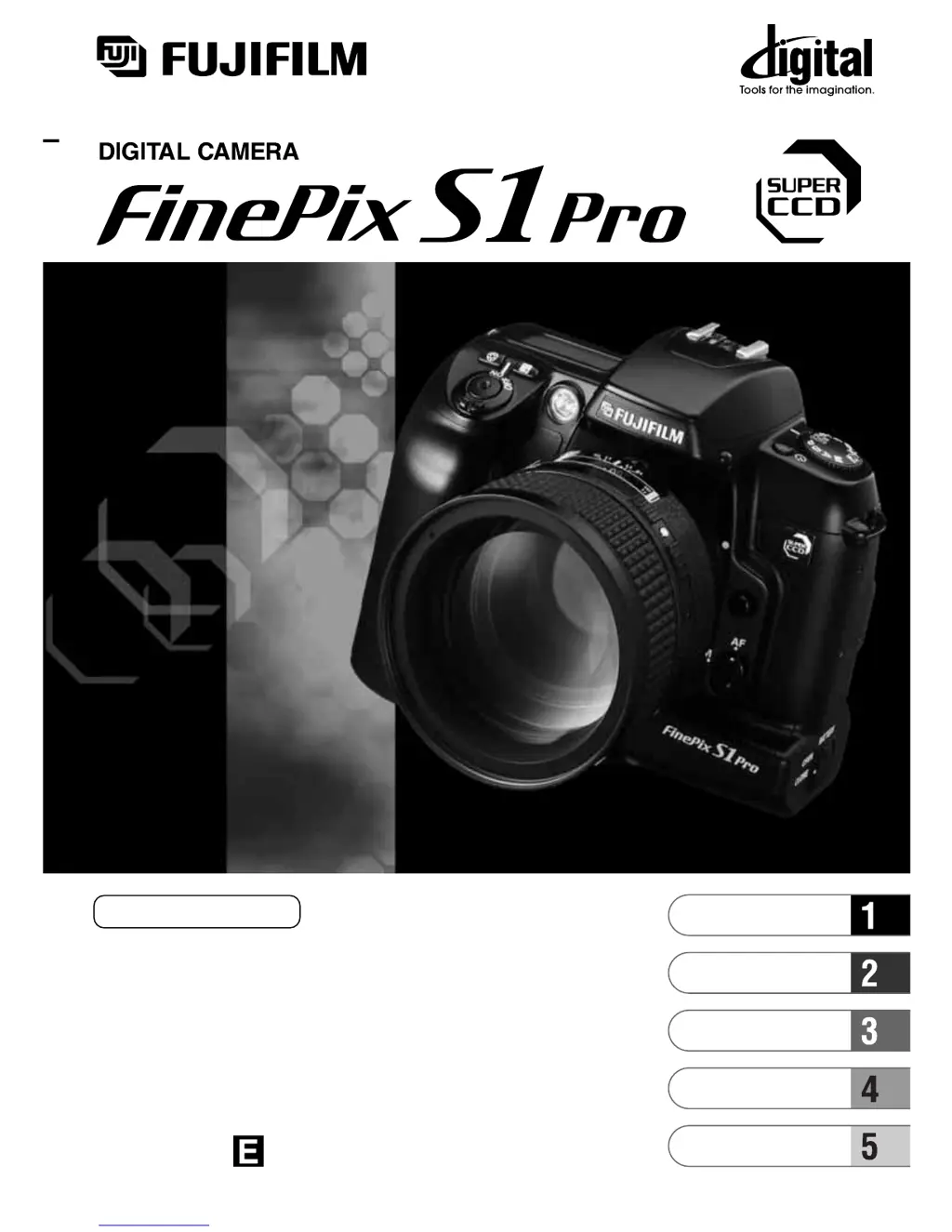
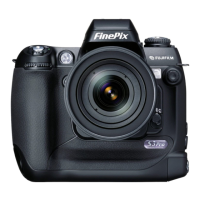
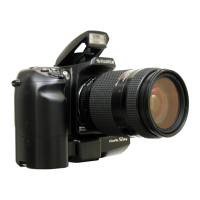
FujiFilm FinePix S1 Pro - User Manual

FujiFilm FinePix S1 Pro
132 pages
Print Icon
To Next Page IconTo Next Page
Loading...
BB11378-200
(
1
)
OWNER’S MANUAL
This manual will show you how to use your FUJIFILM DIGITAL CAMERA
FinePix S1 Pro correctly.
Please follow the instructions carefully.
Basic Photography
Setup
Advanced Photography
(Playback)
Preference

Table of Contents

Other manuals for FujiFilm FinePix S1 Pro

Questions and Answers

  • P
    perryvalerieAug 19, 2025
    What to do if my FujiFilm FinePix S1 Pro Digital Camera won't take a picture?
    • D
      danielpopeAug 19, 2025
      If your FujiFilm Digital Camera isn't taking pictures, several factors could be at play. Ensure media is loaded or replace it if full or damaged. Check if the SmartMedia is write-protected and remove protection if so. Format the media if it hasn't been. Clean the SmartMedia contact surface. If the camera has switched off automatically, switch it back on. Replace flat batteries. If the camera won't focus, set the focusing mode to manual. If using the built-in flash with a battery adapter, close the flash. If an error occurred, refer to the warning displays in the manual and take the appropriate action.
  • T
    Troy OrrAug 21, 2025
    How to fix a FujiFilm Digital Camera with no power?
    • B
      Brianna RiggsAug 21, 2025
      If your FujiFilm Digital Camera has no power, the batteries may be flat, so try loading new batteries. Alternatively, check that the AC power adapter is correctly plugged into the power outlet and plug it back in if it has come loose.
  • A
    Alexander PerezAug 25, 2025
    Why does my FujiFilm FinePix S1 Pro battery run out so quickly?
    • A
      amyvelazquezAug 25, 2025
      If your FujiFilm Digital Camera battery drains rapidly, it might be due to a few reasons. Extremely cold conditions can affect battery life; try warming the batteries in your pocket before use. Soiled terminals can also cause this issue, so wipe them with a clean, dry cloth. Finally, the batteries may have reached the end of their life and need replacing with new ones.
  • J
    Jermaine SmithAug 26, 2025
    What to do if FujiFilm Digital Camera power cuts out during operation?
    • S
      Shaun ColemanAug 26, 2025
      If your FujiFilm Digital Camera loses power during use, the batteries are likely flat. Replace them with new ones.
  • M
    Michael WilsonAug 28, 2025
    Why is my FujiFilm FinePix S1 Pro playback image too dark even though I used the flash?
    • S
      suzannetateAug 28, 2025
      If your FujiFilm Digital Camera playback images are too dark despite using the flash, the subject may be too far away; try moving closer. Also, ensure nothing is obstructing the flash, such as a lens hood, and remove it if necessary.
  • L
    Linda RoseAug 30, 2025
    Why is the playback image blurred on my FujiFilm FinePix S1 Pro?
    • R
      Robin AllenAug 30, 2025
      If the playback image on your FujiFilm Digital Camera is blurred, the lens may be dirty; try cleaning it. Alternatively, the camera may not be focused correctly.
  • K
    Kenneth GarrettSep 1, 2025
    Why does the date and time reset when I replace the AA-size batteries on my FujiFilm Digital Camera?
    • D
      Dawn WareSep 1, 2025
      If the date and time reset when you replace the AA-size batteries in your FujiFilm Digital Camera, it may be because no button cell CR2025 batteries are fitted; fit new batteries. Alternatively, the button cell CR2025 batteries may be depleted; replace them with new batteries.
  • E
    Elizabeth PhamSep 4, 2025
    Why I cannot format the SmartMedia or Microdrive on my FujiFilm Digital Camera?
    • A
      andrew03Sep 4, 2025
      If you cannot format the SmartMedia or Microdrive on your FujiFilm Digital Camera, it might be write-protected. Remove the write-protection by peeling off the write-protect sticker. Alternatively, the media may be damaged, so try using a new one.
  • S
    schaeferelaineSep 6, 2025
    What to do if I can’t use the flash to take pictures on my FujiFilm Digital Camera?
    • A
      amandahardySep 6, 2025
      If you can’t use the flash on your FujiFilm Digital Camera, the flash might be set to Suppressed Flash mode (closed). The flash pops up. Also, avoid pressing the shutter button while the flash is charging; wait until charging is completed. If you're using a battery adapter, switch to lithium batteries.
  • D
    Daniel ClarkeSep 8, 2025
    What to do if nothing happens when I use the camera switches and dials on my FujiFilm Digital Camera?
    • M
      Mary FosterSep 8, 2025
      If the camera switches and dials are unresponsive on your FujiFilm Digital Camera, it could be a malfunction. Remove the power supply (batteries), reload them, and try again. Also, ensure the batteries aren't flat; replace them if necessary.

Summary

Basic Photography

Loading the Camera Batteries

Instructions for inserting lithium, button cell, and AA batteries into the camera.

Exposure Modes on the FinePix S1 Pro

Explains different shooting modes like AUTO, Programmed Auto, Shutter-priority, Aperture-priority, and Manual.

Holding the Camera and Focusing

Guidance on proper camera grip and initial focusing techniques.

Playing Back Photographed Images

How to view, zoom, and navigate through recorded images on the LCD.

Setup

Setup Functions

Overview of settings configurable via the rear display panel and menu.

Setting the White Balance

Adjusting white balance for different lighting conditions to achieve natural colors.

Setting the Sensitivity (ISO)

Adjusting the camera's ISO sensitivity for optimal exposure in various light conditions.

Camera Reset

Procedures for resetting camera settings to their factory default values.

Advanced Photography

Focusing Modes

Explains auto and manual focusing modes, including AF servo types and auxiliary AF light.

Shooting Using Exposure Modes

Detailed explanation of AUTO, Programmed Auto, Shutter-priority, Aperture-priority, and Manual modes.

Exposure Compensation

Adjusting exposure levels by ±3 EV to fine-tune brightness for specific shots.

Flash Photography

Comprehensive guide to using the built-in flash and TTL-BL flash control.

Advanced Photography (Playback)

Erase;Format

Procedures for erasing individual or all images, and formatting memory media.

Protection Settings

How to protect selected images or all images from accidental erasure.

DPOF Settings

Setting print order format information for images, including date/time imprinting.

Auto Play (Automatic Playback)

Setting up automatic image slideshow playback with various transition effects.

Reference

Lenses that Can Be Used with this Camera

Information on compatible Nikkor lenses and those that cannot be used with the camera.

Using the USB Cable and Software Included

Guide for connecting the camera to a PC for data transfer and remote control.

Cleaning the CCD

Instructions and precautions for cleaning the camera's sensitive CCD sensor.

Warning Displays

Explanation of common error messages and their causes and solutions.

Troubleshooting

Comprehensive guide to resolving common camera problems and issues.

Safety Notes

Crucial safety warnings and precautions for using the camera to prevent injury or damage.

FujiFilm FinePix S1 Pro Specifications

General IconGeneral
BrandFujiFilm
ModelFinePix S1 Pro
CategoryDigital Camera
LanguageEnglish

Related product manuals