EasyManua.ls Logo

FujiFilm FinePix Z1 - User Manual

FujiFilm FinePix Z1
57 pages
Print Icon
To Next Page IconTo Next Page
Loading...
BL00456-200
(
1
)
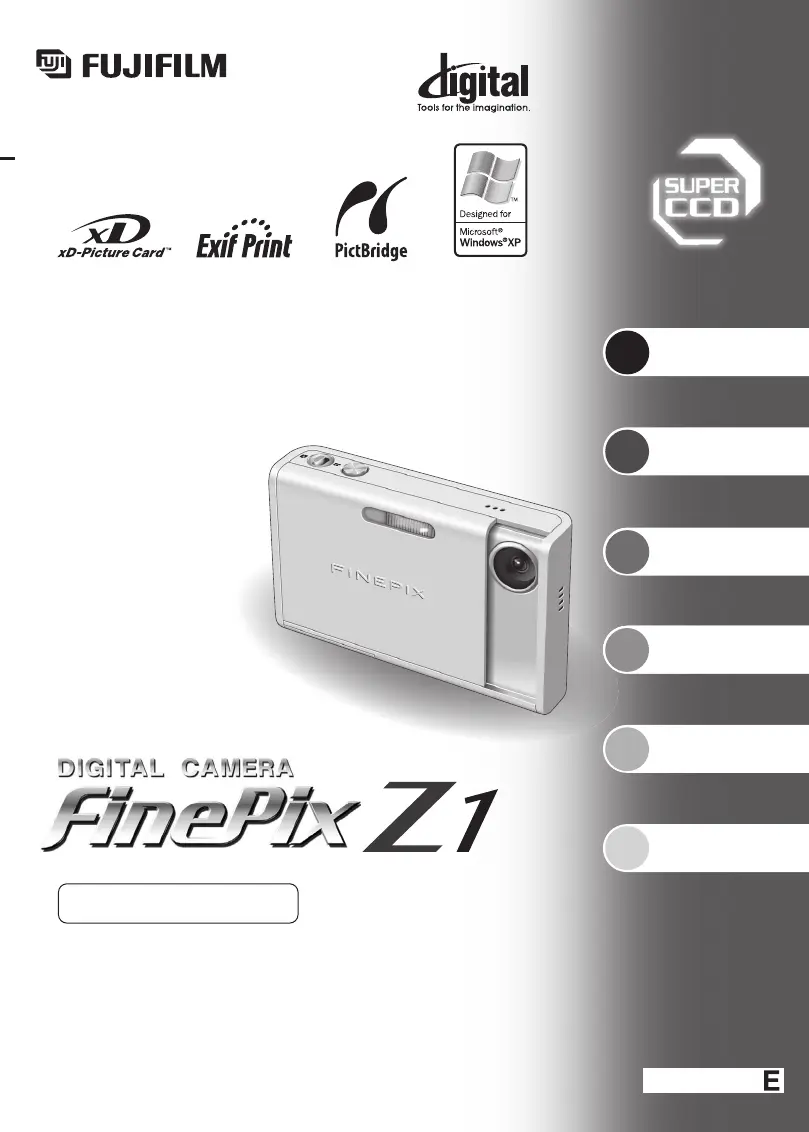
This manual will show you how to use your
FUJIFILM DIGITAL CAMERA FinePix Z1 correctly.
Please follow the instructions carefully.
OWNER’S MANUAL
1
2
3
4
5
6
Getting Ready
Settings
Using
the Camera
Advanced
Features
Software
Installation
Viewing Images

Table of Contents

Other manuals for FujiFilm FinePix Z1

Questions and Answers

  • S
    Sean ReynoldsAug 18, 2025
    Why my FujiFilm FinePix Z1 Digital Camera has no power?
    • D
      Daniel HerreraAug 18, 2025
      If your FujiFilm Digital Camera isn't powering on, the battery may be dead. Try loading a new or fully charged battery. Also, make sure the AC power adapter is properly plugged into the power outlet. Another cause might be that the battery is loaded backward, so ensure it's correctly oriented. Finally, check that the battery cover is correctly closed.
  • J
    Jason WalkerAug 20, 2025
    Why does my FujiFilm Digital Camera battery run out quickly?
    • T
      Tonya ColemanAug 20, 2025
      If your FujiFilm Digital Camera battery drains quickly, it could be due to several reasons. If you're using the camera in extremely cold conditions, try warming the battery in your pocket before use. Also, clean the battery terminals with a dry cloth. If the problem persists, the battery may no longer be rechargeable, so try a new one.
  • U
    ucallahanAug 22, 2025
    What to do if my FujiFilm Digital Camera doesn't take a photo when pressing the shutter button?
    • M
      Mark DennisAug 22, 2025
      If your FujiFilm Digital Camera isn't taking pictures when you press the shutter button, there might be a few reasons. First, ensure that an xD-Picture Card is inserted. If it is, check if the card is full and, if so, insert a new card or erase unwanted frames. Also, the card may need formatting, so format it on the camera. Clean the card's contact area with a dry cloth. If the card is damaged, replace it. The camera might have turned off due to the Auto power off function, so turn it back on. Finally, the battery might be dead, so load a charged battery.
  • J
    Jasmine MannAug 25, 2025
    Why are my FujiFilm FinePix Z1 Digital Camera images blurred?
    • K
      Kaitlyn DavenportAug 26, 2025
      If your FujiFilm Digital Camera images are blurry, the lens might be dirty, so clean it. If you're photographing scenery in Macro mode, cancel Macro mode. If you're taking a close-up shot without Macro mode, select it. If you're shooting a subject not suited to autofocusing, use AF/AE lock.
  • S
    Shannon WatkinsAug 27, 2025
    Why is the playback image dark even though the flash was used on my FujiFilm FinePix Z1 Digital Camera?
    • R
      Robert AndrewsAug 27, 2025
      If the playback image is dark even though you used the flash on your FujiFilm Digital Camera, the subject may be too far away; move closer. Alternatively, your finger may have been covering the flash; hold the camera correctly.
  • N
    Nathan MunozAug 30, 2025
    How to fix the indicator lamp that does not light when charging the FujiFilm FinePix Z1 battery?
    • M
      Mary FullerAug 30, 2025
      If the indicator lamp on your FujiFilm Digital Camera doesn't light when charging the battery, make sure there's a battery in the camera and load it if there isn't. Also, ensure that the camera, AC power adapter, and cradle are correctly connected.
  • S
    Steve McmillanSep 1, 2025
    What to do if the indicator lamp blinks during charging and the battery won’t charge on my FujiFilm Digital Camera?
    • T
      Tami JonesSep 1, 2025
      If the indicator lamp blinks during charging and the battery won’t charge on your FujiFilm Digital Camera, the battery terminals may be dirty; wipe them with a clean, dry cloth. Alternatively, the battery may no longer be rechargeable; try a new or fully charged battery. If it still fails, contact your FUJIFILM dealer.
  • N
    Nicole HenrySep 4, 2025
    Why does my FujiFilm FinePix Z1 Digital Camera power cut out during operation?
    • K
      Karen ArcherSep 4, 2025
      If your FujiFilm Digital Camera loses power during operation, the battery has likely run out. Load a new or fully charged battery.
  • L
    Lisa HuntSep 6, 2025
    Why can't I use the flash on my FujiFilm Digital Camera?
    • A
      Ashley McbrideSep 6, 2025
      If you can't use the flash on your FujiFilm Digital Camera, it might be because you pressed the shutter button while the flash was charging; wait until charging is complete. Also, the photography mode might be set to NATURAL LIGHT or LANDSCAPE; change the photography mode.
  • K
    Kyle JonesSep 9, 2025
    Why are the flash settings restricted on my FujiFilm FinePix Z1 Digital Camera?
    • V
      vmurphySep 9, 2025
      If the flash settings are restricted on your FujiFilm Digital Camera, it's likely because the Photography mode is set to “AUTO”, “À”, “,”, “.” or “©”. Change the Photography mode for a wider range of flash settings.

Summary

Getting Ready

Loading the Battery and Media

Install battery and xD-Picture Card for camera operation.

Charging the Battery

Learn how to charge the battery using the cradle and AC adapter.

Turning the Camera On and Off

Proper procedures for powering the camera on and off.

Setting the Date and Time

Configure the camera's internal clock for accurate date/time stamps.

Selecting the Language

Choose the preferred language for the camera's menu display.

Using the Camera

Taking Pictures (Auto Mode)

Step-by-step guide to shooting photos in automatic mode.

Using AF;AE Lock

Master focus and exposure control for optimal shots.

Viewing Images (Playback)

How to review recorded photos and movies on the camera's LCD.

Multi-frame Playback

View multiple images simultaneously on the camera's LCD screen.

Erasing Images

Learn how to delete unwanted photos from the memory card.

Advanced Features

Selecting Camera Settings for Pictures

Guide to customizing camera settings for best photographic results.

Photography Functions: Macro, Flash, Self-Timer

Explore specialized functions like close-ups, flash modes, and self-timer.

Image Quality, ISO, and Color Settings

Adjust image quality, sensitivity (ISO), and color tone for desired output.

Photography Menu Options

Detailed explanation of menu items for shooting modes, exposure, and white balance.

Settings

Using the Set-up Screen

Navigate and modify various camera operational settings via the menu.

LCD Brightness and Digital Zoom

Customize screen brightness and control digital zoom functionality.

Auto Power Off and LCD Power Save

Configure settings to conserve battery power by managing auto-off and screen dimming.

Formatting the xD-Picture Card

Prepare the memory card for use or erase all data safely.

Time Difference Settings

Adjust time settings for travel to different time zones.

Software Installation

Installing on Windows PC

Step-by-step instructions for installing camera software on Windows.

Installing on Mac OS X

Step-by-step instructions for installing camera software on Mac OS X.

Uninstalling Software

Procedure to remove camera software from your computer.

Viewing Images

Camera Connection via Cradle

Connect camera to TV or PC using the provided cradle accessory.

Direct Printing with PictBridge

Print images directly from the camera to a PictBridge-compatible printer.

Connecting to a PC

Transfer images from the camera to a PC using the USB connection.

Disconnecting the Camera

Safely disconnect the camera from a PC or printer after use.

FujiFilm FinePix Z1 Specifications

General IconGeneral
Image Sensor1/2.5-inch CCD
Effective Pixels5.1 million
Optical Zoom3x
Screen Size2.5 inches
LCD Screen Resolution115, 000 pixels
Storage MediaxD-Picture Card
Weight (without battery and memory card)130 g
Video Resolution640 x 480
Battery TypeNP-40
LensFujinon
Image Resolution2592 x 1944 pixels

Related product manuals