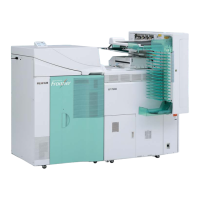
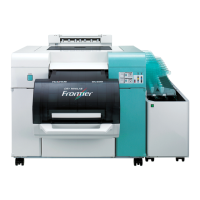
The FUJIFILM Frontier DL600 is a dry minilab designed for photo printing, and this Unpacking Manual details the initial setup procedures for both the main body and optional items.
Function Description:
The FUJIFILM Frontier DL600 is a dry minilab system, indicating it uses a dry printing process (likely inkjet) rather than traditional wet chemical processing. This type of system is typically used in retail photo labs, professional studios, or other environments requiring on-demand photo printing. The "Unpacking Manual" specifically focuses on the initial steps of receiving, uncrating, and preparing the device for installation, including identifying and removing packaging materials and bundled accessories. The mention of "Image Intelligence™" suggests that the system incorporates advanced image processing technologies to optimize print quality.
Important Technical Specifications (from unpacking information):
- Main Body Weight (packed): 155 kg (approximately 341.7 lbs)
- Main Body Weight (unpacked): Approximately 120 kg (approximately 264.6 lbs)
- Main Body Dimensions (packed):
- Length: 1,275 mm (approximately 50.2 inches)
- Width: 1,039 mm (approximately 40.9 inches)
- Height: 915 mm (approximately 36.0 inches)
- Optional Items Weight (packed): 57.5 kg (approximately 126.8 lbs)
- Optional Items Dimensions (packed):
- Length: 1,380 mm (approximately 54.3 inches)
- Width: 720 mm (approximately 28.3 inches)
- Height: 932 mm (approximately 36.7 inches)
Usage Features (implied from unpacking and bundled items):
- Ease of Setup: The manual provides a step-by-step guide for unpacking, suggesting a structured approach to installation.
- Bundled Accessories: The system comes with essential items for operation and maintenance, including:
- Tray
- Cleaning Sheet (2 sheets)
- BEMCOT (150 sheets) – likely a cleaning cloth
- Flange (4)
- Screws to attach flanges (4)
- Spindle (2)
- INSTRUCTION MANUAL (Operating instructions/Condition Setup and Maintenance)
- CD-ROM (Online manual, software)
- CD-ROM (Printer Data)
- CD-ROM (Parts list)
- Ribbon cartridges (2) – indicates a ribbon-based printing technology or a component that uses ribbons.
- Power supply cable* (1) – *Note: Supported in Japan and North America.
- USB cable (1)
- Paper Band (2)
- Cap (2)
- Modular Design: The presence of "Optional Items" (e.g., Long Paper Ejection Unit, Conveyer, Sorter) suggests a modular system that can be configured to meet specific production needs, allowing for scalability and customization of the printing workflow.
Maintenance Features (implied from bundled items):
- Cleaning Supplies: The inclusion of "Cleaning Sheet" and "BEMCOT" indicates that regular cleaning is a part of the device's maintenance routine, and the necessary supplies are provided from the start.
- Documentation for Maintenance: The "INSTRUCTION MANUAL (Operating instructions/Condition Setup and Maintenance)" and "CD-ROM (Parts list)" provide comprehensive information for operating, setting up, and maintaining the printer, empowering users to perform routine tasks and troubleshoot issues.
Unpacking Procedures and Safety Warnings:
The manual emphasizes safety during unpacking due to the significant weight of the components:
- Main Body: Requires more than three people for lifting and moving. The paper feed side is noted as being heavier, requiring two workers to hold that side when carried by three. Caution is advised to prevent injury or damage when lifting and setting down the product.
- Upper Outer Box Removal: A specific caution is given regarding the "Front Roll of the printer" which "rises automatically" when the upper outer box is removed, indicating a potential hazard or a design feature that needs attention during unpacking.
- Accessory Packaging: Users are explicitly warned not to discard inner packaging boxes labeled "NOTICE!! THESE BOXES CONTAIN PRINTER ACCESSORIES!"
- Cushioning Material Removal: Detailed steps are provided for removing various cushioning materials from different sides of the printer, ensuring proper handling and protection of the device.
- Optional Items: The optional items also have a considerable packed weight (57.5 kg) and require careful unpacking, including the removal of straps, cushioning materials, and specific packaging boxes for components like the Long Paper Ejection Unit, Conveyer, and Sorter.
Overall, the FUJIFILM Frontier DL600 is presented as a robust and professional dry minilab system, designed with attention to both operational efficiency and user safety during initial setup. Its modularity and comprehensive documentation suggest a versatile solution for various photo printing applications.

 Need help?
 General


 To Next Page
