7
EN
5
Viewfinder
This is a viewing window to check your composition
before shooting. When looking through the viewfinder,
place the
mark seen in the viewfinder over the
center of your subject for best results.
6
Self-timer lamp
The self-timer lamp blinks when you take a photo
using the self-timer.
7
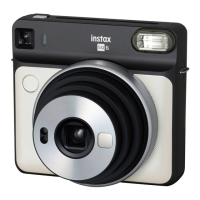
Lens/Lens cover
A camera lens. When taking pictures, make sure that
your fingers do not touch the lens.
8
Tripod mount
You can attach a tripod by using this threaded hole.
9
Manual vignette switch
This is a switch to use vignette mode. It can be
switched ON/OFF. For details, refer to page 13.
10
Flash light sensor
The sensor that detects the brightness of the flash.
11
AE light sensor
The sensor that detects the surrounding brightness.
12
Lens dial
Turn the lens dial to turn on the power. You can set it
to landscape mode or macro mode depending on the
focal length.
13
Self-timer button
Press the self-timer button once, then the self-timer
icon will be displayed on the mode indicator. When
you press the shutter button in this state, the self-timer
lamp lights up for about 7 seconds, then flashes for
about 3 seconds before the photo is taken.
14
MODE button
You can change the shooting mode. Each time you
press the MODE button from “Normal (No display)”,
the mode changes as follows: “Indoor” → “Sports” →
“Double exposure” → “Bulb”.
15
Flash button
You can select flash functions. Each time you press
the flash button from “No display (Auto)”, the mode
changes from “Fill-in flash” → “Red-eye removal” →
“Flash off”.
16
Mode indicator
Icons will be displayed depending on the operation.
17
Battery cover
This is the cover to take the battery in and out. The
battery must be fully charged before loading the film
pack.
18
Battery cover lock
Open the cover by pulling up on the knob.
19
Brightness control dial
By turning the dial, You can adjust the brightness in
5 levels.
20
Color effect dial
By turning the dial, you can select from 6 different
color effects.
21
Film door
This is the door for loading and unloading film packs.
22
Film door lock
This is a fastener that prevents the film door from
opening. Slide the film door lock to unlock the film
door so that it can be lifted open.



 To Next Page