EasyManua.ls Logo

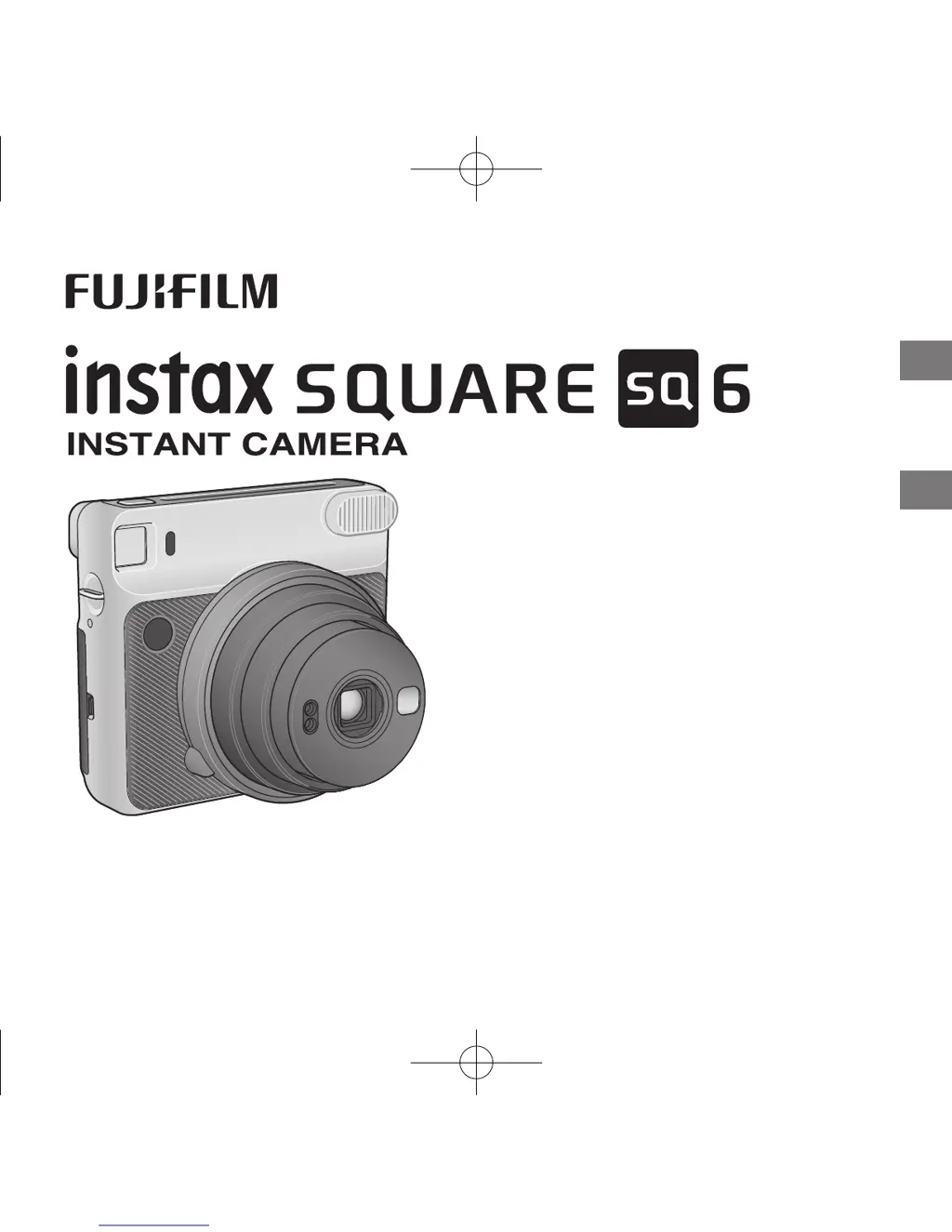
FujiFilm Instax Square SQ 6 - User Manual

FujiFilm Instax Square SQ 6
48 pages
Print Icon
To Next Page IconTo Next Page
Loading...
JP
EN
CPL11B704-101
使用説明書/困は/安全使用いために
User’s Guide/Trouble shooting/Safety precautions

Other manuals for FujiFilm Instax Square SQ 6

Questions and Answers

  • M
    Maurice BaldwinAug 19, 2025
    Why is my FujiFilm Instax Square SQ 6 Digital Camera picture out of focus?
    • J
      John StewartAug 19, 2025
      If your FujiFilm Digital Camera pictures are out of focus, consider these possibilities: 1. The shooting distance might not be appropriate. Select the shooting mode according to the distance. 2. The lens may be dirty. Clean the lens. 3. The camera may have been shaken during the shot. Hold your camera firmly and gently press the shutter release button. When shooting indoors or in dark conditions, stabilize the camera using a table or tripod.
  • J
    Jo HenryAug 21, 2025
    What to do if FujiFilm Instax Square SQ 6 Digital Camera lens does not work?
    • D
      debra29Aug 21, 2025
      If the lens on your FujiFilm Digital Camera does not work when the power is switched on, replace both CR2 batteries with new lithium batteries of the same brand/type.
  • L
    Lisa BryantAug 23, 2025
    Why does my FujiFilm Instax Square SQ 6 Digital Camera battery drain so fast?
    • W
      whitewilliamAug 23, 2025
      If your FujiFilm Digital Camera battery is draining quickly, it might be because the batteries are not the same type. To resolve this, replace both batteries with new CR2 lithium batteries of the same brand and type.
  • J
    Jenny HillAug 26, 2025
    What to do if my FujiFilm Digital Camera shutter release won’t trip?
    • A
      Angela HoldenAug 26, 2025
      If the shutter release on your FujiFilm Digital Camera won’t trip, here are a few possible reasons and solutions: 1. The battery power may be low. Replace both batteries with new ones. 2. The LED on the flash suppressing button or the self timer lamp might be flashing rapidly, indicating that the flash is charging. Wait until the LED or lamp turns off. 3. The film counter may be showing a “0” sign. In this case, unload the film pack and load a new one.
  • H
    hannah44Aug 28, 2025
    What to do if my FujiFilm Instax Square SQ 6 Digital Camera film cannot be ejected?
    • J
      Jordan MartinAug 28, 2025
      If the film cannot be ejected from your FujiFilm Digital Camera: 1. It could be that the camera shook or was dropped, causing the film to misalign. Try loading a new film pack. 2. The film may have jammed. Remove both batteries and insert them again. If this doesn’t work, carefully remove the jammed film and then load a new film pack.
  • D
    Dennis ChavezAug 30, 2025
    What to do if my FujiFilm Instax Square SQ 6 Digital Camera film pack won’t load?
    • J
      Joseph PerezAug 30, 2025
      If the film pack won’t load into your FujiFilm Digital Camera, consider the following: 1. Ensure that you are using the correct film pack. Use only FUJIFILM Instant Film “instax SQUARE”. Other films are not compatible. 2. Make sure you are loading the film pack correctly. Match the yellow line on the film pack with the yellow positioning mark in your camera, following the FUJIFILM Instant Film “instax SQUARE” instructions.
  • J
    Jamie WhiteSep 1, 2025
    What to do if my FujiFilm Instax Square SQ 6 Digital Camera finished print is all white?
    • L
      Lisa GarrisonSep 1, 2025
      If your FujiFilm Digital Camera produces a finished print that is partly or entirely white, it could be because the back cover was opened before all the film was used. Avoid opening the back cover until you have used up the entire film pack to prevent exposing and ruining the remaining film.
  • D
    daniel19Sep 3, 2025
    What to do if my FujiFilm Digital Camera film cover cannot be ejected?
    • J
      James HowardSep 3, 2025
      If the film cover cannot be ejected from your FujiFilm Digital Camera, the battery power may be low. Try replacing both batteries with new ones and then load the film pack again.
  • P
    Pamela FisherSep 5, 2025
    Why is my FujiFilm Digital Camera print overexposed?
    • P
      Pamela LopezSep 5, 2025
      If your FujiFilm Digital Camera finished print looks overexposed (white in color), it could be due to: 1. Low ambient temperature (below +5°C). Place your camera in a warm place to bring it to room temperature before taking pictures. 2. The AE light sensor window or flash sensor window was covered. Be careful not to block these sensors.
  • K
    Kristen MyersSep 7, 2025
    What to do if my FujiFilm Instax Square SQ 6 Digital Camera LED(s) on the mode indicator is flashing?
    • J
      julia44Sep 7, 2025
      If the LED(s) on the mode indicator of your FujiFilm Digital Camera is flashing, the camera may have a problem. Remove the batteries and reinsert them while the LED is flashing. If this does not resolve the problem, contact a FUJIFILM authorized distributor.

Summary

Camera Front Part Names

Front Camera Parts Identification

Identifies and labels the front parts of the camera.

Camera Rear Part Names

Rear Camera Parts Identification

Identifies and labels the rear parts of the camera.

Attaching the Camera Strap

Strap Attachment Safety Precautions

Safety advice regarding proper strap usage.

Inserting Camera Batteries

Battery Insertion Safety Precautions

Important precautions for inserting batteries.

Loading the Instax SQUARE Film Pack

Film Pack Loading Safety Precautions

Warnings regarding film pack loading and usage.

Camera Power On and Off

Auto Power Off Feature

Explains the automatic power off feature after inactivity.

Taking Pictures

Basic Picture Taking Steps

Steps for composing and taking a picture.

Taking Pictures with Film Counter

Unloading Used Film Pack

Unloading Film Pack Steps

Steps to remove the film pack from the camera.

Various Shooting Modes

Selecting Shooting Modes

How to choose shooting modes using the MODE button.

Shooting Without Flash

How to shoot without using the flash.

Shooting Modes: Auto and Selfie

Auto Mode Description

Details on the Auto mode for normal photography.

Selfie Mode Description

How to use the Selfie mode with the self-portrait mirror.

Shooting Modes: Macro, Landscape, etc.

Macro Mode Description

Instructions for shooting subjects at close range.

Landscape Mode Description

Instructions for shooting distant subjects.

Double Exposure Mode Description

How to take two pictures on one film.

Lighten Mode Description

Mode to make the picture brighter.

Darken Mode Description

Mode to make the picture darker.

Using the Self Timer

Self Timer Operation Steps

How to activate and use the self timer.

Using the Flash Filter

Flash Filter Use in Dark Conditions

Advice on using the flash filter in dark conditions.

Camera Specifications

Troubleshooting: Battery Replacement

When to Replace Batteries Indicators

Indicators suggesting battery replacement is needed.

Troubleshooting: During Operation

Solutions for common operational problems.

Troubleshooting: Film Ejection & Battery Issues

Troubleshooting: Printed Picture Issues

Solutions for problems with the finished prints.

Troubleshooting: Focus & Alignment

Troubleshooting: Out of Focus Pictures

Solutions for pictures that are out of focus.

Troubleshooting: Blurred Pictures

Solutions for blurred pictures.

Troubleshooting: Viewfinder Shift

How to fix viewfinder shift issues.

Important Safety Notice

General Safety Warnings

Critical warnings about potential dangers and injuries.

General Safety Cautions

USA FCC Statement

FCC compliance statement for devices sold in the USA.

Canadian Compliance Information

Electronic Equipment Disposal

Guidelines for proper disposal of electronic waste.

Common Sense Camera Care

Camera Care Guidelines

General advice for maintaining the camera.

Instax Square Film & Print Care

Film & Print Handling Guidelines

How to store and care for film and prints.

European Traceability Info

FUJIFILM US Information

FUJIFILM Canada Information

Contact & Repair Information

Fujifilm Camera Support

Contact details for Fujifilm camera customer support.

FujiFilm Instax Square SQ 6 Specifications

General IconGeneral
Camera TypeInstant Film Camera
Film FormatInstax Square
FilmInstax Square Film
Image Size62mm x 62mm
Film Feeding OutAutomatic
FlashBuilt-in Flash
Selfie ModeYes
Dimensions118.7 mm x 128.1 mm x 58.1 mm
Lens65.75 mm f/12.6
ViewfinderReal Image Viewfinder
Shooting Range0.3 m to ∞
Shutter Speed1/2 to 1/400 sec
Exposure ControlAutomatic
Flash Range0.3m - 2.7m
Self-TimerYes
DisplayLCD
Power Supply2 x CR2 lithium batteries
Weight393 g (without batteries, strap, and film)

Related product manuals