EasyManua.ls Logo

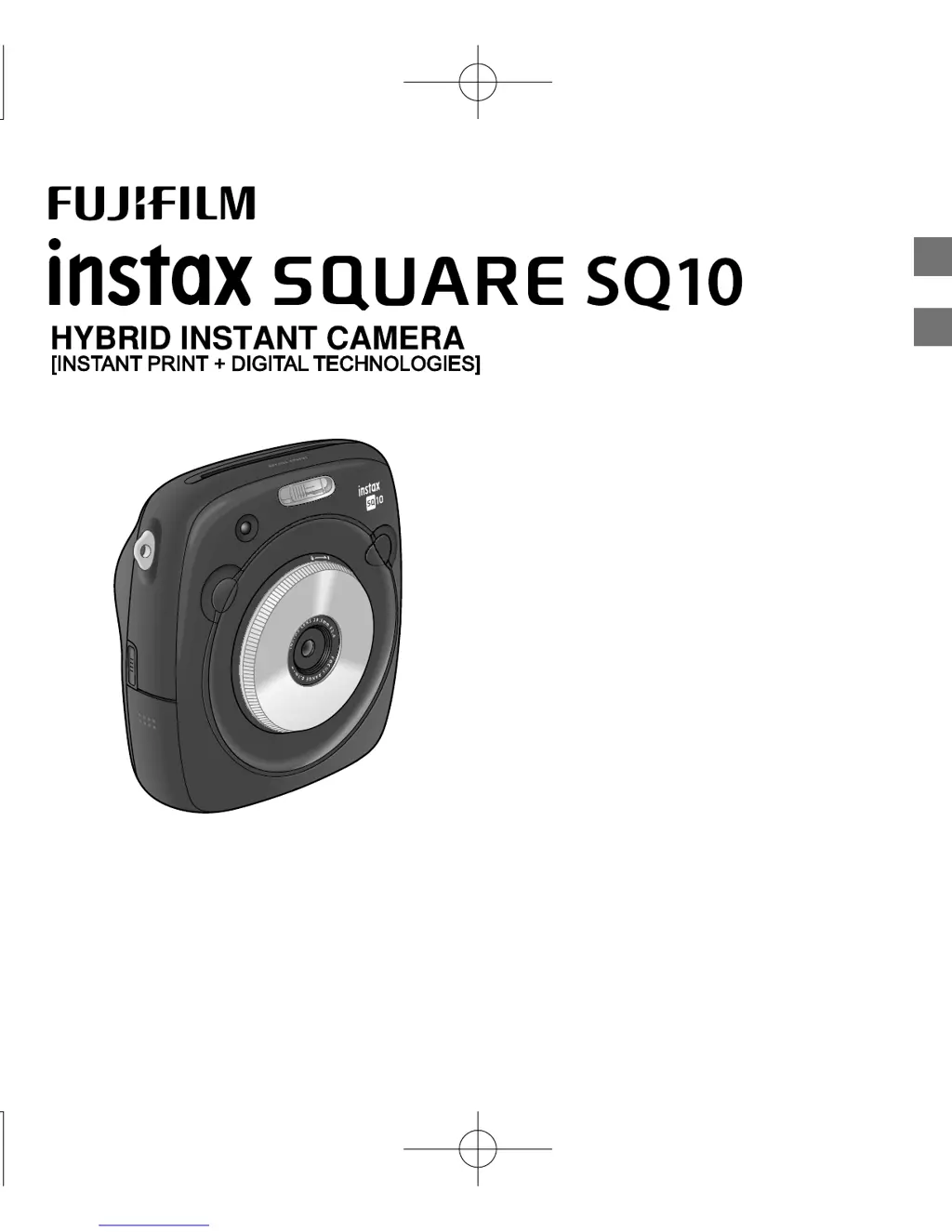
FujiFilm INSTAX SQUARE SQ10 - User Manual

FujiFilm INSTAX SQUARE SQ10
76 pages
Print Icon
To Next Page IconTo Next Page
Loading...
JP
EN
BODSQ708-100
使用説明書/困は/安全使用いために
User’s Guide/Trouble shooting/Safety precautions

Table of Contents

Other manuals for FujiFilm INSTAX SQUARE SQ10

Questions and Answers

  • M
    Mariah WyattSep 23, 2025
    Why FujiFilm INSTAX SQUARE SQ10 images are blotchy?
    • S
      Stacy WaltersSep 23, 2025
      If your FujiFilm Digital Camera images appear blotchy, especially when using a slow shutter speed at high temperatures, it is due to the characteristics of the CCD and does not indicate a malfunction.
  • D
    Drew EvansAug 23, 2025
    What to do if FujiFilm Digital Camera does not take picture when the shutter button is pressed?
    • A
      Adam KirbyAug 23, 2025
      If your FujiFilm Digital Camera isn't taking pictures when you press the shutter button, several things could be wrong. First, ensure that the camera is turned on and the battery is not running out of power (charge it fully). Also check if the memory card is full (insert a new one or delete images), is not formatted (use a memory card formatted with this camera), or the memory card contact is dirty (clean the memory card contact with a dry and soft cloth). The memory card might also be damaged, so try inserting a new one.
  • S
    Samuel RossAug 25, 2025
    What to do if FujiFilm INSTAX SQUARE SQ10 turns off during operation?
    • Z
      Zachary BakerAug 26, 2025
      If your FujiFilm Digital Camera shuts down unexpectedly, the battery is likely the issue. Replace the current battery with a fully charged one to resolve this problem.
  • T
    tamiwilliamsAug 26, 2025
    What to do if FujiFilm INSTAX SQUARE SQ10 is unresponsive?
    • S
      sarah86Aug 27, 2025
      If your FujiFilm Digital Camera becomes unresponsive, try removing the battery and then reinserting it. Also ensure that the battery is not running out of power, replacing it with a fully-charged battery if necessary.
  • R
    Robert BrownAug 27, 2025
    Why FujiFilm INSTAX SQUARE SQ10 images are blurred?
    • M
      Mark MccoyAug 27, 2025
      Blurred images on your FujiFilm Digital Camera can be caused by a dirty lens; try cleaning it. Also, ensure the focus frame is green before taking the picture, as a red frame indicates poor focus.
  • V
    Vincent FosterSep 18, 2025
    Why FujiFilm INSTAX SQUARE SQ10 Digital Camera prints a black line on the bottom?
    • M
      Mike GreenSep 18, 2025
      If a black line appears on the bottom of your FujiFilm Digital Camera prints, the film may have become misaligned due to shaking or dropping the camera. Try printing the image again. If the problem continues, load a new film pack.
  • P
    Paul RiveraSep 15, 2025
    Why FujiFilm INSTAX SQUARE SQ10 part of finished print is white?
    • W
      wmontgomerySep 15, 2025
      If parts of your finished print from the FujiFilm Digital Camera are white, it's likely because the back cover was opened before all the films were used. Avoid opening the back cover until all films are used to prevent exposing and ruining the remaining films.
  • J
    Joshua HernandezSep 16, 2025
    Why FujiFilm Digital Camera picture is blurred after printing?
    • A
      Alexandra ValenciaSep 16, 2025
      If your FujiFilm Digital Camera prints are blurred, it might be because pressure was applied to the picture immediately after it came out. Avoid shaking, bending, folding, or pressing the print. Also, ensure you are not covering the film ejection slot.
  • A
    Ashley WalkerSep 6, 2025
    What to do if FujiFilm INSTAX SQUARE SQ10 AF-assist illuminator flashes during battery charge?
    • J
      Jonathan BurnsSep 6, 2025
      If the AF-assist illuminator flashes or an error message appears while charging your FujiFilm Digital Camera, the battery terminals may be dirty; clean them with a dry cloth. The battery might also be old or defective, requiring replacement. Also, the battery might be too warm or too cold; allow it to stabilize before charging again.
  • K
    Karen HicksSep 3, 2025
    Why FujiFilm INSTAX SQUARE SQ10 takes long to charge the battery?
    • R
      ramosrobinSep 3, 2025
      Charging your FujiFilm Digital Camera battery may take longer if you are in a very cold environment.

Summary

Before Use

Supplied Accessories

Lists all items included in the camera package for initial setup and use.

Inserting;Charging the Battery

Inserting the Battery

Step-by-step guide for correctly inserting the camera battery.

Charging status indication

Explains the indicators for battery charging status and errors.

Charging the Battery

Instructions on how to charge the camera battery using the supplied USB cable or AC adapter.

Turning the Camera on;off

Checking Remaining Battery Life

How to check the battery level on the LCD monitor to manage power.

Performing Initial Settings

Date;Time Setting

Guide to setting the camera's date and time for correct photo information.

Shutter Button Function Setting

Explains how to assign functions to the camera's shutter buttons for personalized operation.

INSTAX SQUARE Film Pack Handling

Loading the Film Pack

Detailed steps for correctly loading the INSTAX SQUARE film pack into the camera.

Unloading a Used Film Pack

Instructions on how to remove a used film pack from the camera.

Print Mode

Auto Print Mode

Describes the mode where images print automatically after being saved.

Basic Photography and Playback

Taking a Picture

Step-by-step guide for taking photographs with the camera.

Printing

More on Photography

Changing the Shooting Mode

Printing from Print History (Reprint)

Using a Memory Card

Inserting the Memory Card

Step-by-step guide for inserting a memory card into the camera.

TROUBLE SHOOTING

IMPORTANT SAFETY NOTICE

Handling the Battery

FujiFilm INSTAX SQUARE SQ10 Specifications

General IconGeneral
BrandFujiFilm
ModelINSTAX SQUARE SQ10
CategoryDigital Camera
LanguageEnglish

Related product manuals