EasyManua.ls Logo

Fujitsu AOYR09LCC - User Manual

Fujitsu AOYR09LCC
108 pages
Print Icon
To Next Page IconTo Next Page
Loading...
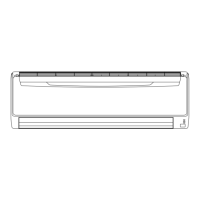
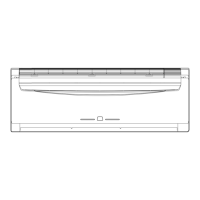
SPLIT TYPE
ROOM AIR CONDITIONER
WALL MOUNTED
type
Models Indoor unit Outdoor unit
ASYA07LCC
ASYA09LCC
ASYA12LCC
ASYA14LCC
ASYA18LCC
ASYB09LDC
ASYB12LDC
AOYR07LCC
AOYR09LCC
AOYR12LCC
AOYR14LCC
AOYR18LCC
AOYS09LDC
AOYS12LDC
INVERTER
SERVICE
INSTRUCTION
R410A

Other manuals for Fujitsu AOYR09LCC

Questions and Answers

  • C
    Cheyenne RhodesSep 2, 2025
    Why Fujitsu AOYR09LCC Air Conditioner shows serial reverse transfer error at starting up operation?
    • D
      Donald MillerSep 2, 2025
      If your Fujitsu Air Conditioner displays a serial reverse transfer error at startup, it means the indoor unit isn't receiving a signal for 10 seconds after the power relay turns on. Check the indoor/outdoor cable connection. If the wiring is normal, measure the voltage of the outdoor unit terminals and diagnose the defective location.
  • M
    Marcus DawsonAug 31, 2025
    What does main relay error mean on Fujitsu Air Conditioner?
    • Q
      qreynoldsAug 31, 2025
      If your Fujitsu Air Conditioner displays a main relay error, it means that after 2 minutes 20 seconds of stopping operation, the signal from the outdoor unit is received even though the main relay is OFF. The main relay might be defective or the Controller PCB might be defective.
  • T
    ttaylorAug 29, 2025
    What causes a room temperature thermistor defective in Fujitsu AOYR09LCC?
    • A
      Albert WilcoxAug 29, 2025
      If your Fujitsu Air Conditioner shows a room temperature thermistor defect, it means the thermistor detected an abnormal temperature when the power was turned on. Check the thermistor resistance value. The controller PCB might be defective.
  • D
    desiree54Aug 28, 2025
    What to do if my Fujitsu AOYR09LCC has indoor fan speed error?
    • A
      Amanda TaylorAug 28, 2025
      If your Fujitsu Air Conditioner displays an indoor fan speed error, it means the indoor fan speed is 1/3 of the target frequency after 56 seconds from starting or changing the fan mode. Here’s what to check: * Check the fan motor connector for looseness or defective contact. * The fan motor might be defective. * The controller PCB might be defective.
  • D
    David TaylorAug 26, 2025
    What to do if my Fujitsu AOYR09LCC has indoor fan lock error?
    • T
      Tracy GrantAug 27, 2025
      If your Fujitsu Air Conditioner displays an indoor fan lock error, it means the indoor fan speed is 0 rpm after 56 seconds from starting or changing the fan mode. Here’s what to check: * Check the fan motor connector for looseness or defective contact. * The fan motor might be defective. * The controller PCB might be defective.
  • C
    Crystal RileyAug 25, 2025
    What causes IPM protection in my Fujitsu Air Conditioner?
    • V
      Victor ReynoldsAug 25, 2025
      If your Fujitsu Air Conditioner is showing IPM protection, it indicates that an abnormal current value has been detected. Here's what you should check: * Ensure that heat radiation is not blocked at the inlet or outlet. * Verify that the outdoor fan is functioning correctly and rotating. * The controller PCB might be defective.
  • M
    Mrs. Amy McgeeAug 22, 2025
    What to do if my Fujitsu AOYR09LCC shows excessive high pressure protection on cooling?
    • B
      Brandon McclainAug 22, 2025
      If your Fujitsu Air Conditioner is showing an excessive high pressure protection error during cooling, check the following: * Ensure that heat radiation is not blocked at the inlet or outlet. * Verify that the outdoor fan is functioning correctly and rotating. * Check for any issues with the refrigeration cycle.

Summary

Specifications

Dimensions

Refrigerant System Diagram

Circuit Diagram

Description of Each Control Operation

1. Cooling Operation

Details the system's cooling process, including capacity control based on room and outdoor temperatures.

2. Heating Operation

Explains the heating mode operation, focusing on compressor frequency control.

3. Dry Operation

Describes the dry mode operation, detailing compressor and indoor fan control.

5. Indoor Fan Control

Covers indoor fan speed settings and operation modes for airflow control.

8. Compressor Control

Details compressor operation frequency ranges and start-up control.

19. Defrost Operation Control

Explains conditions for starting and completing defrost operations.

21. Various Protections

Outlines various protection mechanisms and their control parameters.

Refrigerant Caution -R410 A

R410 A Tools

Precaution for Installation

Precaution for Servicing

New Refrigerant R410 A

Difference from Conventional Model (R22) and Precautions

Trouble Shooting

1. Unit Does Not Operate (No Lamps Lit)

Troubleshooting steps for when the unit fails to power on, checking lamps and power supply.

2. Self Diagnosis Function

Explains blinking indicators for error detection and how to use the self-diagnosis feature.

3. Trouble Shooting Method

General methods for troubleshooting, including signal checks and cycle diagnosis.

Serial Signal Receiving Error

Diagnoses issues related to communication errors between indoor and outdoor units.

IPM Protection

Details checks for IPM protection faults, including compressor and PCB diagnostics.

Trouble Shooting of Refrigerant Cycle

Identifies common refrigerant cycle issues and their potential causes.

Appending Data

1. Jumper Setting of Indoor and Outdoor Units

Configuration settings for indoor and outdoor units using jumpers.

2. Outdoor Unit Pressure and Current Curves

Graphical data showing pressure and current variations with temperature.

3. Thermistor Resistance Values

Provides resistance values for various thermistors at different temperatures.

4. Capacity;Input Data

Presents capacity and input data charts for different operating conditions.

Replacement Parts

Replacement Parts

Illustrations showing exploded views of indoor and outdoor unit components.

Installation Manual

Standard Accessories

Lists the standard parts supplied with the air conditioner for installation.

Electrical Requirement

Specifies electrical connection requirements, including circuit and wiring.

Selecting the Mounting Position

Guidelines for choosing optimal locations for indoor and outdoor unit installation.

Installation Diagram of Indoor and Outdoor Units

Visual representation of unit placement and required clearances.

Front Panel Removal and Installation

Instructions for safely removing and reinstalling the unit's front panel.

Finishing

Details on insulating pipes, sealing gaps, and securing connections after installation.

Outdoor Unit Installation

Specific steps and precautions for installing the outdoor unit securely.

Air Purge

Procedure for removing air from the refrigerant system using a vacuum pump.

Test Running

Steps for performing operational checks after installation to ensure proper function.

Special Tools for R410 A

Lists and describes the specialized tools required for R410A refrigerant systems.

Fujitsu AOYR09LCC Specifications

General IconGeneral
Cooling Capacity2.5 kW
Heating Capacity3.2 kW
RefrigerantR32
Power Supply220-240V, 50Hz
Indoor Unit Weight9 kg
Indoor Unit Noise Level21 dB(A)

Related product manuals