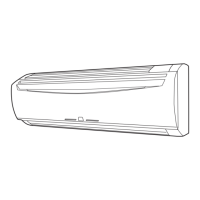
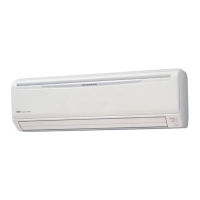
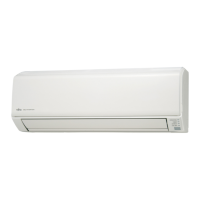
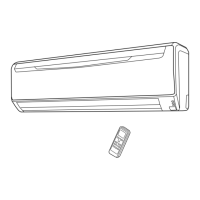
This document is an operating manual for a Fujitsu inverter heat & cool (reverse cycle) room air conditioner, specifically a wall-mounted type with indoor unit ASTB30LDC and outdoor unit AOTS30LDT. It covers safety precautions, features, functions, operation, and maintenance.
Function Description
The Fujitsu inverter air conditioner is designed to provide both heating and cooling for a room, utilizing a reverse cycle system. At the start of operation, it uses a large amount of power to quickly bring the room to the desired temperature. Afterward, it automatically switches to a low power setting for economic and comfortable operation. The unit also features an "AUTO CHANGEOVER" mode, which automatically switches between cooling, dry, and heating modes to maintain a constant set temperature.
For air purification, the unit includes an "AIR CLEANING MODE" that uses the air conditioner's power to quickly purify the air in the room. This mode relies on an "ELECTRONIC AIR CLEAN FILTER" that uses electrical power to charge the filter, removing contaminants, collecting dust, and reducing odors.
The air conditioner offers "OMNI-DIRECTIONAL AIR FLOW" with swing operation, allowing three-dimensional control over air direction. This includes both UP/DOWN and RIGHT/LEFT air direction swing. The UP/DOWN air direction flaps operate automatically based on the operating mode, allowing for air direction to be set according to the specific mode. For cooling, horizontal airflow is used to prevent cool air from blowing directly on occupants, while for heating, downward airflow sends warm air to the floor for a comfortable environment.
The unit also incorporates a "COIL DRY OPERATION" feature. This function helps to dry the indoor unit's coil to prevent mold growth and inhibit bacterial breeding.
For quieter operation, the "SUPER QUIET OPERATION" mode reduces the indoor unit's airflow.
Several timer functions are available:
- ON/OFF Timer: Allows users to set specific times for the unit to turn on or off.
- Program Timer: Integrates OFF timer and ON timer operations in a single sequence, allowing for one transition from OFF to ON or ON to OFF within a twenty-four hour period.
- Sleep Timer: Automatically modifies the thermostat setting during sleep to prevent excessive warming or cooling. In heating mode, the thermostat setting is gradually lowered, and in cooling mode, it is gradually raised. The unit automatically turns off when the set time is reached.
In case the remote control unit is lost or unavailable, the air conditioner can be operated using "MANUAL AUTO OPERATION" via controls on the main unit.
Usage Features
The air conditioner is controlled by a wireless remote control unit. To use the remote control, it must be pointed at the signal receiver on the indoor unit, with an operating range of about 7 meters. A beeping sound confirms that a signal has been received.
Setting the Current Time: The remote control allows users to set the current time using dedicated buttons, with adjustments in one-minute or ten-minute increments.
Selecting Mode Operation: Users can choose between AUTO, COOL, DRY, HEAT, and FAN modes using the "MASTER CONTROL" button. The thermostat setting range varies by mode: 18-30 °C for AUTO, 16-30 °C for Heating, and 18-30 °C for Cooling/Dry. The thermostat cannot be used to set room temperature in FAN mode.
Adjusting Fan Speed: The "FAN CONTROL" button allows users to cycle through fan speeds: AUTO, HIGH, MED, LOW, and QUIET. In AUTO mode, the fan operates to optimally circulate air, with speed adjustments based on room temperature and operating mode. In QUIET mode, airflow is reduced for quieter operation, though performance may be slightly reduced.
Air Direction Adjustment: Vertical air direction can be adjusted using the "SET (Vertical)" button on the remote control, with different ranges for cooling/dry and heating modes. Horizontal air direction can be adjusted using the "SET (Horizontal)" button. During AUTO mode, airflow is horizontal for the first minute before adjustments are possible.
Swing Operation: The "SWING" button enables up/down, left/right, or up/down/left/right swing operations. This feature helps distribute air evenly throughout the room. Swing operation may temporarily stop if the fan is not operating or is at very low speeds.
Coil Dry Operation: This function can be activated by pressing the "COIL DRY" button. It runs for 20 minutes and then stops automatically. It can be reset by pressing the button again during operation.
Maintenance Features
Regular cleaning and care are essential for optimal performance and longevity of the air conditioner.
Cleaning the Intake Grille:
- Removal: Place fingers at both lower ends of the grille panel, lift forward, and pull past the intermediate catch to open it horizontally.
- Cleaning: Clean with water, removing dust with a vacuum cleaner or by wiping with warm water and a clean, soft cloth.
- Replacement: Hold the grille horizontally, set the mounting shafts into the bearings, and press to close.
Cleaning the Air Filter:
- Removal: Open the intake grille, lift the air filter's handle, disconnect the two lower tabs, and pull out.
- Cleaning: Remove dust with a vacuum cleaner or by washing in a solution of mild detergent and warm water. Allow it to dry thoroughly in a shaded place before reinstalling.
- Replacement: Align the sides of the air filter with the panel, push in fully, and ensure the lower tabs are returned to their holes.
Note: Dirty air filters reduce airflow, operating efficiency, and increase noise. They should be cleaned every two weeks during normal use.
Cleaning the Plasma Air Cleaning Filter (Dust Collection Unit):
This maintenance is indicated by the orange "AIR CLEAN" indicator lamp flashing.
- Removal: Open the intake grille and remove the right air filter. Securely grasp the handle of the dust collection unit and pull it out.
- Disassembly: Remove the air cleaning & deodorizing filter from the cleaning unit by opening the filter case.
- Washing: Soak the plasma filter unit in warm water (40-45°C) for 10-15 minutes. For very dirty units, a mild synthetic laundry detergent (low alkalinity or isotope detergent) can be used. Gently move the unit up, down, right, and left, or use a soft sponge. Rinse with clean water and shake to drain water.
- Drying: Place the plasma filter unit in the shade and allow it to dry completely. Do not use hot water, scrub brushes, or hot air dryers.
- Reassembly & Installation: Install the air cleaning & deodorizing filter back into the cleaning unit, ensuring the black surface is upward and the filter case is properly closed. Install the dust collection unit by aligning it with the guide rail and sliding it in until it clicks. Reinstall the air filter and close the intake grille.
Note: The plasma filter unit should be completely dry before installation. If installed wet, the unit may malfunction. The air cleaning & deodorizing filter should be changed approximately every two years to maintain good performance, provided it is cleaned every six months.
General Maintenance Advice:
- Before cleaning, always turn off the air conditioner and disconnect the power supply cord.
- Do not touch the heat exchanger when removing/replacing filters to avoid injury.
- Avoid using water hotter than 40°C, harsh abrasive cleansers, benzene, or thinner on the unit's body.
- Do not expose the unit body to liquid insecticides or hairsprays.
- If the unit will not be used for a month or more, operate it in fan mode for about half a day to thoroughly dry internal parts.
- If the outdoor temperature is lower than the specified range, the outdoor unit may stop operation for a period to ensure safety.
- If the unit is used for long periods under high-humidity conditions (80% or more), condensation may form on the indoor unit and drip.



 To Next Page
 General