Need help?
Do you have a question about the Fujitsu D3231 and is the answer not in the manual?
Details the rear-facing connectors including USB, audio, video (DVI, DP), LAN, and PS/2.
Illustrates and describes front panel connections for USB, audio, power, and status LEDs.
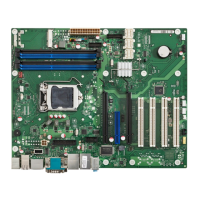
Details features of the mainboard, which may vary based on configuration levels.
Describes rear external ports including PS/2, LAN, Audio, USB, DisplayPort, and DVI.
Provides socket type, maximum power, and supported processor list URL.
Step-by-step guide for safely installing and removing the CPU on the mainboard.
Specifies supported DDR3 memory technology, capacity, module size, and dual-channel mode.
Explains scenarios for updating BIOS for compatibility, new features, or problem resolution.
Provides the official website URL for downloading the latest BIOS updates.
Details the procedure for updating the BIOS using the DeskFlash program within Windows.
Guides users on preparing a USB stick and updating the BIOS from it.
 General
| Brand | Fujitsu |
|---|---|
| Model | D3231 |
| Category | Motherboard |
| Language | English |


 To Next Page