Need help?
Do you have a question about the Fujitsu D3221 and is the answer not in the manual?
Details the rear-facing external connectors and ports on the mainboard.
Describes the front panel connectors for power buttons, LEDs, and audio.
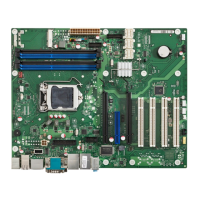
Highlights specific features and capabilities integrated onto the mainboard.
Provides an overview of the mainboard's special features and configuration options.
Details the external connections available on the mainboard, such as USB, LAN, and video outputs.
Provides technical specifications for the processor socket and compatibility information.
Step-by-step instructions for safely installing and removing the CPU.
Details supported DDR3 memory types, speeds, and capacities.
Information on when a BIOS update is recommended or necessary for the system.
Provides the official source for downloading the latest BIOS updates.
Instructions for updating the BIOS using the DeskFlash program within Windows.
Step-by-step guide for updating the BIOS using a bootable USB stick.
 General
| Form Factor | ATX |
|---|---|
| Audio | Realtek ALC671 |
| Memory Type | DDR3 |
| Memory Slots | 4 |
| USB Ports | USB 2.0 |
| Network | 1 x Gigabit Ethernet |


 To Next Page