Need help?
Do you have a question about the Fujitsu D3243-S and is the answer not in the manual?
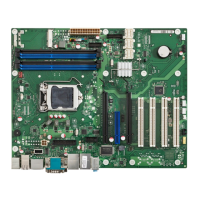
Overview of the D3231-S mainboard layout and components.
Block diagram illustrating the architecture of D3231-S and D3236-S.
Details of onboard components for D323x-S mainboards.
Comparison of features and differences across D323x-S models.
Pinout and signal description for the front panel connector.
Pinout for internal USB 2.0 connectors, including 2 ports.
Pinout and signal description for the DVI-I connector.
Pinout and signal description for the DisplayPort V1.2 connector.
Pinout specifications for mSATA and Mini-PCIe slots.
Pinout and signal details for fan connectors.
Pinout for ATX multirail or single 12V power supply connectors.
Pinout and function of the chassis intrusion connector.
Details on temperature sensors and fan connectors for D3236-S/D3231-S.
Introduction to the SystemGuard tool for monitoring.
Tool for customizing fan speed and temperature monitoring.
Key temperature reference points on the D323x-S mainboard.
Default BIOS settings for system monitoring on D323x-S.
Requirements and specifications for ATX and single 12V power supplies.
Overview of supported video output configurations for D323x-S/D3243-S.
Details on using the DisplayPort output.
Pinout and specifications for the LVDS connector.
Configuring LVDS timing and screen resolution.
Tool for flashing custom LVDS settings to the BIOS.
Information on compatibility and driver support for Windows 7 and 8.1.
Details on supported Linux distributions and known issues.
Overview of common tools for mainboard management.
Windows-based tool for monitoring temperatures and fan speeds.
Tool for customizing fan characteristics and temperature parameters.
API for accessing system monitoring parameters in Windows.
Restrictions and limitations for Windows XP and 8 driver support.
Notes on minimum ATX PSU load requirements and compatibility.
Compatibility issues with SATA-II drives and optical drives.
Potential issues with PCI slots and compatibility with older cards.
Support details for Intel iAMT and vPro manageability features.
BIOS settings for specific operating modes like Always On and Never Off.
Details on the Trusted Platform Module (TPM) controller and setup.
Information on the system watchdog timer and its supervision levels.
Procedures for updating the BIOS and recovering from corrupted BIOS.
Integrated hardware diagnostic tool for CPU, Memory, and HDD.
 General
| Brand | Fujitsu |
|---|---|
| Model | D3243-S |
| Category | Motherboard |
| Language | English |


 To Next Page