Need help?
Do you have a question about the Fujitsu D3642 and is the answer not in the manual?
Information regarding ESD precautions and handling guidelines for mainboards.
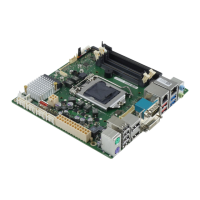
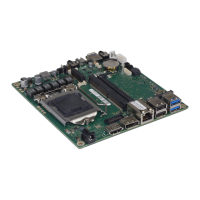
Overview of the mainboard's available configuration levels and supported features.
Details and location of the mainboard's external connection ports.
Technical specifications related to the CPU socket and processor compatibility.
Step-by-step instructions for safely installing and removing a processor.
Technical specifications for DDR4 memory modules and installation guidelines.
Instructions for updating BIOS using the DeskFlash program within Windows.
Instructions for updating BIOS via a FAT32 formatted USB stick.
 General
| Form Factor | ATX |
|---|---|
| Socket | LGA 1151 |
| Maximum Memory | 64GB |
| Memory Slots | 4 x DIMM |
| Supported Memory Types | DDR4-2666/2400/2133 MHz |
| Expansion Slots | 1x PCIe 3.0 x16, 2x PCIe 3.0 x1 |
| Storage Interfaces | 6 x SATA 6Gb/s, 1 x M.2 |
| USB Ports | 8 x USB 3.1 Gen 1 |
| LAN | Intel i219LM Gigabit Ethernet |
| Audio | Realtek ALC671 |


 To Next Page