Need help?
Do you have a question about the Fujitsu D3674 and is the answer not in the manual?
Essential safety guidelines for handling boards, emphasizing static discharge.
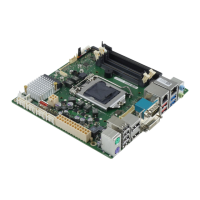
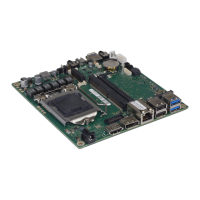
Details on mainboard configurations and important properties, with a link to further online information.
Details on the location and types of external connections available on the mainboard.
Provides socket type, TDP, and a link to the list of supported processors.
Detailed warnings on handling the processor, socket contacts, and potential damage from improper installation.
Step-by-step instructions for installing a processor, including socket preparation and securing the lever.
Notes on heat sink mounts, protective foils, thermal paste, and securing the heat sink.
Details on DDR4 memory technology, capacity, module size, and compatibility requirements.
Guidelines on compatible memory types, performance optimization, and system configuration impact on memory visibility.
Explains the meaning of the power indicator LED states: off, on, regular flashing, irregular flashing, and double flashing.
Information on when to update BIOS and where to find the latest BIOS versions online.
Instructions for performing a BIOS update using the DeskFlash program within the Windows operating system.
Step-by-step guide for updating BIOS using a FAT32 formatted USB stick and the FUJITSU Update Utility.
 General
| Brand | Fujitsu |
|---|---|
| Model | D3674 |
| Category | Motherboard |
| Language | English |


 To Next Page