EasyManua.ls Logo

Fujitsu Halcyon AOU12RQ - User Manual

Fujitsu Halcyon AOU12RQ
18 pages
Print Icon
To Next Page IconTo Next Page
Loading...
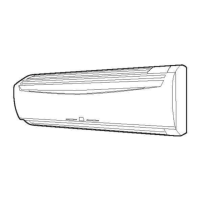
ASU9RQ
ASU12RQ
AOU9RQ
AOU12RQ

Questions and Answers

  • A
    Abigail DiazAug 17, 2025
    Why is my Fujitsu Air Conditioner cooling or heating poorly?
    • V
      Veronica LeeAug 17, 2025
      Poor cooling or heating performance in your Fujitsu Air Conditioner can stem from several factors: a dirty air filter, blocked intake grille or outlet port, incorrect room temperature settings, open windows or doors, bright sunlight entering during cooling (close the curtains), presence of heating apparatus, computers, or too many people in the room during cooling, or the unit being set to SUPER QUIET operation. Check these aspects to improve performance.
  • M
    Monica PerezAug 20, 2025
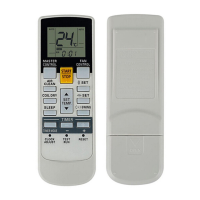
    Why does my Fujitsu Halcyon AOU12RQ Air Conditioner operate differently from the Remote Control Unit’s setting?
    • B
      Bryan VegaAug 20, 2025
      The fact that your Fujitsu unit operates differently from the Remote Control Unit’s setting may be caused by dead batteries or batteries that are not loaded properly in the Remote Control Unit. Please, check the batteries.
  • B
    Brian HartAug 22, 2025
    Why is water produced from the outdoor unit of my Fujitsu Halcyon AOU12RQ Air Conditioner?
    • K
      Keith RomanAug 22, 2025
      During Heating operation of your Fujitsu Air Conditioner, water may be produced from the outdoor unit due to Automatic Defrosting operation.
  • C
    Courtney CunninghamAug 26, 2025
    What to do if my Fujitsu Halcyon AOU12RQ Air Conditioner doesn’t operate at all?
    • L
      Lauren SheltonAug 26, 2025
      If your Fujitsu Air Conditioner doesn't operate at all, check the following: Ensure the power supply plug is properly connected to the outlet. Verify there hasn't been a power failure. Check if a fuse has blown or a circuit breaker has been tripped. Also, confirm whether the timer is operating.
  • A
    Angela McclureAug 28, 2025
    Why is the airflow weak or stopping in my Fujitsu Halcyon AOU12RQ Air Conditioner?
    • A
      acollierAug 28, 2025
      Weak airflow or a complete stop in your Fujitsu Air Conditioner can occur for several reasons. When heating starts, the fan speed is temporarily very low to allow internal parts to warm up. Also, if the room temperature rises above the thermostat setting during heating, the outdoor unit will stop, and the indoor unit will operate at a very low fan speed. During heating, the unit may temporarily stop (between 7 and 15 minutes) for automatic defrosting. The fan may also operate at a very low speed during dry operation, when the unit is monitoring the room’s temperature, during SUPER QUIET operation, or in monitor AUTO operation.
  • H
    Heather GonzalezAug 31, 2025
    Why is mist or steam emitted from my Fujitsu Air Conditioner?
    • H
      hbrooksAug 31, 2025
      The mist or steam emitted from the Fujitsu Air Conditioner can be due to a couple of reasons. During cooling or dry operation, a thin mist may be seen due to the sudden cooling of room air, resulting in condensation. During heating, steam may rise from the outdoor unit, and the fan may stop due to automatic defrosting operation.
  • S
    Shannon JohnsonSep 2, 2025
    Why is there noise coming from my Fujitsu Halcyon AOU12RQ?
    • J
      Johnathan HicksSep 2, 2025
      The sound of water flowing in the Fujitsu Air Conditioner's piping may be heard during operation and immediately after stopping the unit. A slight squeaking sound may occur due to minute expansion and contraction of the front cover caused by temperature changes. During heating, a sizzling sound may be heard occasionally, produced by the automatic defrosting operation.
  • E
    ehensonSep 5, 2025
    What to do if the AIR CLEAN indicator lamp (green) is flashing quickly on my Fujitsu Halcyon AOU12RQ?
    • C
      Chad KochSep 5, 2025
      The AIR CLEAN indicator lamp flashing quickly on your Fujitsu Air Conditioner means that after approximately 500 hours of Air Cleaning Mode use, Air Cleaning will stop functioning. Please stop the system, remove the mains socket and carry out maintenance on the dust collecting unit's air filter.
  • K
    Keith SchmidtSep 8, 2025
    What to do if the AIR CLEAN indicator lamp (green) is flashing slowly on my Fujitsu Air Conditioner?
    • R
      rebeccatorresSep 8, 2025
      The AIR CLEAN indicator lamp flashing slowly on your Fujitsu Air Conditioner means that after approximately 400 hours of Air Cleaning Mode use, the AIR CLEAN indicator lamp will begin to flash slowly. When this occurs, please stop the system, remove the mains socket and carry out maintenance on the dust collecting unit's air filter.
  • P
    Paige HarveySep 12, 2025
    Why does my Fujitsu Halcyon AOU12RQ Air Conditioner smells?
    • C
      cynthia36Sep 12, 2025
      Some smell may be emitted from the indoor unit of your Fujitsu Air Conditioner because room smells (furniture, tobacco, etc.) have been taken into the air conditioner.

Summary

FEATURES AND FUNCTIONS

AUTO CHANGEOVER

Automatic switching between cooling and heating modes.

SLEEP TIMER

Gradually adjusts temperature for sleep, then turns off.

SWING OPERATION

Automatically swings louvers for better air distribution.

WIRELESS REMOTE CONTROL UNIT

Convenient control via wireless remote unit.

MILDEW-RESISTANT FILTER

Filter treated to resist mildew for cleaner use and care.

SUPER QUIET OPERATION

Selects QUIET mode for reduced airflow and quieter operation.

AIR CLEANING MODE

Purifies room air using the unit's power.

ELECTRONIC AIR CLEAN FILTER

Filter removes contaminants and odors, reducing dust and odors.

WIRED REMOTE CONTROL UNIT (OPTION)

Optional unit with additional/restricted functions compared to wireless.

PREPARATION

Turn on the Power

How to turn on the power supply via the circuit breaker.

Load Batteries

Instructions for inserting batteries into the remote control.

Set the Current Time

Steps to adjust the clock to the current time.

Remote Control Unit Holder

Instructions for mounting the remote control holder.

OPERATION

Select Mode Operation

How to select operating modes like AUTO, COOL, DRY, FAN.

Set the Thermostat

How to adjust the temperature setting using the remote control.

Set the Fan Speed

How to select fan speed (AUTO, HIGH, MED, LOW, QUIET).

Stop Operation

How to turn off the air conditioner unit.

AUTO CHANGEOVER Operation

Explanation of the automatic mode selection process.

Mode Operation Details

Details on Heating, Cooling, Dry, and Fan modes.

AIR CLEANING OPERATION

Stop Air Clean Function

How to stop only the air cleaning function while unit runs.

Stop Air Conditioner and Cleaning

How to stop both air cleaning and the main unit operation.

Air Cleaning Operation Details

Information on ozone, filter maintenance, and operation limits.

TIMER OPERATION

Use ON or OFF Timer

Steps to set a single timer for turning the unit on or off.

Use Program Timer

How to set a sequence of on/off timers within a 24-hour period.

Program Timer Explanation

Explanation of program timer capabilities and usage examples.

SLEEP TIMER OPERATION

Use the SLEEP Timer

How to activate the sleep timer function for comfort.

Change SLEEP Timer Settings

How to adjust the sleep timer duration and temperature settings.

SLEEP Timer Explanation

How the sleep timer automatically adjusts temperature during operation.

ADJUSTING THE DIRECTION OF AIR CIRCULATION

Vertical Air Direction Adjustment

How to adjust up-down airflow using the remote control SET button.

Right-Left Airflow Adjustment

How to manually adjust the left-right louvers for preferred airflow.

SWING OPERATION

Select SWING Operation

How to activate the automatic swing of air direction louvers.

Stop SWING Operation

How to deactivate the automatic swing function.

Swing Operation Notes

Notes on swing operation range and temporary pauses.

MANUAL AUTO OPERATION

Use Main Unit Controls

Instructions for operating the unit directly when remote is unavailable.

CLEANING AND CARE

Cleaning the Intake Grille

Step-by-step guide for cleaning the air conditioner's intake grille.

Cleaning the Air Filter

Instructions for cleaning the unit's air filter.

PLASMA AIR CLEANING FILTER MAINTENANCE

Air Cleaning Check Function

Explains the indicator lamp for maintenance status and timing.

Cleaning the Dust Collection Unit

Steps for cleaning the dust collection unit, including washing.

DUST COLLECTION UNIT INSTALLATION

Install the Dust Collection Unit

How to reinstall the dust collection unit after cleaning.

Close the Intake Grille

How to properly close the intake grille after maintenance.

AIR-CLEANING AND DEODORIZING FILTER MAINTENANCE

Filter Replacement and Care

Guidance on changing the filter and proper storage.

TROUBLESHOOTING

Normal Function Issues

Checks for common operating problems and their potential causes.

Air Cleaning Indicator Lamp Issues

Explains flashing indicator lamps for air cleaning maintenance.

Check Once More

Basic checks for unit operation and performance issues.

Poor Cooling or Heating Performance

Checks for issues affecting cooling and heating efficiency.

Unit Operates Differently

Checks when unit behavior differs from remote control settings.

OPERATING TIPS

Operation and Performance

Advice on heating performance and automatic defrosting operation.

AUTO Restart

How the unit automatically restarts after a power interruption.

Temperature and Humidity Range

Recommended operating ranges for temperature and humidity.

Fujitsu Halcyon AOU12RQ Specifications

General IconGeneral
Cooling Capacity (BTU/hr)12, 000
Voltage (V)208/230
Heating Capacity (BTU/h)16, 000
EER (Cooling)12.5
RefrigerantR-410A
Power Supply1 Phase, 60Hz

Related product manuals