EasyManua.ls Logo

Fujitsu HALCYON ASU12RLF - User Manual

Fujitsu HALCYON ASU12RLF
2 pages
Print Icon
To Next Page IconTo Next Page
Loading...
Engineering Bulletin
Heating / Cooling Lockout Setting
Disclaimer:
In order to perform some of these tests an electrical and/or refrigerant license is required. We strongly advise to check the Service manual for more detailed explanation. If you are not sure about these recommendations please contact us at 866-952-8324.
© 2015 Fujitsu General America, Inc.
# 054
4/23/15
by
Applies to models:
ASU9RLF, ASU9RLF1, ASU9RLS2, ASU9RLS3, ASU9RL2, ASU12RLF, ASU12RLF1, ASU12RLS2, ASU12RL2,
ASU15RLS, ASU15RLS3, ASU18RLB, ASU18RLF, ASU24RLF, ASU24RLB, ASU24RLXB, ASU30RLXB,
ASU30RLX, ASU36RLXB, ARU9RLF, ARU12RLF, ARU18RLF, AUU9RLF, AUU12RLF, AUU18RLF, AGU9RLF,
AGU12RLF, AGU15RLF
This new setting for the systems will allow you to lockout a specific mode. Once function is set the
wireless remote will still display the locked out mode, but indoor unit will beep twice and all LED lights
will flash to indicate function locked out.
You will find instructions on how to set this function on page 2.
Function Number Setting Value Setting Description
94
00 Heat pump*
01 Heating only
02 Cooling only
Fixed operation mode switching
Sets the operation mode to heat pump, heating only, or cooling only.
(* Factory setting)
Question and Answer IconNeed help?

Do you have a question about the Fujitsu HALCYON ASU12RLF and is the answer not in the manual?

Summary

Heating Cooling Lockout Setting

Lockout Function Description

This new setting allows lockout of a specific mode. Indoor unit beeps twice and LEDs flash to indicate function locked out.

Fixed Operation Mode Switching

Heat Pump Operation

Sets the operation mode to heat pump. This is the factory setting.

Heating Only Operation

Sets the operation mode to heating only.

Cooling Only Operation

Sets the operation mode to cooling only.

Entering Function Settings

UTY-LNHUM; UTY-LRHUM Operation

Instructions for entering function settings mode and selecting function number/value.

AR-REC1 U; AR-RED1 U; AR-REG1 U Operation

Instructions for entering function settings mode and selecting function number/value.

UTY-RVNUM Operation

Steps to enter function settings menu, select options, and confirm settings.

UTY-RNBYU; UTY-RNNUM Operation

Procedure to enter function setting mode and select/confirm settings.

UTY-RSNUM Operation

Guide to entering function setting mode and setting function/setting numbers.

Overview

This document, an Engineering Bulletin from Fujitsu General America, Inc., describes how to configure the "Heating / Cooling Lockout Setting" for various Halcyon-branded air conditioning systems. This feature allows users to restrict the operation mode of their indoor units to either heat pump (default), heating only, or cooling only.

Function Description:

The Heating / Cooling Lockout Setting is a user-configurable feature designed to limit the operational modes of specific Fujitsu Halcyon indoor units. Once configured, the system will prevent the selected mode(s) from being activated. If a user attempts to select a locked-out mode via the wireless remote, the indoor unit will emit two beeps and all LED lights will flash, indicating that the function is locked out. This feature is particularly useful in applications where specific heating or cooling modes are not desired or are restricted for energy management or comfort control purposes.

The bulletin provides a table detailing the "Fixed operation mode switching" with corresponding function numbers and setting values:

  • Function Number 94, Setting Value 00: Heat pump (default factory setting), allowing both heating and cooling.
  • Function Number 94, Setting Value 01: Heating only, disabling the cooling function.
  • Function Number 94, Setting Value 02: Cooling only, disabling the heating function.

Important Technical Specifications (Applicable Models):

The Heating / Cooling Lockout Setting applies to a wide range of Fujitsu Halcyon indoor unit models, including:

  • ASU Series: ASU9RLF, ASU9RLF1, ASU9RLS2, ASU9RLS3, ASU9RL2, ASU12RLF, ASU12RLF1, ASU12RLS2, ASU12RL2, ASU15RLS, ASU15RLS3, ASU18RLB, ASU18RLF, ASU24RLF, ASU24RLB, ASU24RLXB, ASU30RLXB, ASU30RLX, ASU36RLXB.
  • ARU Series: ARU9RLF, ARU12RLF, ARU18RLF.
  • AUU Series: AUU9RLF, AUU12RLF, AUU18RLF.
  • AGU Series: AGU9RLF, AGU12RLF, AGU15RLF.

This extensive list indicates that the feature is broadly implemented across various capacities and types of Halcyon indoor units, suggesting a standardized control protocol for these models.

Usage Features (Setting Instructions):

The bulletin provides detailed instructions for entering and configuring function settings using different types of remote controllers:

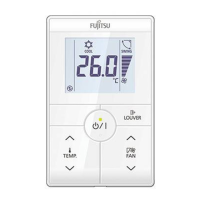
UTY-LNHUM / UTY-LRHUM (Wired Remote Controller):

  • Entering Function Setting Mode: Simultaneously press the Fan (Control) button, Set Temp.(^), and Reset button. Release the Reset button to enter the mode.
  • Selecting Function Number and Setting Value:
    • Press the Mode button, then Set Temp.(^)(V) buttons to select the function number (Mode button switches between left/right digits).
    • Press the Fan button to proceed to setting the value (Fan button again returns to function number selection).
    • Press the Set Temp.(^)(V) buttons to select the setting (Mode button switches between left/right digits).
    • Confirm settings by pressing the Timer Mode button and Start/Stop button in the listed order.
    • Cancel function setting mode by pressing the Reset button.

AR-REC1U / AR-RED1U / AR-REG1U (Wireless Remote Controller):

  • Entering Function Setting Mode: Simultaneously press the Powerful button, Set Temp.(^), and Reset button. Release the Reset button to enter the mode.
  • Selecting Function Number and Setting Value:
    • Press the Set Temp.(^)(V) buttons to select the function number (Min. Heat button switches between left/right digits).
    • Press the Powerful button to proceed to setting the value (Powerful button again returns to function number selection).
    • Press the Set Temp.(^)(V) buttons to select the setting (Min. Heat button switches between left/right digits).
    • Confirm settings by pressing the Mode button and then the Start/Stop button in the listed order.
    • Cancel function setting mode by pressing the Reset button.

UTY-RVNUM (Wired Remote Controller with Monitor Screen):

  • Entering Function Setting Mode: Ensure the indoor unit is powered down and not running. From the monitor screen, press the Menu button twice. Hold the Screen Left and Screen Right buttons for 5 seconds at the submenu. Select "Function Setting" from the list.
  • Selecting Function Number and Setting Values: Once in the Function Settings Menu, users can select function number and setting values.

UTY-RNBYU / UTY-RNNUM (Wired Remote Controller):

  • Entering Function Setting Mode: Simultaneously press the Set Temp.(^)(V) buttons and Fan button for more than 5 seconds.
  • Selecting Function Number and Setting Value:
    • Press the Set Back button to select the indoor unit number.
    • Press the Set Time buttons to select the function number.
    • Press the Set Temp. buttons (^)(V) to select the setting value (display flashes during selection).
    • Confirm setting by pressing the Timer Set button. Hold the Set button until flashing stops. If the display changes or shows "--", the setting was incorrect.
    • Repeat steps for additional settings.
    • Cancel function setting mode by pressing the Set Temp. buttons (^)(V) and Fan button simultaneously again for more than 5 seconds, or it will automatically cancel after 1 minute of inactivity.

UTY-RSNUM (Wired Remote Controller):

  • Entering Function Setting Mode: Simultaneously press both the Temp. Up and Down buttons (^)(V) and FAN for more than 5 seconds. Then, shift to Function Setting Mode.
  • Selecting Indoor Unit Number: Press the Temp. Up or Temp. Down button (^)(V) to select the indoor unit number, then press the Fan button.
  • Function Number & Setting Number Setting:
    • "Function Number" blinks; press Temp. Up or Temp. Down button to display the number.
    • When "Setting Number" blinks, press the Fan button to set the Setting number by pressing the Temp. Up or Temp. Down button (^)(V).
    • Fix the setting by pressing the power button (data is transferred to the indoor unit).

Maintenance Features:

A critical maintenance step after completing any function setting is to cycle the power to the outdoor disconnect. The bulletin explicitly states: "After completing the Function Setting, be sure to turn off power to the outdoor disconnect for a minimum of one minute and turn it on again." This power cycle is essential to ensure that the new settings are properly saved and applied to the system.

Disclaimer:

The document includes a disclaimer advising that performing some of these tests may require an electrical and/or refrigerant license. It strongly recommends checking the Service Manual for detailed explanations and contacting Fujitsu General America, Inc. at 866-952-8324 if unsure about the recommendations. This highlights the technical nature of these adjustments and the importance of qualified personnel for their implementation.

The bulletin is dated April 23, 2015 (#054) and September 10, 2014 (#050), indicating it has been updated or revised over time.

Fujitsu HALCYON ASU12RLF Specifications

General IconGeneral
BrandFujitsu
ModelHALCYON ASU12RLF
CategoryRemote Control
LanguageEnglish

Related product manuals