EasyManua.ls Logo

Fujitsu KN Series - User Manual

Fujitsu KN Series
14 pages
Print Icon
To Next Page IconTo Next Page
Loading...
En-1
1. SAFETY PRECAUTIONS
To prevent personal injury or property damage, read this section
carefully before you use this product, and be sure to comply
with the following safety precautions.
Incorrect operation due to failure to follow the instructions may
cause harm or damage, the seriousness of which is classi ed
as follows:
WARNING
This mark warns of death or serious injury.
CAUTION
This mark warns of injury or damage to property.
This mark denotes an action that is PROHIBITED.
This mark denotes an action that is COMPULSORY.
Explanation of symbols displayed on the indoor unit or outdoor unit.
WARNING
This symbol shows that this product uses a ammable
refrigerant. If the refrigerant is leaked and exposed to
an external ignition source, there is a risk of re.
CAUTION
This symbol shows that the operating manual should
be read carefully.
CAUTION
This symbol shows that a service personnel should
be handling this equipment with reference to the
installation manual.
CAUTION
This symbol shows that information is available such
as the operating manual or installation manual.
WARNING
The appliance shall be installed, operated and stored
in a room with a oor area larger than X m².
Amount of refrigerant charge
M (kg)
Minimum room area
X (m
2
)
M 1.22 -
1.22 < M 1.23 1.45
1.23 < M 1.50 2.15
1.50 < M 1.75 2.92
1.75 < M 2.0 3.82
2.0 < M 2.5 5.96
2.5 < M 3.0 8.59
3.0 < M 3.5 11.68
3.5 < M 4.0 15.26
(IEC 60335-2-40)
This product contains no user-serviceable parts.
Always consult authorized service personnel for
repairing, installation, and relocation of this product.
Improper installation or handling will cause leakage,
electric shock, or re.
If you notice anything unusual , such as a burning
smell or water leak, stop operation of the air
conditioner immediately and disconnect it from all
power sources, either by turning o the circuit breaker
or disconnecting the power plug.
Afterwards, contact an authorized service personnel.
Take care not to damage the power supply cable.
If it is damaged, it should be replaced only by
authorized service personnel in order to avoid a hazard.
Contents
1. SAFETY PRECAUTIONS .......................................... 1
2. PREPARATION ......................................................... 2
2.1. Inserting batteries ............................................. 3
3. NAME OF PARTS ..................................................... 3
3.1. Indoor unit ........................................................ 3
3.2. Remote controller ............................................. 3
4. BASIC OPERATIONS ............................................... 5
5. AIRFLOW SETTINGS ............................................... 5
5.1. Fan speed setting ............................................. 5
5.2. Air ow direction setting .................................... 5
6. TIMER OPERATIONS ............................................... 5
6.1. On timer or O timer ......................................... 6
6.2. Program timer ................................................... 6
6.3. Sleep timer ...................................................... 6
7. ENERGY SAVING OPERATIONS ............................ 6
7.1. Economy operation .......................................... 6
7.2. Fan control for energy saving ........................... 6
8. OTHER OPERATIONS ............................................. 6
8.1. Powerful operation ........................................... 6
8.2. 10°C Heat operation ......................................... 7
9. WLAN control ............................................................ 7
9.1. Usage precautions ........................................... 7
9.2. Setting to use WLAN control ............................ 9
10. SETTINGS ON INSTALLATION .............................. 10
10.1. Remote controller custom code setting .......... 10
11. CLEANING AND CARE ........................................... 10
12. GENERAL INFORMATION ..................................... 11
13. OPTIONAL PARTS ................................................. 12
13.1. Multi-split type air conditioner ......................... 12
14. TROUBLESHOOTING ............................................ 12
[Original Instructions]
PART No. 9333892078-01
Português
(ȜȜȘY,NȐ
,WDOLDQR
(VSDxRO
)UDQoDLV
Deutsch
(QJOLVK
OPERATION MANUAL
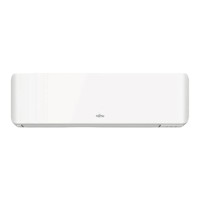
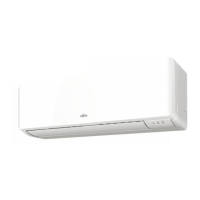
AIR CONDITIONER (Wall Mounted type)
MODEL:(KN series)
* Write down the model name.
(Refer to the rating label.)
Before using this product, read these instructions thoroughly
and keep this manual for future reference.
9333892078-01_OM_7L.indb 19333892078-01_OM_7L.indb 1 2023/11/17 15:52:012023/11/17 15:52:01

Question and Answer IconNeed help?

Do you have a question about the Fujitsu KN Series and is the answer not in the manual?

Overview

This document describes the AIR CONDITIONER (Wall Mounted type), specifically the (KN series) model. It covers safety precautions, basic operations, airflow settings, timer functions, energy-saving features, other operations, WLAN control, installation settings, cleaning and care, general information, optional parts, and troubleshooting.

Function Description

The air conditioner is designed for room cooling, heating, and dehumidification. It operates on a heat-pump principle, absorbing heat from outdoors and transferring it indoors for heating, and vice-versa for cooling. The unit can be controlled via a remote controller or through WLAN using a mobile app. It features various operation modes including Auto, Cool, Dry, Fan, and Heat, along with specialized functions like Economy, Powerful, and 10°C Heat. Timer operations (On, Off, Program, Sleep) allow for scheduled operation. Airflow direction can be adjusted both vertically and horizontally, with an automatic swing function.

Important Technical Specifications

  • Refrigerant Type: Flammable refrigerant (specific type not detailed, but warnings about leakage and ignition sources are present).
  • Minimum Room Area (X m²):
    • M ≤ 1.22 kg: Not specified
    • 1.22 < M ≤ 1.23 kg: 1.45 m²
    • 1.23 < M ≤ 1.50 kg: 2.15 m²
    • 1.50 < M ≤ 1.75 kg: 2.92 m²
    • 1.75 < M ≤ 2.0 kg: 3.82 m²
    • 2.0 < M ≤ 2.5 kg: 5.96 m²
    • 2.5 < M ≤ 3.0 kg: 8.59 m²
    • 3.0 < M ≤ 3.5 kg: 11.68 m²
    • 3.5 < M ≤ 4.0 kg: 15.26 m²
  • Temperature Setting Range:
    • Auto/Cooling/Dry: 18.0-30.0 °C
    • Heating: 16.0-30.0 °C
  • Operable Conditions (Temperature and Humidity):
    • Indoor Temperature (Cooling/Dry): 18 to 32 °C
    • Indoor Temperature (Heating): 16 to 30 °C
    • Indoor Humidity: 80% or less (Note: Continuous use for many hours may cause condensation drips if humidity is high.)
  • WLAN Compatibility: IEEE 802.11 b/g/n
  • WLAN Frequency Bands: 2.4 GHz (1 to 11 ch in US/Canada, 1 to 13 ch in other regions)
  • WLAN Maximum Radio-frequency Power: 10 mW
  • WLAN Security: Open, WEP, WPA (PSK), WPA2 (Personal PSK), WPS for same-LAN Registration.
  • Remote Controller Batteries: R03/LR03/AAA × 2 (typically replaced once a year).
  • Multi-split Type Air Conditioner: Can be connected to a multi-split outdoor unit, allowing multiple indoor units to operate simultaneously. However, heating and cooling efficiency may be reduced when multiple units operate concurrently.

Usage Features

  • Basic Operation: Start/stop with the ON/OFF button, select operation mode (Auto, Cool, Dry, Fan, Heat) with the MODE button, and adjust temperature with TEMP./SELECT buttons.
  • Airflow Settings: Control fan speed (Auto, Quiet, Low, Med, High) with FAN SPEED. Adjust up/down airflow direction with SET and left/right airflow manually. Activate automatic swing with SWING.
  • Timer Operations: Set On, Off, or Program timers using the TIMER button. A Sleep timer can also be activated. The internal clock may reset after a power interruption, requiring timer re-setting.
  • Energy Saving: "Economy operation" adjusts the temperature to a moderate setting for energy efficiency. "Fan control for energy saving" stops the indoor unit fan when the outdoor unit is stopped in Cooling mode.
  • Other Operations:
    • Powerful Operation: Activates maximum cooling/heating for rapid temperature change.
    • 10°C Heat Operation: Maintains a room temperature of 10°C to prevent it from dropping too low, useful when the room is unoccupied.
  • WLAN Control: Allows control of the air conditioner via a mobile app ("AIRSTAGE Mobile"). This involves installing the app, user registration, and pairing the air conditioner with the WLAN device by scanning a QR code. The app provides remote control and monitoring.
  • Auto-restart Function: In case of a power interruption, the unit automatically restarts with previous settings once power is restored.
  • Automatic Defrosting: In Heating mode, if frost forms on the outdoor unit, the unit temporarily stops, and the defrost circuit operates for up to 15 minutes.
  • Remote Controller Custom Code: Allows setting a custom code to prevent interference with other air conditioners, useful in multi-unit installations.

Maintenance Features

  • Cleaning and Care:
    • Intake Grille: Open the intake grille, remove the air filters, and clean them with water or a soft cloth. The intake grille itself can be wiped with a soft cloth.
    • Air Filters: Clean regularly (every 3 months or when the filter indicator blinks). After cleaning, reset the filter indicator.
    • Indoor Unit: Wipe with a soft, dry cloth. For stubborn dirt, use a soft cloth dampened with water and a neutral detergent, then wipe dry. Do not use hot water (above 40°C), abrasive cleaners, or volatile solvents.
  • Extended Non-Use: If the unit has been shut down for a month or more, perform Fan mode operation for half a day to dry internal parts thoroughly before normal operation.
  • Additional Inspection: After long periods of use, dust accumulation may affect performance and health. A product inspection by authorized service personnel is recommended.
  • Firmware Update: The firmware for both the WLAN device and the indoor unit may be updated automatically or manually via the mobile app. During updates, the unit cannot be operated, and indicator lamps will flash.

Fujitsu KN Series Specifications

General IconGeneral
BrandFujitsu
ModelKN Series
CategoryAir Conditioner
LanguageEnglish

Related product manuals