EasyManua.ls Logo

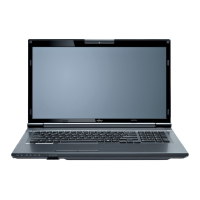
Fujitsu Lifebook NH570 - User Manual

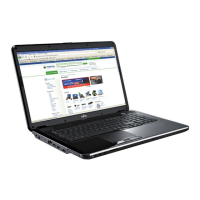
Fujitsu Lifebook NH570
150 pages
Print Icon
To Next Page IconTo Next Page
Loading...
User’s Guide
Learn how to use
your Fujitsu LifeBook
NH570 notebook

Table of Contents

Other manuals for Fujitsu Lifebook NH570

Questions and Answers

  • E
    Eric JosephAug 16, 2025
    What to do if Fujitsu Lifebook NH570 cannot be started?
    • S
      samuelhicksAug 16, 2025
      If your Fujitsu Laptop cannot be started, there might be several reasons. Check if the battery is correctly installed in its compartment. Ensure the mains adapter is properly connected to the notebook. If the battery is dead, try charging it or inserting a charged battery. Then switch the notebook on.
  • W
    William GarciaAug 19, 2025
    What to do if Fujitsu Lifebook NH570 Laptop stops working?
    • R
      rebecca42Aug 19, 2025
      If your Fujitsu Laptop stops working, it could be in energy-saving mode, so try leaving energy-saving mode. Another reason could be an application program causing the malfunction; in this case, close the application or restart the notebook. If the battery is dead, charge it or insert a charged battery and connect the mains adapter to the notebook.
  • P
    Paul AdamsAug 21, 2025
    Why does my Fujitsu Laptop screen remain blank?
    • S
      seansanchezAug 22, 2025
      If your Fujitsu Laptop's LCD screen remains blank, it could be because the monitor is switched off. Try pressing any key or touching the touchpad. Alternatively, if you have an external monitor or television connected, press the key combination to switch the screen output.
  • J
    Julie RileyAug 25, 2025
    Why is my external monitor blank with Fujitsu Lifebook NH570 Laptop?
    • D
      Daniel BrockAug 25, 2025
      If the external monitor remains blank when connected to your Fujitsu Laptop, ensure the monitor is switched on and adjust the brightness. If power saving has been activated, press any key to continue. Also, check if the screen output is set to the notebook’s LCD screen and press the key combination to switch the screen output. Verify that the power and data cables are properly connected to both the notebook and the monitor. Switch off the external monitor and the notebook, then switch on the external monitor and the notebook.
  • W
    William MosesAug 28, 2025
    Why is the LCD screen difficult to read on Fujitsu Laptop?
    • B
      Benjamin MccarthyAug 28, 2025
      If the LCD screen on your Fujitsu Laptop is difficult to read, it may be due to reflected glare. Try turning the notebook or altering the tilt of the LCD screen. You can also try increasing the brightness of the screen.
  • S
    Sherry ThomasSep 3, 2025
    How to fix unstable image on external monitor connected to Fujitsu Laptop?
    • M
      Mr. Justin EricksonSep 3, 2025
      If the external monitor connected to your Fujitsu Laptop is blank or the image is unstable, terminate the application program in Windows by pressing Alt + F4. If the fault persists after closing the program, use the key combination for switching the screen output to switch over to the notebook’s LCD screen. Set the screen resolution and select the monitor as described in the documentation for your operating system.
  • P
    powelljacksonSep 6, 2025
    How to fix Fujitsu Lifebook NH570 printer that does not print?
    • T
      Tina AlexanderSep 6, 2025
      If your printer is not printing from your Fujitsu Laptop, make sure that the printer is switched on and ready for operation. Check that the data cable connecting the notebook to the printer is properly connected. Verify that the correct printer driver is loaded.
  • D
    Dylan HarrisSep 9, 2025
    How to fix Fujitsu Lifebook NH570 radio connection that does not work?
    • E
      Edwin TurnerSep 9, 2025
      If the radio connection to a network does not work on your Fujitsu Laptop, switch the radio component on. If the wireless component is enabled but the wireless connection still doesn't work, check whether the radio connection is switched on via the software.
  • T
    tandersonSep 12, 2025
    How to fix incorrect date or time on Fujitsu Lifebook NH570 Laptop?
    • B
      Brenda MoralesSep 12, 2025
      To correct the date or time on your Fujitsu Laptop, use the BIOS-Setup-Utility to set the date and time in the main menu.
  • V
    Virginia GloverDec 1, 2025
    How to fix error messages on Fujitsu Lifebook NH570 screen?
    • A
      alyssawrightDec 1, 2025
      If you see error messages on your Fujitsu Laptop screen, switch the notebook off, then switch it on again. Press the function key F2 to access the BIOS Setup. In the BIOS Setup, select the Exit menu, then select the entry Load Setup Defaults, select OK and press the Enter key. If you are using an external keyboard, check the connection and reboot the notebook, making sure that no key is pressed. Also, check in the BIOS Setup whether your hard disk has been set correctly and make sure that the operating system is installed on the corresponding drive. Press the F1 function key to start the operating system. If testing the extended memory resulted in an error, check whether the additional memory module has been inserted correctly. If the settings of the hard disk drive are incorrect, start th...

Summary

Getting to Know Your LifeBook

Locating the Controls and Connectors

Guides the user through identifying all physical controls and ports on the notebook.

Fujitsu LifeBook Keyboard Functions

Explains keyboard layout, function keys, numeric keypad, and special keys.

LifeBook Touchpad Operation

Covers touchpad gestures, clicking, dragging, and scrolling functions.

Getting Started with Your LifeBook

LifeBook Power Source Options

Details primary battery, AC adapter, and optional auto/airline adapter.

Connecting LifeBook Power Adapters

Step-by-step guide for connecting AC and auto/airline adapters.

Powering On the LifeBook Notebook

Steps to turn on the notebook using the power button.

LifeBook Notebook Boot Sequence

Explains the process the notebook follows when starting up.

Accessing LifeBook BIOS Setup

Guide on entering and using the BIOS setup utility for system configuration.

User-Installable Features

LifeBook Lithium Ion Battery

Provides information on the notebook's internal Lithium ion battery.

Recharging LifeBook Lithium Ion Battery

Instructions on how to recharge the notebook's battery using adapters.

Replacing LifeBook Notebook Battery

Step-by-step guide for removing and installing a battery.

Troubleshooting Your LifeBook

LifeBook Troubleshooting Overview

General guide to identifying and resolving common notebook problems.

Identifying Notebook Problems

Procedure for troubleshooting issues before seeking complex solutions.

LifeBook Specific Troubleshooting Table

A table listing common problems, causes, and solutions.

LifeBook Power On Self Test (POST) Messages

Explains error and status messages generated during the POST sequence.

Care and Maintenance

Appendix A: WLAN User’s Guide

Troubleshooting Wireless LAN Connections

Table of common WLAN problems, causes, and solutions.

Fujitsu Lifebook NH570 Specifications

General IconGeneral
BrandFujitsu
ModelLifebook NH570
CategoryLaptop
LanguageEnglish

Related product manuals