EasyManua.ls Logo

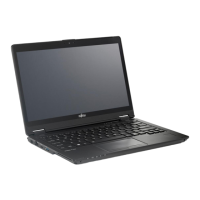
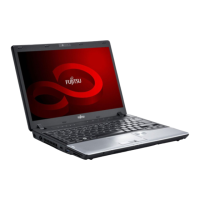
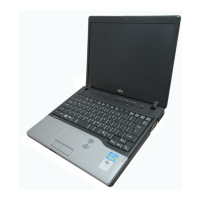
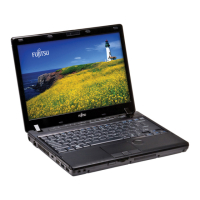
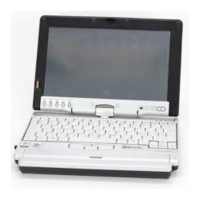
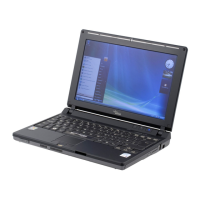
Fujitsu LifeBook P7230 - User Manual

Fujitsu LifeBook P7230
130 pages
Print Icon
To Next Page IconTo Next Page
Loading...
User’s Guide
Learn how to use your
LifeBook
®
P7230 Notebook

Table of Contents

Other manuals for Fujitsu LifeBook P7230

Questions and Answers

  • S
    Stacy PaulAug 7, 2025
    Why is my Fujitsu Laptop network connection unavailable?
    • J
      John DavisAug 7, 2025
      A possible cause is that wireless network authentication has failed. In this case, re-check your Network Authentication, Encryption, and Security settings. Incorrectly configured security settings such as an incorrectly typed WEP key, a mis-configured LEAP username, or an incorrectly chosen authentication method will cause the LAN device to associate but not authenticate to the wireless network.
  • T
    Tonya MillsAug 11, 2025
    What to do if my Fujitsu LifeBook P7230 Laptop has a weak network connection?
    • L
      lynn19Aug 11, 2025
      If you have a weak signal strength or link quality, try the following: For an ad hoc connection, retry the connection after shortening the distance to the destination computer or removing any obstacles. For an Access Point (Infrastructure) connection, retry the connection after shortening the distance to the access point or removing any obstacles.
  • M
    Melinda PalmerAug 15, 2025
    How to fix unavailable network connection on Fujitsu LifeBook P7230 Laptop?
    • N
      Natasha CastilloAug 16, 2025
      One possible cause is RF interference from Access Points or other wireless networks. The use of identical or overlapping RF channels can cause interference. To resolve this, change the channel of your Access Point to a channel that does not overlap with the interfering device.
  • J
    Johnny HartAug 19, 2025
    What to do if Fujitsu LifeBook P7230 can't find network connection?
    • T
      thomasbowmanAug 19, 2025
      One possible reason is the computer you are trying to connect to is turned off. Check if the computer to be connected is turned ON.
  • R
    Ryan PearsonAug 25, 2025
    How to enable network connection on Fujitsu LifeBook P7230?
    • A
      Ashley BenjaminAug 25, 2025
      The WLAN device may be deactivated or disabled. Check if the wireless switch is turned ON. Also verify 'Disable Radio' is not checked in 'Network setting' window.
  • T
    Troy CruzAug 28, 2025
    Why does my Fujitsu Laptop say incorrect network name?
    • B
      Brian MccannAug 29, 2025
      The network name (SSID) or network key might be incorrect. For an ad hoc connection: verify that the network names (SSID’s) and network keys (WEP) of all computers to be connected have been configured correctly, ensuring SSID’s and WEP key values are identical on each machine. For an Access Point (Infrastructure) connection: set the network name (SSID) and network key to the same values as those of the access point. Set the Network Authentication value identically to that of the Access Point.
  • G
    gouldjavierSep 1, 2025
    What if Fujitsu LifeBook P7230 has incorrect IP address configuration?
    • A
      Andrew ElliottSep 1, 2025
      This only applies to networks using static IP addresses. Please contact your network administrator for the correct settings.

Fujitsu LifeBook P7230 Specifications

General IconGeneral
GraphicsIntel GMA 950
Display Size10.6 inches
Display TypeLCD
Operating SystemWindows XP Professional
BatteryLithium ion
NetworkingGigabit Ethernet
Ports2 x USB 2.0, VGA, LAN, Headphone output, Microphone input
Weight2.2 lbs (1.0 kg)

Related product manuals