Copyright
Copyright and Trademark Information
Fujitsu Computer Systems Corporation has made every effort
to ensure the accuracy and completeness of this document.
However, as ongoing development efforts are continually
improving the capabilities of our products, we cannot
guarantee the accuracy of the contents of this document. We
disclaim liability for errors, omissions, or future changes. The
absence of a product or service name, slogan, or logo does not
constitute a waiver of any trademark or other intellectual
property rights relating to that name, slogan, or logo owned by
Fujitsu Computer Systems Corporation, its parent, subsidiaries,
and affiliated companies.
Fujitsu, the Fujitsu logo, and LifeBook are registered trade-
marks of Fujitsu Limited.
Intel and Pentium are registered trademarks and Centrino is a
trademark of Intel Corporation or its subsidiaries in the United
States and other countries.
IBM, IBM PC AT, and IBM PS/2 are registered trademarks of
IBM Corporation in the United States, other countries, or both.
MS, MS-DOS, and Windows are either registered trademarks
or trademarks of Microsoft Corporation in the United States
and/or other countries.
PCMCIA is a trademark of the Personal Computer Memory
Card International Association.
Memory Stick and Memory Stick Duo are trademarks of Sony,
its parent, and/or its affiliates.
Adobe, Acrobat, and Acrobat Reader are either registered trade-
marks or trademarks of Adobe Systems, Incorporated in the
United States and/or other countries.
Dolby Headphone manufactured under license from Dolby
Laboratories. Dolby, Pro Logic, and the double-D symbol are
trademarks of Dolby Laboratories.
Quicken is a registered trademark and/or registered service
mark of Intuit, Inc. or one of its subsidiaries in the United
States and other countries.
InterVideo and WinDVD are registered trademarks of Inter-
video, Inc.
Realtek is a registered trademark of Realtek Semiconductor
Corporation.
Norton AntiVirus is a registered trademark of Symantec
Corporation in the United States and other countries.
This product incorporates copyright protection technology that
is protected by method claims of certain U.S. patents and other
intellectual property rights owned by Macrovision Corporation
and other rights owners. Use of this copyright protection tech-
nology must be authorized by Macrovision Corporation, and is
intended for home and other limited viewing uses only unless
otherwise authorized by Macrovision Corporation. Reverse
engineering or disassembly is prohibited.
All other trademarks mentioned herein are the property of their
respective owners.
© Copyright 2005 Fujitsu Computer Systems Corporation. All
rights reserved. No part of this publication may be copied,
reproduced, translated, stored, or transmitted in any electronic
form without the written consent of Fujitsu Computer Systems
Corporation.
B6FH-7661-01EN-00
Warning
Handling the cord on this product will expose
you to lead, a chemical known to the State of
California to cause birth defects or other
reproductive harm.
Wash hands after handling.
DECLARATION OF CONFORMITY
according to FCC Part 15
Responsible Party Name: Fujitsu Computer Systems Corporation
Address: 1250 E. Arques Avenue
Sunnyvale, CA 94085
Telephone: (408) 746-6000
Declares that product: Base Model Configurations:
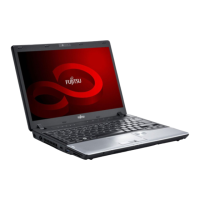
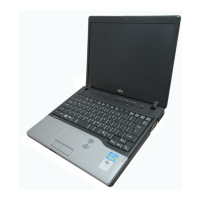
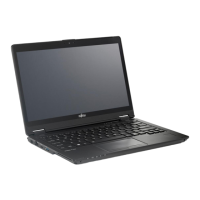
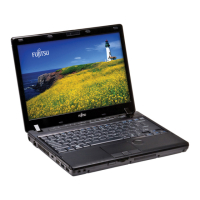
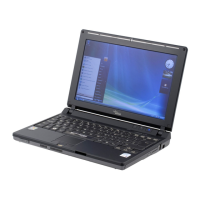
LifeBook P7120 notebook
LifeBook P7120D notebook
Complies with Part 15 of the FCC Rules.
This device complies with Part 15 of the FCC rules. Operations are subject to the following two conditions:
(1) This device must not be allowed to cause harmful interference, (2) This device must accept any
interference received, including interference that may cause undesired operation.
P7120.book Page 1 Monday, October 10, 2005 4:38 PM



 To Next Page


 General