EasyManua.ls Logo

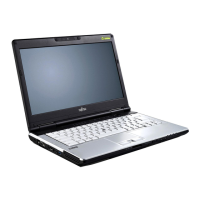
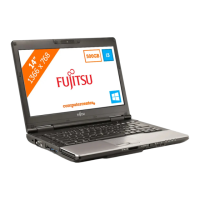
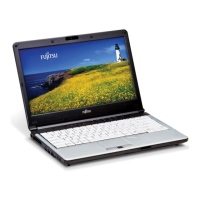
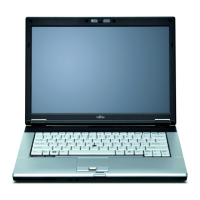
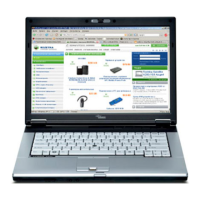
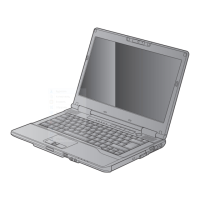
Fujitsu LIFEBOOK S782 - User Manual

Fujitsu LIFEBOOK S782
99 pages
Print Icon
To Next Page IconTo Next Page
Loading...
System
Operating Manual
LIFEBOOK E752 / E782
LIFEBOOK S752 / S782

Table of Contents

Other manuals for Fujitsu LIFEBOOK S782

Questions and Answers

  • J
    Jasmine GarciaSep 9, 2025
    What to do if Fujitsu Notebook pc shows 'System CMOS checksum bad'?
    • K
      Kristi CrawfordSep 9, 2025
      If your Fujitsu Notebook PC shows 'System CMOS checksum bad', switch the notebook off and then on again. Press the F2 key to enter BIOS Setup, select the Exit menu, choose 'Load Setup Defaults', and then select OK.
  • A
    armstrongthomasAug 23, 2025
    What to do if Fujitsu Notebook pc LCD screen remains blank?
    • L
      loretta16Aug 23, 2025
      If your Fujitsu Notebook PC's LCD screen remains blank, the monitor might be switched off. Try pressing a key or touching the touchpad. Alternatively, if an external monitor or television is connected, press the key combination to switch the screen output.
  • H
    hoffmanangelaAug 25, 2025
    Why only numerals are written when certain characters are entered on Fujitsu Notebook pc?
    • M
      Meghan AndersonAug 25, 2025
      If only numerals appear when typing characters on your Fujitsu Notebook PC, the virtual numeric keypad is likely activated. Press the Num key to deactivate it.
  • D
    devinmatthewsAug 26, 2025
    What to do if external monitor remains blank with Fujitsu Notebook pc?
    • K
      Kelly MillerAug 27, 2025
      If your external monitor remains blank when connected to your Fujitsu Notebook PC, consider these possible causes and solutions: 1. The monitor might be switched off. Ensure the external monitor is powered on. 2. Power saving might be activated. Press any key to continue. 3. The brightness might be set too low. Adjust the brightness of the monitor. 4. The screen output might be set to the notebook's LCD screen. 5. The power or data cables may be improperly connected. Turn off both the monitor and notebook, check the cable connections, and then turn them back on.
  • M
    Michele CunninghamAug 27, 2025
    What to do if Fujitsu Notebook pc stops working?
    • M
      Michael BryantAug 27, 2025
      If your Fujitsu Notebook PC stops working, here are a few things to check: * The notebook might be in energy-saving mode. Try exiting the energy-saving mode. * An application might be causing the issue. Close the application or restart the notebook. * The battery might be dead. Charge the battery, insert a charged one, or connect the mains adapter.
  • W
    williamsanthonyAug 29, 2025
    How to fix incorrect date or time on Fujitsu Notebook pc?
    • T
      Trevor WilsonAug 29, 2025
      You can correct the date and time on your Fujitsu Notebook PC through the BIOS-Setup-Utility, where you can set the date and time in the main menu. If the issue persists, further assistance is needed.
  • R
    ramosrebeccaSep 17, 2025
    What does 'Stuck key' mean on Fujitsu Notebook pc?
    • T
      Thomas LindseySep 18, 2025
      If your Fujitsu Notebook PC indicates a 'Stuck key' error, make sure that no key is currently being pressed.
  • A
    aliciaphillipsSep 18, 2025
    What to do if Fujitsu Notebook pc shows 'Extended memory failed at offset'?
    • C
      charleskristaSep 22, 2025
      If your Fujitsu Notebook PC displays 'Extended memory failed at offset', check whether the additional memory module has been inserted correctly.
  • L
    Laura KhanSep 7, 2025
    What to do if Fujitsu Notebook pc shows 'Operating system not found'?
    • J
      jennifer43Sep 7, 2025
      If your Fujitsu Notebook PC displays 'Operating system not found', check in the BIOS Setup to ensure your hard disk has been set correctly and that the operating system is installed on the corresponding drive.
  • R
    Richard WagnerSep 4, 2025
    How to solve keyboard controller error on Fujitsu Notebook pc?
    • R
      Rachel TuckerSep 4, 2025
      To solve a keyboard controller error on your Fujitsu Notebook PC, switch the notebook off using the ON/OFF switch, wait 3-5 seconds, and then switch it back on.

Summary

System Ports and Hardware Identification

Essential Safety and Handling Precautions

General Safety Warnings

Crucial safety guidelines to prevent injury, device damage, or data loss during operation.

Radio Component Safety

Specific safety instructions for using wireless components like WLAN and Bluetooth.

Initial Notebook Setup

Unpacking and Device Inspection

Steps for unpacking the notebook and checking for any visible damage from transit.

Connecting to Power Source

Detailed instructions on connecting the notebook's mains adapter and plugging it into a power outlet.

First-Time Power On and Setup

Procedures for turning on the notebook for the first time and initiating the operating system setup.

Operating Your Notebook

System Security Features

BIOS Password Protection Setup

Detailed guide on setting supervisor and user passwords in the BIOS for enhanced security.

Hard Disk Drive Security

Procedures for enabling and disabling password protection for the internal hard disk drives.

Internal Component Servicing

Hard Disk Drive Replacement

Procedures for removing the old hard disk and installing a new one.

BIOS Setup Utility Operations

Accessing the BIOS Utility

Method to enter the BIOS Setup Utility during system startup.

Navigating and Modifying BIOS Settings

How to use keyboard controls to navigate menus and change system configurations.

Troubleshooting Common Issues

Seeking Technical Support

Guidance on troubleshooting steps and how to contact the service desk with necessary information.

Operating System Recovery

Instructions for reinstalling the operating system using recovery media.

System Startup Failures

Troubleshooting steps for when the notebook fails to power on or start the operating system.

Fujitsu LIFEBOOK S782 Specifications

General IconGeneral
BrandFujitsu
ModelLIFEBOOK S782
CategoryLaptop
LanguageEnglish

Related product manuals