EasyManua.ls Logo

Fujitsu LifeBook S762 - User Manual

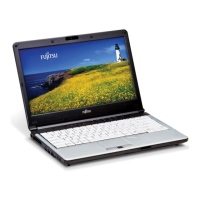
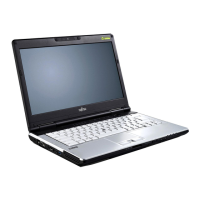
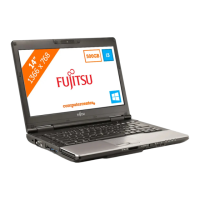
Fujitsu LifeBook S762
390 pages
Print Icon
To Next Page IconTo Next Page
Loading...
Users Guide
Learn how to use your Fujitsu
LIFEBOOK S762 notebook
Guide
d’utilisation
Découvrez comment utiliser
votre ordinateur portable
Fujitsu LIFEBOOK S762

Table of Contents

Other manuals for Fujitsu LifeBook S762

Questions and Answers

  • J
    jacquelinecarterAug 20, 2025
    What to do if my Fujitsu LifeBook S762 won't work on battery?
    • C
      Christopher MullinsAug 21, 2025
      If your Fujitsu Laptop doesn't work on battery alone, the installed battery might be dead, so try replacing it with a charged one or using a power adapter. Ensure batteries are installed and properly connected by re-installing them. If the issue persists, your installed batteries could be faulty.
  • A
    andersonmaryAug 22, 2025
    Why do Fujitsu LifeBook S762 Laptop batteries discharge too quickly?
    • A
      Alexander RiosAug 22, 2025
      Fujitsu Laptop batteries might discharge quickly if you're running power-intensive applications, have disabled power-saving features, or have the screen brightness turned up high. Using both the primary battery and an optional second battery or a power adapter can help. Check the Power Options menu settings to optimize power usage and reduce screen brightness. Also, old batteries or exposure to high temperatures can cause rapid discharge, requiring battery replacement. Make sure the batteries are not too hot or too cold.
  • R
    Robert DodsonAug 25, 2025
    What to do if Fujitsu LifeBook S762 Laptop display is dark when on battery power?
    • D
      David HarrisAug 25, 2025
      If your Fujitsu Laptop display is dark while on battery power, it's likely due to the Power Management utility's default setting for low brightness to conserve power. Press [Fn] + [F7] to increase the brightness.
  • D
    Diane MeyerAug 26, 2025
    What to do if built-in keyboard does not work on Fujitsu LifeBook S762 Laptop?
    • F
      Frank MillerAug 26, 2025
      If the built-in keyboard on your Fujitsu Laptop isn't working, first check if the notebook is in Standby mode; if so, push the Power/Suspend/Resume button. If the keyboard is locked out by an application, try restarting your system using the integrated pointing device.
  • B
    Brenda Graves DVMAug 28, 2025
    What to do if system display won’t turn on when Fujitsu LifeBook S762 is turned on?
    • T
      Tamara Brown MDAug 28, 2025
      If your Fujitsu Laptop system display won’t turn on when the system is turned on, check the Status Indicator Panel for the presence of the Security icon. If visible, enter your password.
  • M
    Michael WileyAug 29, 2025
    How to fix no sound from Fujitsu LifeBook S762 Laptop speakers?
    • C
      Christopher NicholsonAug 30, 2025
      If there's no sound from your Fujitsu Laptop's built-in speakers, first, ensure the volume isn't too low by using the [Fn+F9] key combination to increase it, or [Fn+F8] to lower it. Check that the software volume control isn't muted or set too low. Also, unplug any headphones, as they disable the built-in speakers. Another reason may be that the speakers have been muted using the Volume icon in the system tray, you can also use the [Fn+F3] key combination to toggle the volume on and off. If these steps don't work, the audio driver may need to be reinstalled.
  • W
    William WilliamsAug 31, 2025
    How do I fix a Fujitsu Laptop when the external keyboard or mouse is not properly installed?
    • K
      karl86Sep 1, 2025
      If your external keyboard or mouse isn't working with your Fujitsu Laptop, reinstall the device. Also, ensure that your operating system has the correct software driver activated for the device.
  • L
    Lisa DiazSep 2, 2025
    What should I do if the display of my Fujitsu Laptop does not close properly?
    • C
      curtissmithSep 2, 2025
      If the display of your Fujitsu Laptop does not close, check for any foreign objects stuck between the display and the keyboard and remove them.
  • E
    Elaine OlsonSep 4, 2025
    How to fix Fujitsu Laptop when there is no sound?
    • M
      monicasmithSep 4, 2025
      If there's no sound from your Fujitsu Laptop's built-in speakers, first, ensure the volume isn't too low by using the [Fn+F9] key combination to increase it, or [Fn+F8] to lower it. Also, check the software volume control and adjust it if necessary. Make sure headphones aren't plugged in, as this disables the speakers. Verify that the Volume icon in the system tray isn't muted (you can also use [Fn+F3] to toggle mute). If issues persist, the audio driver may need to be reinstalled from the Fujitsu support site.
  • G
    Gregg WalshSep 6, 2025
    What to do if Fujitsu LIFEBOOK notebook fails to recognize optical discs?
    • C
      Christopher JarvisSep 6, 2025
      If your Fujitsu LIFEBOOK notebook isn't recognizing optical discs, first ensure the disc is correctly placed on the raised center circle of the drive. Check that the optical drive tray is fully latched shut; if not, push it until it latches, or try re-inserting the drive. Wipe the disc with a non-abrasive CD cleaning cloth. The issue may be caused by incorrect or missing DVD Player software.

Fujitsu LifeBook S762 Specifications

General IconGeneral
ProcessorIntel Core i5-3320M
Storage256 GB SSD
Display13.3-inch
GraphicsIntel HD Graphics 4000
Operating SystemWindows 7 Professional
Weight1.6 kg
Battery LifeUp to 8 hours
Optical DriveDVD Super Multi
WirelessWi-Fi 802.11 a/b/g/n
BluetoothBluetooth 4.0
RAM8 GB
MemoryDDR3
PortsUSB 3.0

Related product manuals