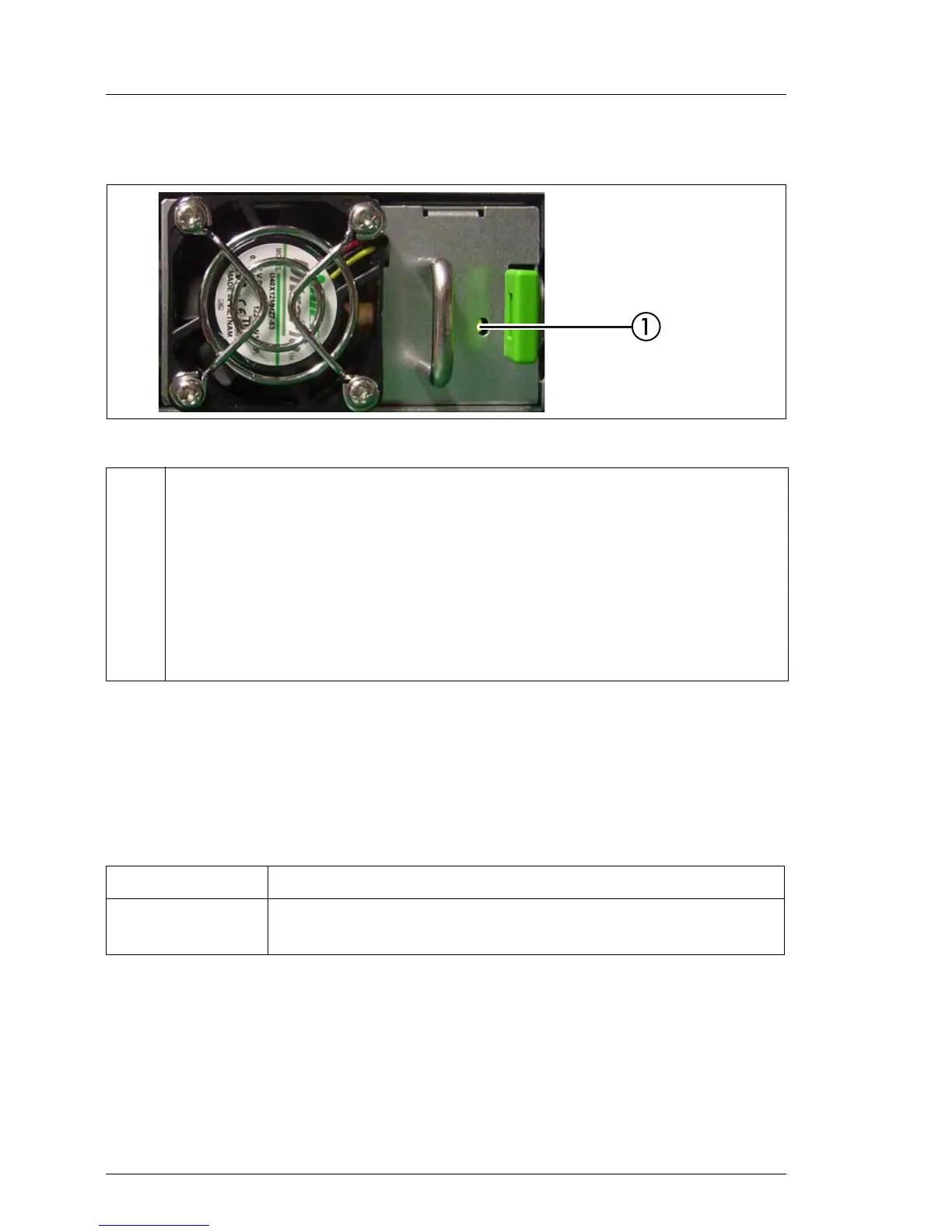
Indicator on Fujitsu battery unit (FJBU)
Figure 14: Indicator on FJBU
6.1.3 Indicators of the hot-plug system fans
A fan status indicator (LED on the system board) is assigned to each system
fan. The status indicators are not visible unless the housing is open. The
respective LED is set with commands in Server Management.
1 Indicator on FJBU (two colors)
Flashes green when the battery unit is charging.
Flashes slowly green when the battery unit is discharging.
Lights up green when the battery unit is fully charged.
Flashes orange in case of capacity alarm or temperature alarm.
Lights up orange in case of general battery failure.
LED Meaning
lights orange Possible fan failure (rotation speed less than 70% of the
original speed) or fan failure



 To Next Page
 Loading...