17
Explicit Self-install
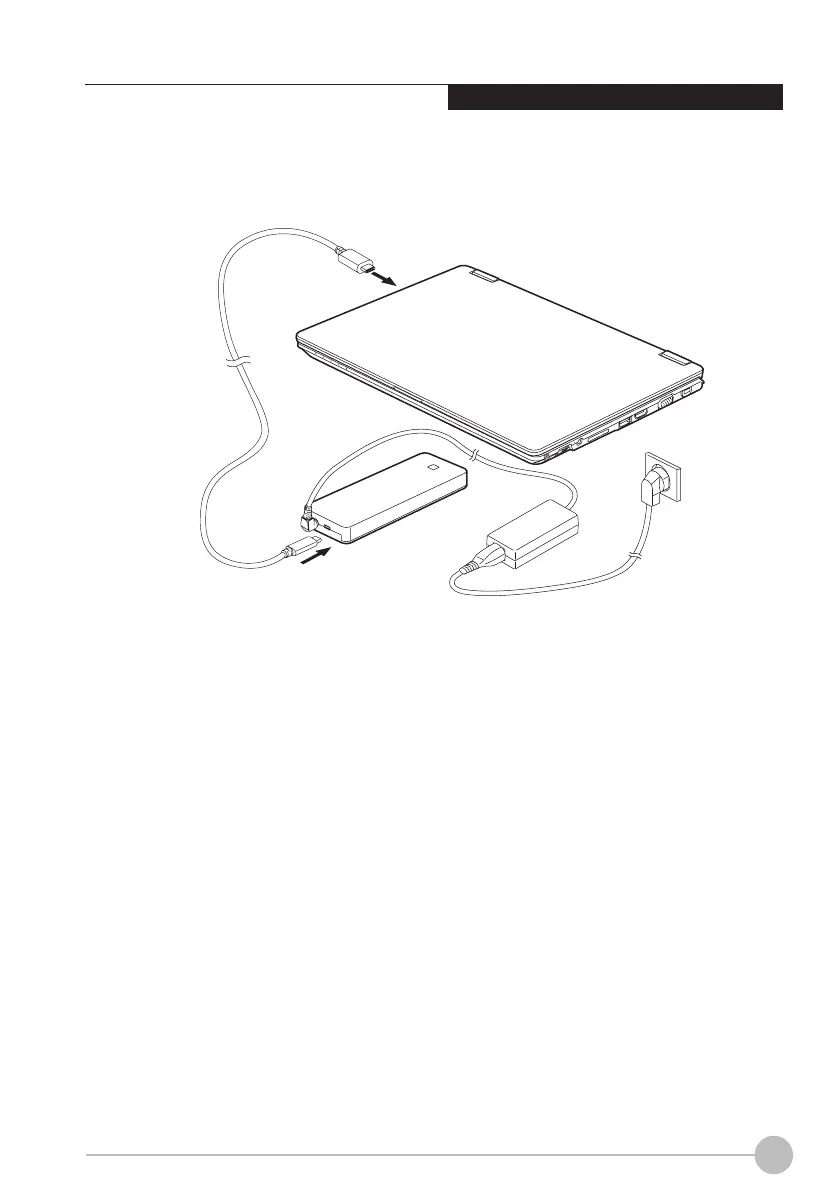
Connecting LIFEBOOK to the Port
Replicator
1
2
Disconnect the mains adapter cable from
the DC socket (DC-in) of the notebook.
Connect one end of the USB cable (USB
Type-C™) to USB 3.1(GEN1) Connector
with charging function (USB Type-C™) on
the notebook (1).
Connect the other end of the USB cable
(USB Type-C™) to the USB 3.1 (GEN1)
Connector Port for Data connection and
power supply (USB Type-C™) on the Port
Replicator (2).
1.
2.
3.
(This picture is for illustration purpose only and may look different from the actual unit)






 To Next Page