EasyManua.ls Logo

FUNAI 32FW502W - User Manual

FUNAI 32FW502W
28 pages
Print Icon
To Next Page IconTo Next Page
Loading...
32FW502W
32FW502
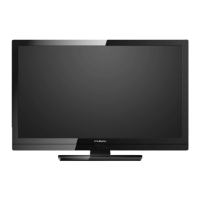
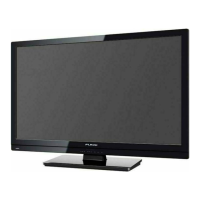
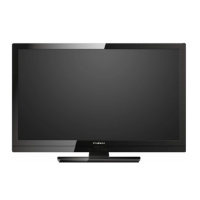
80cm(31.5 inch) LCD HD Television
INDEX
SAFETY INFORMATION...................................... 2
SUPPLIED ACCESSORIES ................................. 3
INSTALLING THE BATTERIES ........................... 3
ATTACHING THE BASE...................................... 4
MOUNTING THE UNIT ON YOUR FURNITURE
.... 4
SET-UP FOR ANTENNA...................................... 5
SET-UP FOR AC PLUG ....................................... 5
TURN ON THE UNIT ............................................ 6
AUTO TUNING ..................................................... 6
SELECTING A CHANNEL ................................... 7
ADJUSTING THE VOLUME................................. 7
HOOK-UP FOR HDMI .......................................... 8
HOOK-UP FOR PC............................................... 8
HOOK-UP FOR YPbPr ......................................... 9
HOOK-UP FOR COMPOSITE .............................. 9
HOOK-UP FOR COAXIAL ................................. 10
HOOK-UP FOR HEADPHONE........................... 10
UNIT INFORMATION ......................................... 11
OPERATIONS .................................................... 13
Watching a TV Programme ............................. 13
Favorite ........................................................... 13
Sleep Timer ..................................................... 13
Switching the Input Mode ................................ 13
Picture Format................................................. 13
Playback Mode................................................ 14
DETAIL SETTINGS ............................................ 18
Channel Settings ............................................. 18
Screen Settings ............................................... 18
Picture Adjustment .......................................... 19
Sound Adjustment ........................................... 19
Timer Settings ................................................. 20
Setup Adjustment ............................................ 21
OTHER INFORMATION ..................................... 22
Trademark Information .................................... 22
Cabinet Cleaning............................................. 22
Panel Cleaning ................................................ 22
Servicing.......................................................... 22
TROUBLESHOOTING GUIDE ........................... 23
SPECIFICATIONS .............................................. 24
Funai India Pvt Ltd
Toll free telephone : 1-800-419-6708
Email ID : customer.care@funai-india.com
Website : www.funai-india.com


Questions and Answers

  • M
    Megan RomeroAug 20, 2025
    What to do if my FUNAI 32FW502W has no picture or sound?
    • J
      Jeffrey AlexanderAug 20, 2025
      If your FUNAI LCD TV has no picture or sound, try the following: * Try another channel to rule out poor channel reception. * Ensure the unit is plugged in and that there is power at the outlet. * Confirm the unit’s power is on. * Verify the antenna is connected to the terminal on the back. * If using an outside antenna, check for broken wires. * Unplug the AC power cord, wait about a minute, then plug it back in and turn the unit on again.
  • B
    Barbara RomanAug 22, 2025
    Why is the picture weak on my FUNAI 32FW502W LCD TV?
    • M
      Michael OrtegaAug 22, 2025
      If the picture on your FUNAI LCD TV is weak: * Try another channel to eliminate poor channel reception. * Check that the antenna is connected to the terminal on the back of the unit. * If using an outside antenna, inspect it for broken wires. * Adjust the Contrast and Brightness controls. * Ensure the surrounding temperature is not too low.
  • J
    James WilliamsAug 25, 2025
    Why is the sound poor on my FUNAI LCD TV, but the picture is OK?
    • M
      Michael FosterAug 25, 2025
      If the sound on your FUNAI LCD TV is poor but the picture is OK: * Try another channel to rule out poor channel reception. * Check for local interference.
  • T
    taylormoralesAug 26, 2025
    What to do if the remote control does not work on FUNAI LCD TV?
    • M
      Michael SuttonAug 26, 2025
      If the remote control for your FUNAI LCD TV is not working, check the following: * Ensure the unit is plugged in. * Verify there is power at the outlet. * Check the batteries in the remote control.
  • S
    Steven MelendezAug 28, 2025
    Why is the picture distorted on my FUNAI 32FW502W?
    • V
      Victor SandovalAug 28, 2025
      If the picture on your FUNAI LCD TV is distorted: * Try another channel; if that works, the issue might be poor channel reception. * If using an outside antenna, check for broken wires. * Ensure the surrounding temperature is not too low.
  • B
    Bonnie RamirezAug 30, 2025
    Why is there poor reception on some channels on my FUNAI 32FW502W?
    • B
      bridgesjoshuaAug 30, 2025
      If you're experiencing poor reception on some channels with your FUNAI LCD TV: * Try another channel to see if the issue is poor channel reception. * Ensure the antenna is securely connected to the terminal on the back of the unit. * If you're using an outside antenna, check for any broken wires. * Check for local interference that may be affecting reception.
  • B
    Barbara LynchSep 1, 2025
    Why are there lines or streaks in the picture on my FUNAI LCD TV?
    • S
      Sean LewisSep 1, 2025
      If you see lines or streaks in the picture on your FUNAI LCD TV: * Try changing to another channel to rule out poor channel reception. * If you are using an outside antenna, inspect it for any broken wires. * Check for any local interference.
  • J
    jenningsdustinSep 3, 2025
    Why are there ghosts in the picture on my FUNAI 32FW502W?
    • R
      Rebecca MooreSep 3, 2025
      If you are seeing ghosts in the picture on your FUNAI LCD TV: * Try another channel to eliminate poor channel reception. * Ensure the antenna is connected to the terminal on the back of the unit. * If using an outside antenna, check for broken wires. * Check for local interference.
  • D
    Dustin TaylorSep 5, 2025
    Why is there no color on my FUNAI 32FW502W LCD TV?
    • J
      James RiceSep 5, 2025
      If there is no color on your FUNAI LCD TV: * Try switching to another channel; if it works, the problem may be poor channel reception. * Ensure the antenna is connected to the terminal on the back of the unit. * If using an outside antenna, check for broken wires. * Adjust the [Color] control.
  • K
    Kelly JacobsSep 7, 2025
    Why does the picture roll vertically on my FUNAI LCD TV?
    • J
      Julie CooleySep 7, 2025
      If the picture on your FUNAI LCD TV rolls vertically: * Try another channel; if that’s OK, the issue might be poor channel reception. * If using an outside antenna, check for broken wires. * Check for local interference.

Summary

SAFETY INFORMATION

A Note about Recycling

Describes recycling of packaging and product materials.

Battery Precautions

Lists important precautions for handling and using batteries.

SUPPLIED ACCESSORIES

Installation of Wall Mount (Optional)

Instructions and recommendations for wall mounting the TV.

INSTALLING THE BATTERIES

ATTACHING THE BASE

MOUNTING THE UNIT ON YOUR FURNITURE

SET-UP FOR ANTENNA

SET-UP FOR AC PLUG

TURN ON THE UNIT

AUTO TUNING

SELECTING A CHANNEL

ADJUSTING THE VOLUME

HOOK-UP FOR HDMI

HOOK-UP FOR PC

HOOK-UP FOR YPbPr

HOOK-UP FOR COMPOSITE

HOOK-UP FOR COAXIAL

HOOK-UP FOR HEADPHONE

UNIT INFORMATION

OPERATIONS

Watching a TV Programme

Basic TV viewing operations like channel selection and volume.

Favorite

How to set up and access favorite TV channels.

Sleep Timer

Setting the TV to automatically turn off after a specified time.

Switching the Input Mode

Changing the video source input for the TV.

Picture Format

Adjusting the aspect ratio and screen display mode.

Playback Mode

Setup for playback

Connecting USB devices and preparing for media playback.

Operation in Slideshow

Controls for navigating and managing photo slideshows.

SPECIFICATION

[MUSIC]

Details on playing music files from USB storage.

[MOVIE]

[TEXT]

Note for playback

DETAIL SETTINGS

Channel Settings

Options for managing TV channels, including tuning and editing.

Screen Settings

Adjustments for screen display properties, especially in PC mode.

Picture Adjustment

Sound Adjustment

Timer Settings

Setup Adjustment

[OSD Language]

Selecting the preferred on-screen display language.

[Aspect Ratio]

Changing the TV screen display mode (e.g., 4:3, 16:9).

[Blue Screen]

Enabling a blue background screen for no-signal situations.

[Key Lock]

Disabling front panel buttons for child lock functionality.

[Reset]

Restoring the TV settings to their factory defaults.

[Software Update(USB)]

Instructions for updating the TV's software via USB.

OTHER INFORMATION

Trademark Information

Information regarding HDMI and other trademarks.

Cabinet Cleaning

Recommendations for cleaning the exterior surfaces of the TV.

Panel Cleaning

Guidance on safely cleaning the LCD screen.

Servicing

Advice on what to do if the unit becomes inoperative.

TROUBLESHOOTING GUIDE

Value added features

Multimedia format (VIDEO)

Power

Accessories

Dimensional details

Weight

FUNAI 32FW502W Specifications

General IconGeneral
BrandFUNAI
Model32FW502W
CategoryLCD TV
LanguageEnglish

Related product manuals