EasyManua.ls Logo

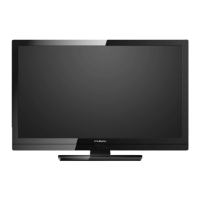
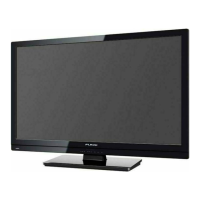
FUNAI 32FL552/10 - User Manual

FUNAI 32FL552/10
24 pages
Print Icon
To Next Page IconTo Next Page
Loading...
1
EN
Contents
UNIT INFORMATION ...................................1
Trademark Information ..............................1
Servicing....................................................1
Cabinet Cleaning.......................................1
Panel Cleaning ..........................................1
Remote Control / TV..................................2
INITIAL SETUP ............................................4
OPERATIONS ..............................................5
Watching a TV Programme .......................5
Favourite ...................................................5
EPG (Electronic Programme Guide) .........5
Sound Select .............................................6
Sleep Timer ...............................................6
Subtitle Settings ........................................6
Teletext Settings........................................6
Switching the Input Mode ..........................6
Recording ..................................................7
Photo Playback .........................................8
PC Format .................................................9
OTHER SETTINGS ....................................10
Channel Settings .....................................10
PC Settings .............................................12
Picture Adjustment ..................................13
Sound Adjustment ...................................14
Time Settings ..........................................15
Lock Settings...........................................16
Hotel Mode Settings ................................17
Setup Adjustment ....................................18
TROUBLESHOOTING GUIDE...................21
SPECIFICATIONS......................................23
UNIT INFORMATION
Trademark Information
Manufactured under license from Dolby Laboratories.
Dolby and the double-D symbol are trademarks of
Dolby Laboratories.
The terms HDMI and HDMI High-Definition
Multimedia Interface, and the HDMI Logo are
trademarks or registered trademarks of HDMI
Licensing LLC in the United States and other
countries.
DVB is a registered trademark of the DVB Project.
The “HD TV” Logo is a trademark of
DIGITALEUROPE.
Servicing
Should your unit become inoperative, do not try to
correct the problem by yourself. There are no user-
serviceable parts inside. Take the unit to a Service
Centre for servicing.
Cabinet Cleaning
Gently wipe the front panel and other exterior
surfaces of the unit with a soft cloth.
Never use a solvent or alcohol. Do not spray
insecticide liquid near the unit. Such chemicals may
cause damage and discoloration to the exposed
surfaces.
Panel Cleaning
If the LCD panel should require cleaning, wipe it with
a cotton or soft cloth. Before cleaning the panel,
disconnect the power cord.
22FL532/10 22FL552/10
26FL532/10 26FL552/10
32FL532/10 32FL552/10

Other manuals for FUNAI 32FL552/10

Questions and Answers

  • L
    Lydia MurphyAug 19, 2025
    Why is there no picture or sound on my FUNAI LCD TV?
    • J
      Jeffrey DanielsAug 19, 2025
      If your FUNAI LCD TV shows no picture or sound, try the following: * Try a new channel to rule out poor channel reception. * Ensure the unit is plugged in and that there is power at the outlet. * Make sure the unit's power is on. * Verify the antenna is connected to the terminal on the back. * If using an outside antenna, check for broken wires. * Unplug the AC power cord, wait about a minute, then plug it back in and turn the unit on again.
  • R
    Robert BoydAug 21, 2025
    How to fix a FUNAI 32FL552/10 remote control that is not working?
    • N
      Nicole RomeroAug 22, 2025
      If the remote control for your FUNAI LCD TV isn't working, please check: * If the unit is properly plugged in. * If there is power at the outlet. * The batteries in the remote control.
  • E
    emilytateAug 25, 2025
    Why is the reception poor on some channels of my FUNAI 32FL552/10?
    • S
      Sydney SmithAug 25, 2025
      If you're getting poor reception on some channels with your FUNAI LCD TV, here are a few things to try: * Try tuning to a new channel; the issue might be with the channel's reception. * Make sure the antenna is securely connected to the terminal on the back of the TV. * If you're using an outside antenna, inspect it for any broken wires. * Check for any local interference that might be affecting the signal.
  • M
    Michael HamptonAug 26, 2025
    What to do if the picture is OK but the sound is poor on FUNAI 32FL552/10 LCD TV?
    • U
      uwatsonAug 27, 2025
      If your FUNAI LCD TV picture is OK, but the sound is poor, try the following: * Try a new channel to rule out poor channel reception. * Check for local interference.
  • M
    Maria DouglasAug 28, 2025
    How to fix ghosts in picture on FUNAI 32FL552/10 LCD TV?
    • M
      Mitchell OchoaAug 28, 2025
      If your FUNAI LCD TV shows ghosts in the picture, try the following: * Try a new channel, if it is OK, then the problem might be poor channel reception. * Ensure the antenna is connected to the terminal on the back of the unit. * If using an outside antenna, check for broken wires. * Check for local interference.
  • R
    ricardo52Aug 30, 2025
    What causes a weak picture on FUNAI 32FL552/10 LCD TV?
    • H
      hkiddAug 30, 2025
      If the picture on your FUNAI LCD TV is weak, consider the following: * Try switching to a new channel to rule out poor channel reception. * Ensure the antenna is properly connected to the terminal on the back of the unit. * If you're using an outside antenna, check for any broken wires. * Adjust the Contrast and Brightness controls. * The surrounding temperature might be too low.
  • M
    Melissa BrownSep 1, 2025
    How to remove lines or streaks in picture on FUNAI 32FL552/10 LCD TV?
    • L
      Lauren CampbellSep 1, 2025
      To address lines or streaks in the picture on your FUNAI LCD TV, consider these steps: * Try switching to a different channel to see if the issue is with the broadcast. * If you're using an outside antenna, check for any broken wires. * Check for any local interference that might be affecting the signal.
  • E
    Erik WalkerSep 3, 2025
    Why is there no color on my FUNAI 32FL552/10?
    • M
      malonecolleenSep 3, 2025
      If your FUNAI LCD TV has no colour, try the following: * Try a new channel, if OK, then possibly due to poor channel reception. * Check if the antenna is connected to the terminal on the back of the unit. * If an outside antenna is being used, check for broken wire. * Adjust the [Colour] control.
  • D
    danny07Sep 5, 2025
    What to do if the picture is distorted on FUNAI LCD TV?
    • M
      Morgan HessSep 6, 2025
      If the picture on your FUNAI LCD TV is distorted, try the following: * Try changing to a new channel; if the picture is fine, the issue might be poor channel reception. * If using an outside antenna, check for any broken wires. * The surrounding temperature could be too low.
  • J
    James WaltersSep 7, 2025
    Why does the picture roll vertically on my FUNAI 32FL552/10 LCD TV?
    • L
      Linda GutierrezSep 7, 2025
      If the picture on your FUNAI LCD TV rolls vertically, try the following: * Try changing to a new channel; if the picture is fine, the issue might be poor channel reception. * If using an outside antenna, check for any broken wires. * Check for local interference.

Summary

Unit Information and Maintenance

Trademark Information

Details trademarks like Dolby, HDMI, and DVB used in the manual.

Servicing Guidelines

Advises users against self-service and directs them to a Service Centre.

Cleaning Instructions

Provides guidance on cleaning the TV's cabinet and LCD panel.

Remote Control and TV Operations

Remote Control Overview

Explains the function of power, navigation, and volume buttons.

Key Function Buttons

Details the usage of buttons for EPG, SOURCE, and picture/sound modes.

Connectivity Ports and Terminals

USB and Audio;Video Inputs

Information on the USB terminal and various audio/video input jacks.

Additional Ports and Indicators

Covers coaxial, headphone, HDMI, PC, SCART ports, and status indicators.

Initial Setup Process

First Time Installation Guide

Walks through initial setup including language and auto scan.

Location and Tuning Configuration

Steps for selecting location, OSD language, and tuning types.

Basic Operations

Channel Selection and Volume

How to select TV channels and adjust audio volume.

Favourite Channels and EPG

Managing favourite channels and using the Electronic Programme Guide.

Sound, Subtitle, and Input Settings

Audio and Subtitle Options

Adjusting audio language for digital/analogue TV and subtitle settings.

Teletext and Input Mode

Configuring teletext display and switching between input sources.

Recording and Playback Features

Recording TV Programmes

Instructions for recording TV programs using a USB flash memory.

Playback of Recorded Content

How to access and play recorded files from the USB device.

Photo Playback Functionality

Photo Playback Setup

Connecting USB and selecting media for viewing JPEG pictures.

Slideshow and Image Controls

Controls for playing photo slideshows, zooming, and rotating images.

PC Input and USB Guidelines

PC Input Specifications

Supported PC resolutions and refresh rates for PC input.

USB Flash Memory Usage

Guidelines and specifications for using USB flash memory with the TV.

Other Settings Configuration

Channel Settings Overview

Introduction to channel management and tuning options.

Automatic Tuning Process

Detailed steps for performing automatic channel scanning.

Channel Management

Manual Tuning Procedures

Steps for manually tuning analogue (ATV) and digital (DTV) channels.

Programme Editing and Management

Managing programme lists, favourites, and skipping channels.

Signal and PC Screen Settings

Signal Information Display

Viewing detailed information about the received TV signal.

PC Screen Adjustment

Adjusting PC input position, size, and phase for optimal display.

Picture Settings Adjustment

Picture Mode Selection

Choosing preset picture visual styles like Dynamic, Standard, or Personal.

Picture Parameter Tuning

Adjusting contrast, brightness, colour, tint, and sharpness.

Colour Tone and Noise Reduction

Fine-tuning colour temperature and reducing digital compression errors.

Backlight Brightness Control

Adjusting the screen's backlight brightness.

Sound Settings Customization

Sound Mode Selection

Choosing preset audio profiles such as Music, Sports, or Movie.

Audio Output and Accessibility

Configuring SPDIF mode and AD Switch for audio output.

Equalizer Settings

Adjusting Treble, Bass, and Balance for personalized audio.

Time and Timer Settings

Clock and Time Zone Configuration

Setting the current time, time zone, and auto standby.

Sleep and OSD Timer Settings

Configuring automatic power-off timers and OSD display duration.

Locking and Security Features

PIN Code Management

Setting and changing the unit's PIN code for access control.

Content and Channel Locking

Blocking specific programs and implementing parental guidance.

Device and Hotel Mode Locking

Enabling key lock and preparing for hotel mode.

Hotel Mode Configuration

Source Lock Settings

Restricting access to specific input sources for hotel environments.

Default Startup Settings

Defining the default source and program displayed on power-on.

Setup Adjustments and Language

Volume Limits and Hotel Data Transfer

Setting maximum volume and importing/exporting hotel mode settings.

On-Screen and Teletext Language

Selecting the preferred on-screen display and teletext languages.

Accessibility and Display Options

Hearing Impaired Features

Enabling audio services and support for hearing impaired users.

Aspect Ratio and USB Speed Check

Adjusting screen display modes and checking USB speed for PVR.

System Reset and Software Update

System Reset Procedure

Restoring unit settings to factory default configurations.

CEC and Software Update

Configuring HDMI CEC and updating TV software via USB.

Troubleshooting Common Issues

Remote Control Problems

Solutions for issues related to the remote control not working.

Picture Quality Problems

Troubleshooting bars, distortion, rolling, or discolored images.

Reception and Weak Picture

Addressing poor signal reception and weak image quality.

Advanced Troubleshooting

Visual Artifacts

Solutions for ghosting, blurring, and luminous points on screen.

Audio-Video Mismatch

Fixing issues where picture and sound are mismatched or poor.

No Picture or Sound

Troubleshooting scenarios with a complete loss of audio or video.

Technical Specifications

Display and TV System Details

Information on LCD screen size and supported television standards.

Audio, Power, and Connectivity Specs

Details on sound output, power requirements, consumption, and terminals.

Physical Dimensions and Weight

TV Dimensions without Base

Specifications for the TV's height, width, and depth without the stand.

TV Dimensions with Base

Specifications for the TV's height, width, and depth with the stand attached.

TV Weight Information

Information on the TV's weight, both with and without the base.

FUNAI 32FL552/10 Specifications

General IconGeneral
Screen Size32 inches
Display TypeLCD
HDMI Ports2
USB Ports1
Backlight TypeLED
Built-in TunerDVB-T/T2/C
Energy Efficiency ClassA
Resolution StandardHD
Resolution1366 x 768 pixels
Audio Output10W x 2

Related product manuals