19
EN
[Hearing Impaired]
You can set Hearing Impaired mode.
2 Use ▲ / ▼ to select [Hearing Impaired], then
select [On] or [Off] using ◄ / ►.
[Hearing Impaired]:
Provides audio service for hearing impaired.
[PVR File System]
You can check the USB speed.
2 Use ▲ / ▼ to select [PVR File System], then
press OK.
[Aspect Ratio]
You can change TV Screen Display mode.
2 Use ▲ / ▼ to select [Aspect Ratio], then press
OK.
3 Use ▲ / ▼ to select the display mode you want,
then press OK.
Available options are below.
[First Time Installation]
This section will guide you through the unit's initial
setup which includes selecting a language for your on-
screen menu and auto scan, which automatically
scans and memorises viewable channels.
2 Use ▲ / ▼ to select [First Time Installation],
then press OK.
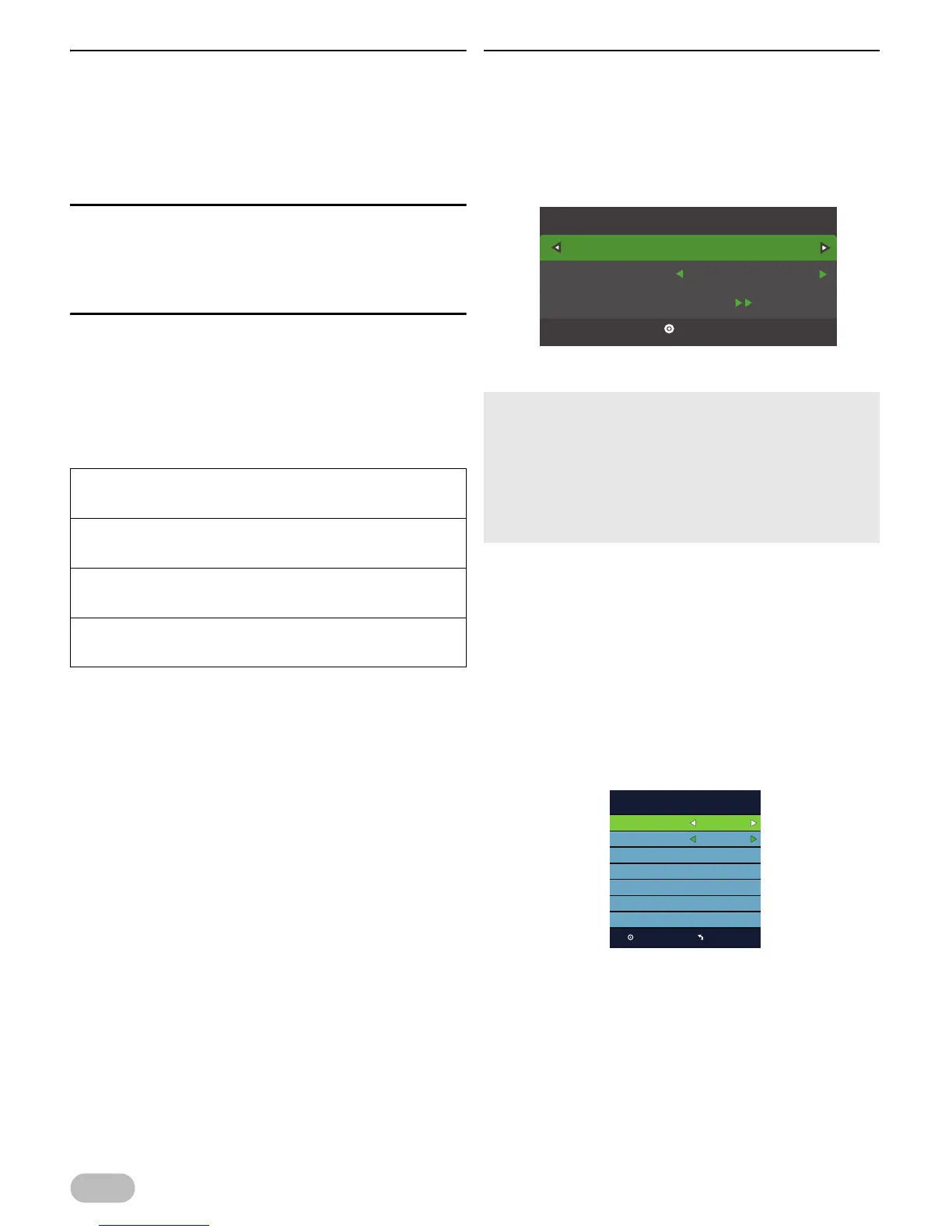
3 Use ◄ / ► to select the location.
4
Use
▲ / ▼
to select
[OSD Language]
, the
n select
the language you want, using ◄ / ►.
5 Use ▲ / ▼ to select [Auto Tuning], then press
OK.
6 Use ▲ / ▼ to select [Country], then select the
country you want, using ◄ / ►.
7 Use ▲ / ▼ to select [Tune Type], then select
[DTV], [ATV] or both channels, using ◄ / ►.
< For DVB-T scanning >
8 Press OK to start scanning.
[ATV], [DTV], [AV], [SCART]:
[Auto], [4:3], [16:9], [Zoom1], [Zoom2]
[PC]:
[4:3], [16:9]
[Component]:
[4:3], [16:9], [Zoom1], [Zoom2]
[HDMI]:
[4:3], [16:9], [Zoom1], [Zoom2], [Just Scan]
• Select [Home Mode], this unit is set to maximise the energy
efficiency for home setting and it can be adjusted through a
choice of picture and sound quality according to your
preference.
• Select [Retail Mode], this unit will be set up with predefined
setting for retail displays.
• If you select [Retail Mode], the confirm message will
appear.
OK
First Time Installation
Home Mode
English
OSD Language
Auto Tuning
Standard
Auto Tuning
OK Menu
Auto
Symbol Rate
Auto
Frequency
Auto
Network ID
Scan Type
ATV + DTV
Tune Type
Germany
Country
DVB-T
Digital Type


 To Next Page