5
EN
OPERATIONS
Watching a TV Programme
To select a channel
Use repeatedly to select your desired
channel, or use the Number buttons to enter a
channel number, then press OK for quicker access.
(e.g.) If you want to select the channel 24 without
pressing OK, press 2 first, then press 4 within 3
seconds.
To adjust the volume
Use / to adjust the audio volume.
Press to turn on or off the sound right away.
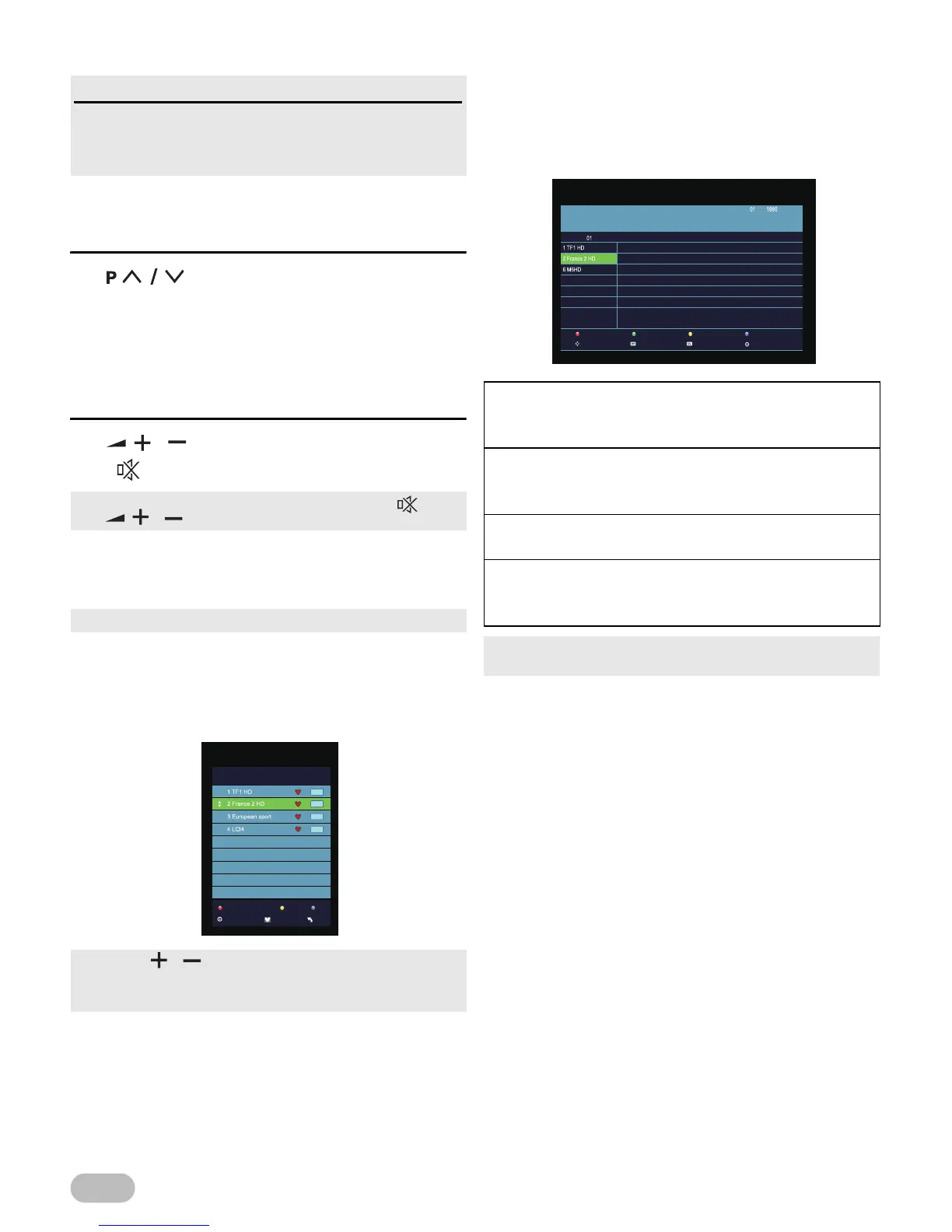
Favourite
You can easily find a favourite channel.
1 Press FAV while watching a programme to show
the favourite channel list.
2 Use ▲ / ▼ to select the channel you want, then
press OK.
3 Press EXIT to exit.
EPG (Electronic Programme Guide)
For Digital TV operation
You can easily find a channel or see the detailed
channel information. EPG gives you scheduled
information of the TV programme.
1 Press EPG and use ▲ / ▼ to select a channel.
2 Press EPG to exit.
Read this first
These operations are accessible by remote control.
Some may also be accessible by controls on the main
unit.
• You can recover the original volume by pressing again
or / .
• You can set favourite channel at “[Programme Edit]” (p. 11).
• Use FAV / to select the favourite channel while
watching a programme.
• Use ◄ / ► to move to the previous or next page.
[Record] (RED) :
Press to call up record list. You can choose the time
of the appointment to record you want.
[Display] (GREEN) :
Press to display the detail information about the
programme.
[Schedule] (YELLOW) :
Press to see the setting you have done before.
[Remind] (BLUE) :
Press to set the time you want to remind the
programme you want to see.
• When the time appointment is conflict, it will produce a
warning message.
Record
Move View
Display
Next Day
Schedule
Prev Day
Remind
OK
Jan
Jan
No Information
PROGRAMME GUIDE



 To Next Page