13
EN
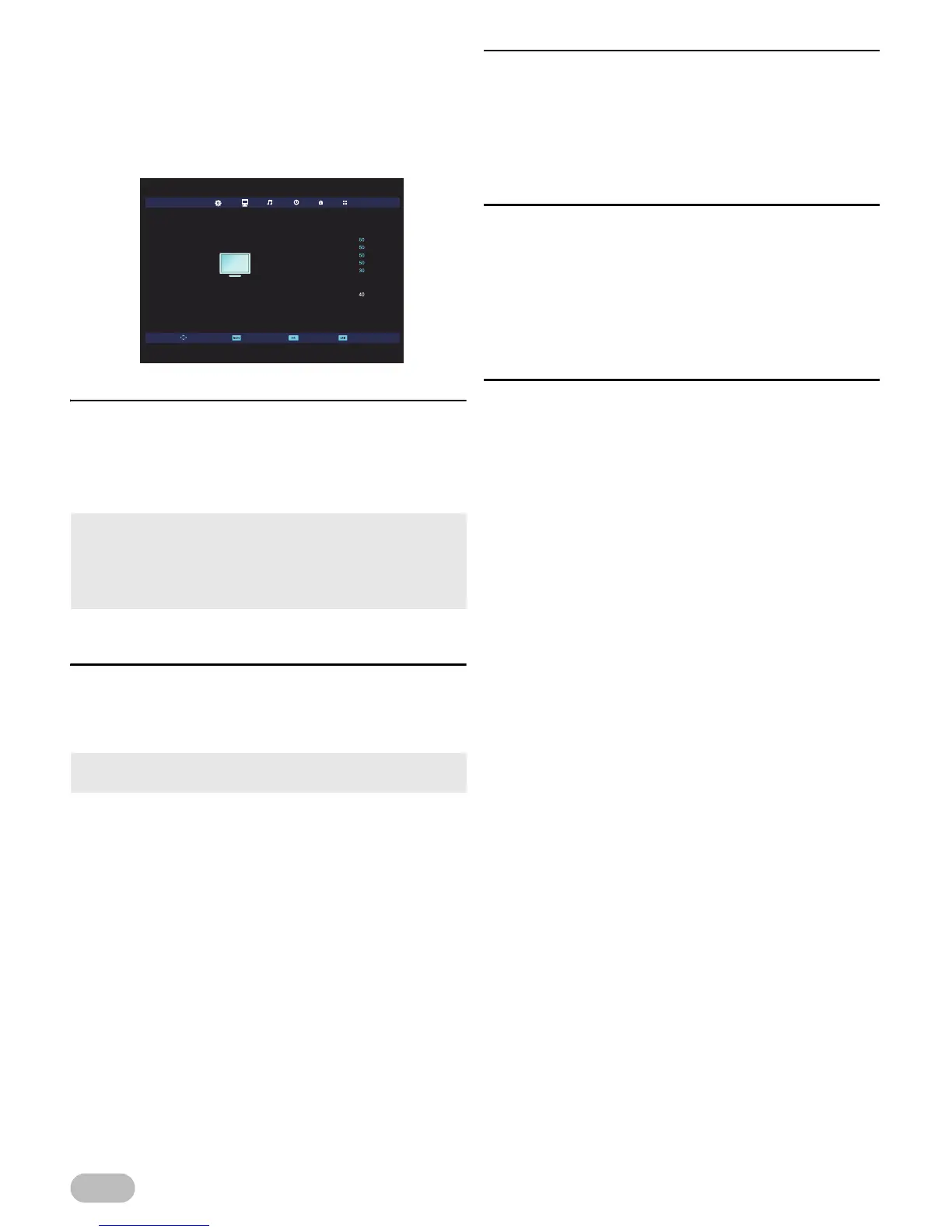
Picture Adjustment
You can adjust the picture settings according to your
personal preference.
These settings are automatically stored after exiting
the picture menu.
1 Use ◄ / ► to select [PICTURE].
[Picture Mode]
2 Use ▲ / ▼ to select [Picture Mode], then press
OK.
3 Use ▲ / ▼ to select [Dynamic], [Standard],
[Mild] or [Personal], then press OK.
[Contrast] / [Brightness] / [Colour] / [Tint] /
[Sharpness]
2 Use ▲ / ▼ to select the item you want, then
press OK, and then appear the setting display,
adjust the setting, using ◄ / ►.
[Colour Temp]
You can change the colour tone of the picture.
2 Use ▲ / ▼ to select [Colour Temp], then press
OK.
3 Use ▲ / ▼ to select [Cold], [Normal] or [Warm],
then press OK.
[Noise Reduction]
You can adjust to reduce the appearance of digitising
error caused by the compression.
2 Use ▲ / ▼ to select [Noise Reduction], then
press OK.
3 Use ▲ / ▼ to select [Off], [Low], [Middle],
[High] or [Default], then press OK.
[Backlight]
You can adjust backlight brightness.
2 Use ▲ / ▼ to select [Backlight], then press OK,
and then appear the setting display, adjust the
setting, using ◄ / ►.
• You can change picture mode easily using PICTURE
MODE.
• Press PICTURE MODE repeatedly to select picture mode
you want. In this function, you can set also assign the
picture mode individually to each input mode.
• You can adjust the settings, if you set [Personal] in
[Picture Mode].


 To Next Page