EasyManua.ls Logo

FUNAI 32FW502W - User Manual

FUNAI 32FW502W
28 pages
Print Icon
To Next Page IconTo Next Page
Loading...
32FW502W
32FW502
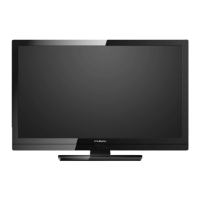
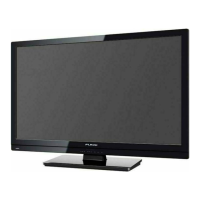
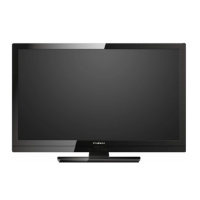
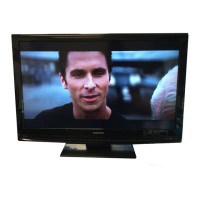
80cm(31.5 inch) LCD HD Television
INDEX
SAFETY INFORMATION...................................... 2
SUPPLIED ACCESSORIES ................................. 3
INSTALLING THE BATTERIES ........................... 3
ATTACHING THE BASE...................................... 4
MOUNTING THE UNIT ON YOUR FURNITURE
.... 4
SET-UP FOR ANTENNA...................................... 5
SET-UP FOR AC PLUG ....................................... 5
TURN ON THE UNIT ............................................ 6
AUTO TUNING ..................................................... 6
SELECTING A CHANNEL ................................... 7
ADJUSTING THE VOLUME................................. 7
HOOK-UP FOR HDMI .......................................... 8
HOOK-UP FOR PC............................................... 8
HOOK-UP FOR YPbPr ......................................... 9
HOOK-UP FOR COMPOSITE .............................. 9
HOOK-UP FOR COAXIAL ................................. 10
HOOK-UP FOR HEADPHONE........................... 10
UNIT INFORMATION ......................................... 11
OPERATIONS .................................................... 13
Watching a TV Programme ............................. 13
Favorite ........................................................... 13
Sleep Timer ..................................................... 13
Switching the Input Mode ................................ 13
Picture Format................................................. 13
Playback Mode................................................ 14
DETAIL SETTINGS ............................................ 18
Channel Settings ............................................. 18
Screen Settings ............................................... 18
Picture Adjustment .......................................... 19
Sound Adjustment ........................................... 19
Timer Settings ................................................. 20
Setup Adjustment ............................................ 21
OTHER INFORMATION ..................................... 22
Trademark Information .................................... 22
Cabinet Cleaning............................................. 22
Panel Cleaning ................................................ 22
Servicing.......................................................... 22
TROUBLESHOOTING GUIDE ........................... 23
SPECIFICATIONS .............................................. 24
Funai India Pvt Ltd
Toll free telephone : 1-800-419-6708
Email ID : customer.care@funai-india.com
Website : www.funai-india.com


Questions and Answers

  • C
    carrie75Sep 9, 2025
    Why is the picture blurred on my FUNAI LCD TV?
    • A
      Alicia RobertsSep 9, 2025
      If the picture on your FUNAI LCD TV is blurred: * Try another channel. If the picture is OK on other channels, the issue may be poor channel reception. * If you are using an outside antenna, check for broken wire.
  • J
    Joseph ChandlerSep 12, 2025
    Why are there bars on the screen of my FUNAI 32FW502W LCD TV?
    • J
      Jessica KellySep 12, 2025
      If you are seeing bars on the screen of your FUNAI LCD TV: * If using an outside antenna, check for any broken wires. * Check for local interference.
  • D
    Dr. Brandi RogersSep 13, 2025
    Why are there different color marks on the screen of my FUNAI 32FW502W?
    • A
      Andrea MillerSep 13, 2025
      If there are different color marks on the screen of your FUNAI LCD TV, try another channel. If the issue resolves, it was likely due to poor channel reception.
  • C
    Caitlin HernandezSep 15, 2025
    What does a black or luminous point on my FUNAI LCD TV screen mean?
    • J
      Justin DicksonSep 15, 2025
      A black or luminous point on your FUNAI LCD TV screen is a characteristic of the LCD Panel quality.
  • S
    Samantha KnightSep 18, 2025
    Why is the sound OK, but the picture is poor on my FUNAI LCD TV?
    • S
      Sergio WoodardSep 18, 2025
      If the sound is OK but the picture is poor on your FUNAI LCD TV: * Try another channel to rule out poor channel reception. * Ensure the antenna is connected to the terminal on the back of the unit. * If using an outside antenna, check for broken wires. * Check for local interference. * Adjust the Contrast and Brightness controls.

Summary

SAFETY INFORMATION

A Note about Recycling

Describes recycling of packaging and product materials.

Battery Precautions

Lists important precautions for handling and using batteries.

SUPPLIED ACCESSORIES

Installation of Wall Mount (Optional)

Instructions and recommendations for wall mounting the TV.

INSTALLING THE BATTERIES

ATTACHING THE BASE

MOUNTING THE UNIT ON YOUR FURNITURE

SET-UP FOR ANTENNA

SET-UP FOR AC PLUG

TURN ON THE UNIT

AUTO TUNING

SELECTING A CHANNEL

ADJUSTING THE VOLUME

HOOK-UP FOR HDMI

HOOK-UP FOR PC

HOOK-UP FOR YPbPr

HOOK-UP FOR COMPOSITE

HOOK-UP FOR COAXIAL

HOOK-UP FOR HEADPHONE

UNIT INFORMATION

OPERATIONS

Watching a TV Programme

Basic TV viewing operations like channel selection and volume.

Favorite

How to set up and access favorite TV channels.

Sleep Timer

Setting the TV to automatically turn off after a specified time.

Switching the Input Mode

Changing the video source input for the TV.

Picture Format

Adjusting the aspect ratio and screen display mode.

Playback Mode

Setup for playback

Connecting USB devices and preparing for media playback.

Operation in Slideshow

Controls for navigating and managing photo slideshows.

SPECIFICATION

[MUSIC]

Details on playing music files from USB storage.

[MOVIE]

[TEXT]

Note for playback

DETAIL SETTINGS

Channel Settings

Options for managing TV channels, including tuning and editing.

Screen Settings

Adjustments for screen display properties, especially in PC mode.

Picture Adjustment

Sound Adjustment

Timer Settings

Setup Adjustment

[OSD Language]

Selecting the preferred on-screen display language.

[Aspect Ratio]

Changing the TV screen display mode (e.g., 4:3, 16:9).

[Blue Screen]

Enabling a blue background screen for no-signal situations.

[Key Lock]

Disabling front panel buttons for child lock functionality.

[Reset]

Restoring the TV settings to their factory defaults.

[Software Update(USB)]

Instructions for updating the TV's software via USB.

OTHER INFORMATION

Trademark Information

Information regarding HDMI and other trademarks.

Cabinet Cleaning

Recommendations for cleaning the exterior surfaces of the TV.

Panel Cleaning

Guidance on safely cleaning the LCD screen.

Servicing

Advice on what to do if the unit becomes inoperative.

TROUBLESHOOTING GUIDE

Value added features

Multimedia format (VIDEO)

Power

Accessories

Dimensional details

Weight

FUNAI 32FW502W Specifications

General IconGeneral
BrandFUNAI
Model32FW502W
CategoryLCD TV
LanguageEnglish

Related product manuals