EasyManua.ls Logo

FUNAI T3B-N8182DB - User Manual

FUNAI T3B-N8182DB
104 pages
Print Icon
To Next Page IconTo Next Page
Loading...
VCR
HDD/DVD
PLAY
RECORD
F.FWDREW
STOP/EJECT
STANDBY-ON
STOP PLAY
RECORDHDD DVD
S-VIDEO VIDEO AUDIO
L R
OPEN / CLOSE
PROG.
DUBBING
VCR HDD DVD
VCR DVD
HDD DVD
PAL
Before using this unit you need to complete connections.
Refer to “Connections” on pages 15-17.
Accessories Supplied
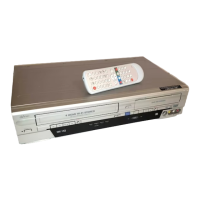
• Remote control • RF cable • Owner’s Manual • Quick Setup Guide
with two R6 (AA) batteries
Owners Manual
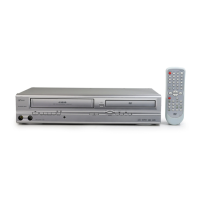
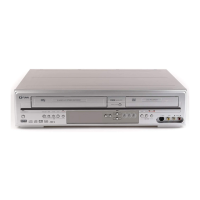
DVD / Video Cassette Recorder
with HDD
T3B-N8182DB
Before You
Start Connections Initial Setups
Recording /
Dubbing Playback Editing Other Setups
VCR
Functions Others
E3B41BD_EN_+nasi.book Page 1 Wednesday, February 7, 2007 6:49 PM

Table of Contents

Questions and Answers

  • M
    Mark BanksAug 16, 2025
    Why is the remote control not working for my FUNAI DVD VCR Combo?
    • E
      Erik AndersonAug 16, 2025
      If the remote control for your FUNAI DVD VCR Combo is not working, it could be due to missing or weak batteries. Replace the batteries to resolve this issue.
  • J
    Janice EspinozaAug 19, 2025
    What to do if my FUNAI DVD VCR Combo operation could not be completed successfully?
    • S
      Steven SmithAug 19, 2025
      If the FUNAI DVD VCR Combo operation could not be completed successfully, it might be due to a problem with the disc. In this case, check and clean the disc. Alternatively, nothing might have been recorded yet, so record some programs. If there is no title in the Original, create a Playlist first. Finally, if there are no editable playlists, create more than two titles in the Playlist.
  • F
    flemingdianeAug 22, 2025
    Why is recording stopped on my FUNAI DVD VCR Combo?
    • D
      David BarberAug 22, 2025
      If the recording is stopped on your FUNAI DVD VCR Combo, it may be due to some problems with the disc. Check the disc and clean it if necessary.
  • C
    Christopher LopezAug 26, 2025
    What to do if my FUNAI DVD VCR Combo cannot read disc?
    • J
      Joseph ColeAug 26, 2025
      If your FUNAI DVD VCR Combo cannot read a disc, the disc may be unsupported, scratched, or dirty. Use only the discs supported by this unit, or clean the disc if necessary.
  • M
    mooreangelaAug 28, 2025
    What to do if my FUNAI DVD VCR Combo has insufficient disc space in the recording media?
    • E
      Erik StewartAug 28, 2025
      If your FUNAI DVD VCR Combo has insufficient disc space in the recording media, it means that the space in the recording media is not enough for the selected Rec Mode. To solve this, make sufficient space in the recording media, or change the Rec Mode.
  • J
    Jason HermanAug 31, 2025
    Why cannot I perform the dubbing on my FUNAI DVD VCR Combo?
    • A
      Autumn WarnerAug 31, 2025
      If you cannot perform the dubbing on your FUNAI DVD VCR Combo, it could be due to several reasons: * An undubbable disc, such as a DVD-Video copy-protected disc, may be inserted. Insert a dubbable disc. * The disc may be unrecordable, or there is no disc in the unit. Insert a dubbable disc. * The space in the recording media is not enough for the dubbing. Make sufficient space in the recording media. * The title is copy-protected. Use a CPRM compatible disc.
  • A
    Antonio ThompsonSep 3, 2025
    Why is my FUNAI DVD VCR Combo showing a Region Code Error?
    • F
      fosterbrendaSep 3, 2025
      If your FUNAI DVD VCR Combo is showing a Region Code Error, it means that the disc’s region code is not supported by this unit. Use only the discs with the region code supported by this unit.
  • C
    Craig DiazSep 6, 2025
    What does it mean when my FUNAI DVD VCR Combo says 'no more titles can be added'?
    • C
      carlos75Sep 6, 2025
      If your FUNAI DVD VCR Combo says 'no more titles can be added', it means you can only register up to 18 titles in the Dubbing Title List. Delete unnecessary titles from the Dubbing Title List to add more.
  • E
    Emily EvansSep 9, 2025
    Why cannot I dub because the allowable number of Edit Marks or chapters has been exceeded on my FUNAI DVD VCR Combo?
    • S
      Stephanie StoneSep 9, 2025
      If you cannot dub because the allowable number of Edit Marks or chapters has been exceeded on your FUNAI DVD VCR Combo, it means that you are trying to dub when the total chapter or Edit Mark number in the DVD is already at its limit. Delete unnecessary chapters in the DVD.
  • D
    Debbie RamirezSep 12, 2025
    Why is the total number of chapters exceeding the limit on my FUNAI DVD VCR Combo?
    • D
      Debbie CurrySep 12, 2025
      If the total number of chapters exceeds the limit on your FUNAI DVD VCR Combo, it means you are trying to record when the total chapter number is already at the limit. Delete unnecessary chapters.

FUNAI T3B-N8182DB Specifications

General IconGeneral
BrandFUNAI
ModelT3B-N8182DB
CategoryDVD VCR Combo
LanguageEnglish

Related product manuals