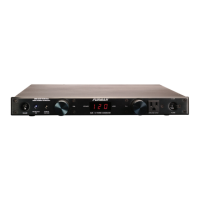
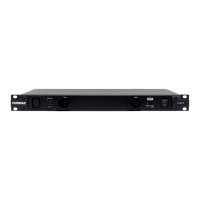
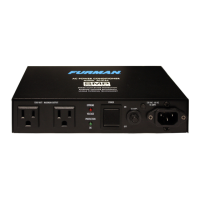
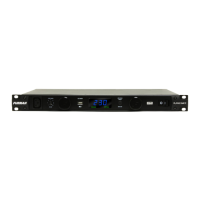
The power source to which the Elite-15 is
connected should be adequate for use at 15
Amps. The Elite-15 will operate with a10 Amp
service outlet; however, nuisance tripping
at the circuit breaker panel may result if the
systems continuous current draw exceeds 10
The Elite-15 is manufactured with four rubber
feet for placement on any table, cabinet,
shelf, or fl oor. These rubber feet may be
easily removed with a standard Philips screw
driver when rack mounting adjacent to other
components. Placement or proximity to other
components is not critical, and the Elite-15
does not produce any appreciable heat under
standard use. The Elite-15 may also be rack
mounted in a standard 19” rack by attaching
the Elite-15 rack ears. These rack ears
(contained within the plastic rack kit package)
mount fl ush with the back portion of the Elite-
15’s front panel. They are attached to the
chassis by installing each rack ear with (3) pan-
head Philips screws contained within the Elite-
15 rack mounting kit. The third screw used for
each rack ear is for the center hole, located
towards the rear and aides in stabilizing the
The Elite-15’s male Edison AC cord must
be connected to an appropriate socket (see
current rating recommendation above).
Connecting Components to the Digital -
Video Component AC Outlet Banks
The Elite-15’s four “Digital - Video Component
AC Outlets” should be employed for critical
video components such as DVD players,
projectors, plasma, or LCD video screens.
Connecting Components to the Linear
The Elite-15’s two rear panel and one
front panel “Linear Filtering Power Outlets”
should be employed for any component not
connected to the “Digital - Video Component
AC Outlets,” These outlets still possess
exceptional AC noise fi ltering to maximize
Retractable Front Panel Lights and Dimmer
The Elite-15 includes a front panel mounted
dimmer control for the two retractable front
panel light tubes. The dimmer knob controls
the brightness of both light fi xtures. Turn
it clockwise to increase brightness; turn it
counter-clockwise to decrease brightness.
When the lights tubes are fully inserted fl ush
to the front panel, the light circuit is turned
off via an internal micro-switch. Whether the
light tubes are retracted or nearly fl ush with
the front panel, there will be no appreciable
heat regardless of dimmer setting due to the
effi ciency of our full light spectrum LED’s.
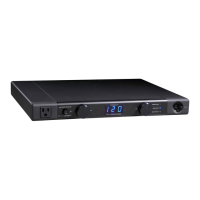
Your Elite-15 contains a combination precision
incoming AC voltage meter. The meter
continuously monitors and displays the
incoming AC voltage (+/- 1VAC typically).
Soft Start - Continuous Use
When power is fi rst applied to the Elite-15,
(the front panel breaker- power toggle must
be switched to the “on” position) the Soft Start
feature is activated. There is an audible “clack”
when the Elite-15 is fi rst turned on or off. This
sound is produced by the Soft Start circuit’s 30
Amp relay engaging or disengaging. There is


 To Next Page
 Loading...