PL-PRO POWER CONDITIONER AND LIGHT MODULEPL-PRO POWER CONDITIONER AND LIGHT MODULE
4
cables at plugs, and the point where they exit from the PL-PRO. To prevent risk of
fire or injury, damaged cords and cables should be replaced immediately.
7. Clean the PL-PRO with a damp cloth only. Do not use solvents or abrasive
cleaners. Never pour any liquid on or into the PL-PRO.
8. When left unused for a long period of time, the power cord of the PL-PRO should
be unplugged from the outlet.
9. The PL-PRO should be serviced by qualified service personnel when:
a. The power supply cord or the plug has been frayed, kinked, or cut.
b. Objects have fallen or liquid has spilled into the unit.
c. The PL-PRO has been exposed to rain or other moisture.
d. The PL-PRO does not appear to operate normally or exhibits a marked
change in performance.
e. The PL-PRO has been dropped, or the enclosure damaged.
10. The PL-PRO requires that a safety ground be present for proper operation. Any
attempt to operate the PL-PRO without a safety ground is considered improper
operation and could invalidate the warranty.
11. Light bulbs are the only user-serviceable parts in the PL-PRO. Instructions for
replacing them are on pages 6-7. The light tubes and end caps become quite warm
to the touch in normal operation. To avoid burning your fingers, allow the cap to
cool completely before unscrewing it. If you find that the heat from the tubes is
excessive, try reducing the setting of the dimmer knob.
12. Do not attempt to service the PL-PRO beyond what is described in this manual.
All other servicing should be referred to qualified service personnel.
9
PROTECTION
OK
GROUND
OK
EXTREME
VOLTAGE
FLASHES
WHEN
SHUT
DOWN
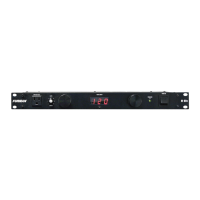
Power Status LEDs
The PL-PRO’s status LEDs inform you
of abnormal conditions at a glance:
Symptom: PROTECTION OK Indicator not lit.
Possible Cause: Protection devices are damaged.
Action Needed: Factory service.
Symptom: GROUND OK Indicator not lit.
Possible Cause: No building ground, bad outlet.
Action Needed: Locate good ground, run ground wire.
Symptom: All voltmeter LEDs are flashing.
Possible Cause: PL-PRO is receiving 130-140 volts. (If only the LED under the
90V mark is flashing, PL-PRO is receiving 80-90V).
Action Needed: Correct the line voltage. Consider installing a Furman
voltage regulator.
Symptom: EXTREME VOLTAGE Indicator flashing.
Possible Cause: Input voltage is below 80 or above 140 volts, causing power to
the PL-PRO’s outlets to be shut down.
Action Needed: Correct the line voltage. Consider installing a Furman voltage
regulator.
100 110 120 12890
AC VOLTS
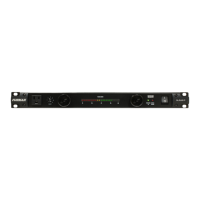
Voltmeter Displays
The PL-PRO informs you of voltage problems at a glance. The following chart
summarizes how the PL-PRO’s voltmeter responds to input voltages from extremely
low to extremely high.
Mains Vltg. Voltage Status PL-PRO Voltmeter Reading Outlets
Below 80V Extreme (Shutdown) Meter off—Extreme Voltage LED flashes OFF
80-90 Low Marginal The LED beneath the 90V mark flashes ON
90-104 Low Meter Reads in Low Red ON
106-108 Medium Low Meter Reads in Low Yellow ON
110-120 Normal Meter Reads in Green ON
122-124 Medium High Meter Reads in High Yellow ON
126-128 High Meter Reads in High Red ON
130-140 High Marginal All Meter LEDs Flash ON
Above 140 Extreme (Shutdown) Meter off—Extreme Voltage LED Flashes OFF


 To Next Page
 Loading...