Page 26 FCO770 Users Guide Issue 1
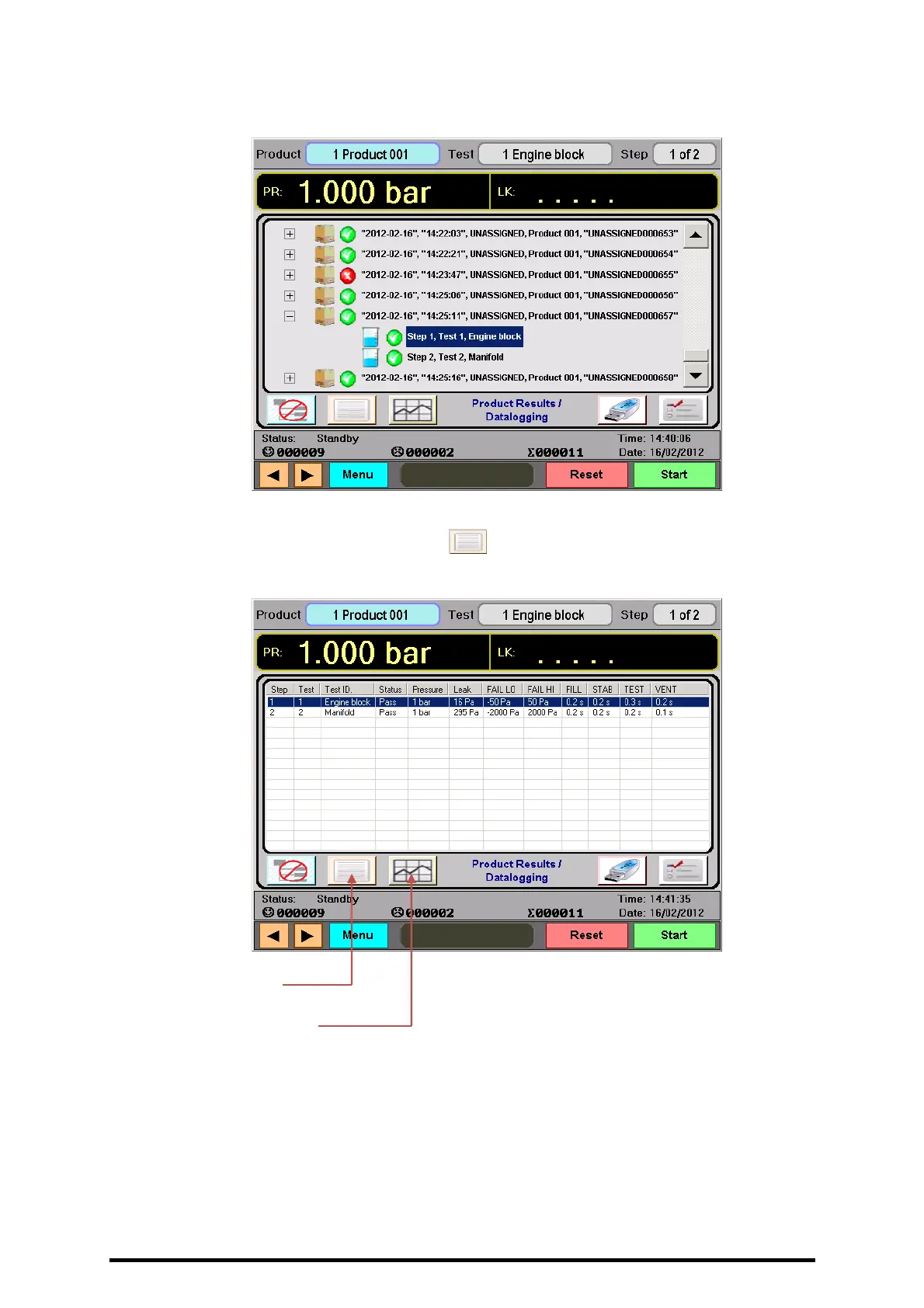
• You can view logged information for a particular product step by first clicking on the
line required, causing it to be highlighted with a blue background as below:
• Now you will see 1 or 2 new buttons appear immediately to the right of the Logged
Data product view button. Firstly the button can be pressed to show a tabulated
view of data settings and results for that test.
Notice that all tests and their data are shown on separate lines, with the test in
question highlighted using the familiar blue background. This makes for quick and
easy viewing of all product test data on a single screen.
View tabulated
Logged Data Button.
View Logged
Graph plot Button.



 To Next Page