23
Install and Use Monitor
By default, the monitor screen shows the
single-channel image of the last paired
camera.
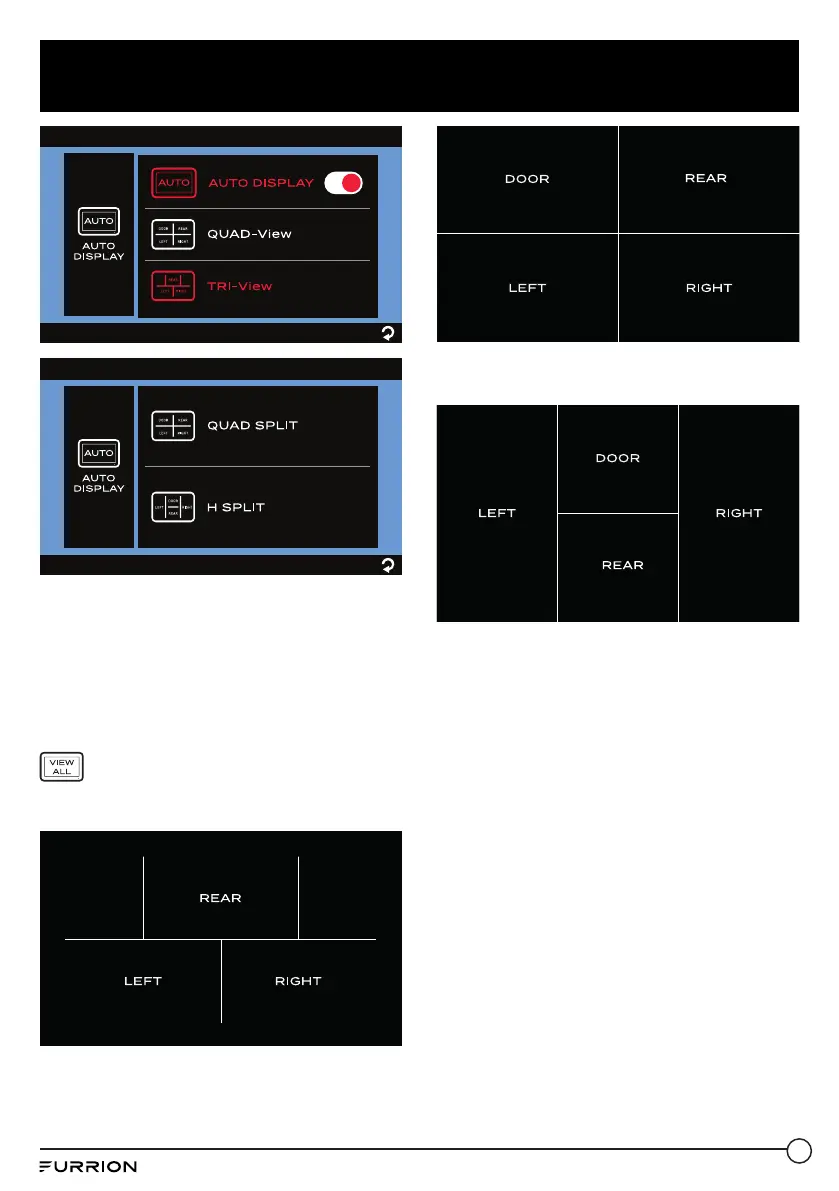
To switch to 3-channel or 4-channel
display mode:
Tap twice on the monitor screen to bring
up the camera selection interface, then tap
to enter channel display.
− 3-channel display when TRI-View is
selected:
− 4-channel display when QUAD SPLIT is
selected:
− 4-channel display when H SPLIT is
selected:
On the channel display interface, you can
tap a specific section to enter the respective
single-channel display mode, no matter
whether the AUTO DISPLAY switch is
enabled or disabled.
Mirror Setting


 To Next Page
 Loading...