30
Install Cameras
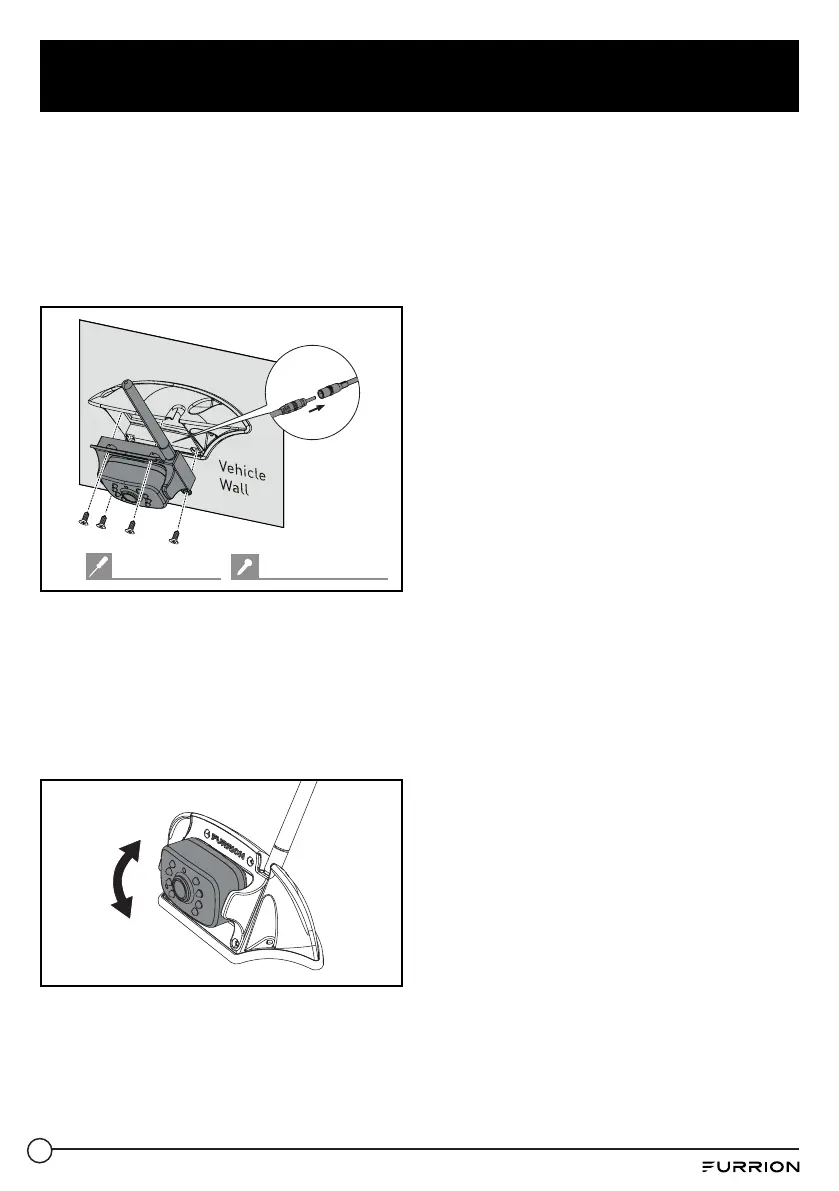
2. If there is a cover on the bracket housing,
remove it first. Connect the female
connector of the camera power cable to
the male connector on the back of the
camera, and put the redundant cables
inside the bracket housing. Then attach
the camera to the bracket with four
#4x1/4” self-tapping screws.
#2 Phillips head #4x
1
/
4
" self-tapping
3. Adjust the view angle of the camera
by rotating it upwards and downwards
(0~50°) so that you can see:
(For rear camera position): the bottom
edge of your vehicle and the road
conditions behind;
(For doorway camera position): the
bottom edge of the door.



 To Next Page
 Loading...