2-17
2.18 Correcting Speed/Water Temperature Readout
Wrong ship's speed or water temperature indication can be corrected on the system menu 2 as
follows:
1. Set the [MODE] switch in the MENU position.
2. Press [▼] to select ZOOM MODE, and press the key once again to go to page 2 of the menu.
3. Press [▼] to select GO TO SYSTEM MENU and then press [+] to select YES.
4. Use [+] key to select system menu 2.
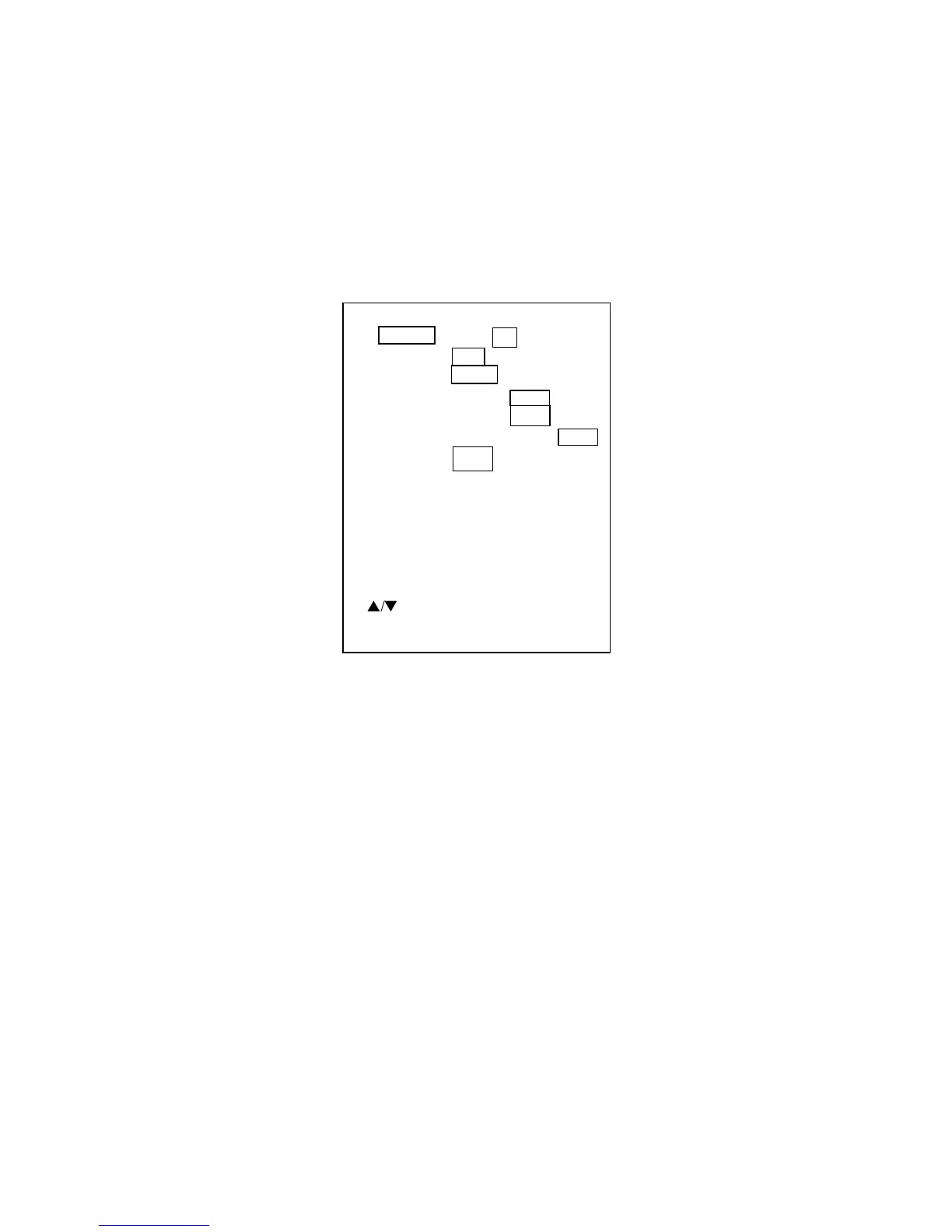
[1] [2] [3]
OFF L/L R/B CSE
NMEA CIF
OFF OWN NMEA
OFF OWN NMEA
OFF LOW HIGH
+0 % [-50 - +50]
+0.0 °F [-20 - +20]
(* SYSTEM MENU [2] *)
(ADJUSTABLE OWN SENSOR ONLY.)
OWN SENSOR
TEMPERATURE
MENU :
NAV DSP :
FORMAT :
SPD SEL :
TMP SEL :
TMP GRP:
SPD ADJ :
TMP ADJ :
s
/
t
: TO SELECT ITEM.
-/+
:
TO SET CONDITION.
OWN SENSOR
SPEED
0.0 kt °F
5. Select SPD ADJ or TMP ADJ as appropriate.
6. Use [+], [-] to enter offset.


 To Next Page