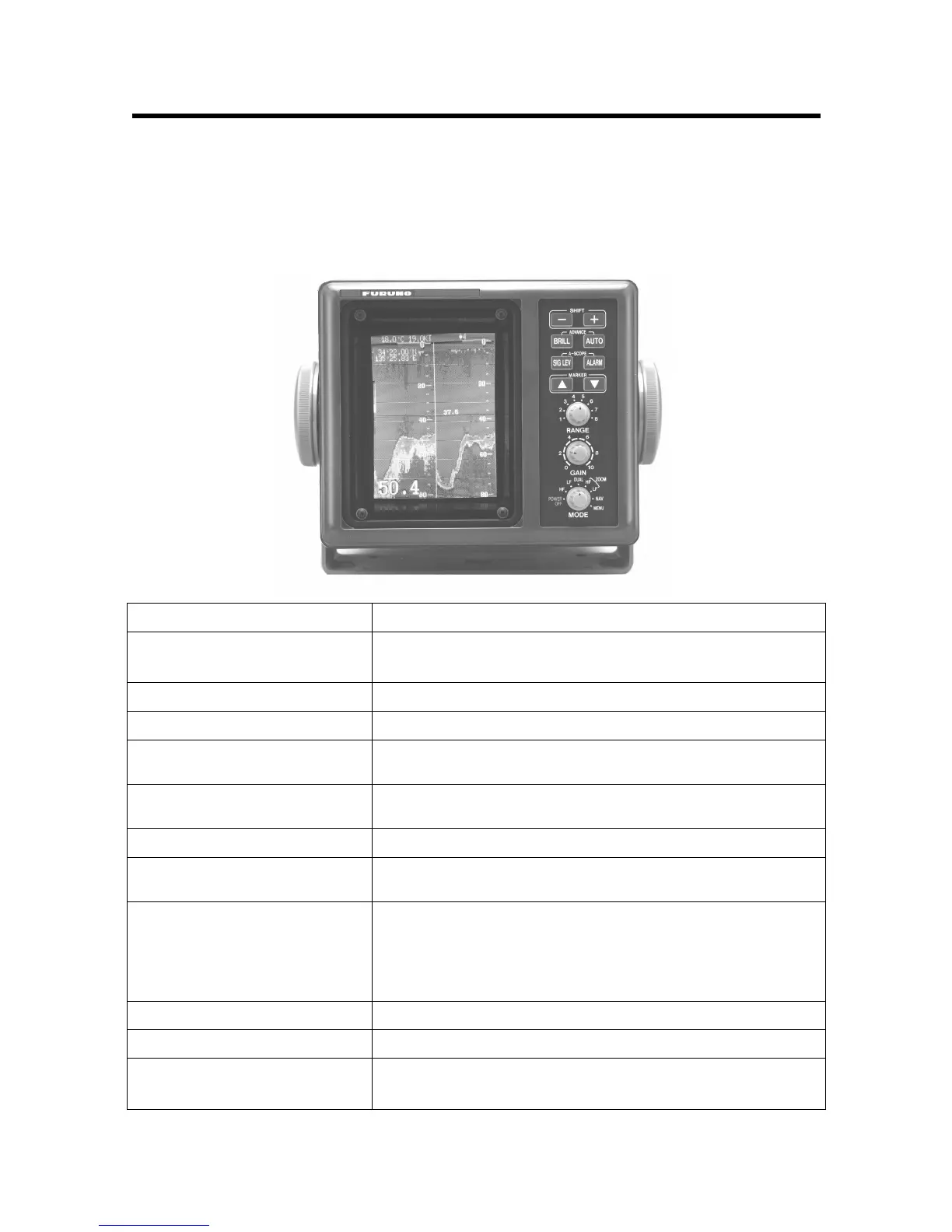
1-1
1. CONTROLS, INDICATIONS
1.1 Control Description
The equipment is so designed that even a first time user can quickly become acquainted with the
operating procedure. Operation of each control or key is acknowledged by an alphanumeric
message or symbol indication on the screen.
Control Function
SHIFT-, SHIFT+
(Appears in text as [-], [+].)
• Change display start depth.
•
Select options on menus.
BRILL
Adjusts brilliance of display.
AUTO
Turns the automatic sounder adjustment feature on/off.
ADVANCE (BRILL + AUTO)
Pressing the BRILL and AUTO keys together selects display
advancement speed.
SIG LEV
Eliminates low intensity echoes (up to light-blue echoes) in two
steps.
ALARM
Opens/closes the alarm menu.
A-SCOPE (SIG LEV + ALARM)
Pressing the SIG LEV and ALARM keys together displays the
A-scope display at the right 1/4 of the screen.
MARKER
▲
, MARKER
▼
(Appears in text as [
▲
] or [
▼
].)
• Shift the Variable Range Marker (VRM).
• Set alarm zone.
•
Select menu items.
•
Set white marker.
RANGE
Sets the basic range of the display.
GAIN
Adjusts receiver sensitivity.
MODE
•
Turns unit on/off.
•
Selects display mode.



 To Next Page